






If you want to make your Elementor website more dynamic, changing the logo in the sticky header on scroll can help you achieve that.
With the Site Logo widget from The Plus Addons for Elementor, you can change the site logo in a sticky header on scroll in Elementor.
To check the complete feature overview documentation of The Plus Addons for Elementor Site Logo widget, click here.
Best Used For:
- Business and agency sites that use a transparent header on the homepage and a solid logo in the sticky state
- Brands that display a full-color logo normally and a white/dark version when the header sticks
- Any Elementor site using a custom header builder that needs a distinct sticky header logo
Requirement – This widget is a part of The Plus Addons for Elementor, make sure its installed & activated to enjoy all its powers.
To do this, add both the Site Logo widget and the Navigation Menu widget to the header template and follow the steps below.
Note: To create the header template, you can use the free Nexter Builder or you can use Elementor Pro if you are already using it.

1. Place both the Site Logo widget and the Navigation Menu widget in the same container or section in the Elementor editor.
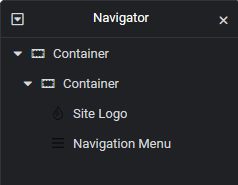
2. In the Navigation Menu widget, select the appropriate Menu Type, Menu Direction, and menu from the Navigation Bar tab.
3. Enable the Sticky Menu toggle from the Extra Options tab. This activates the sticky behaviour for your navigation.
To also change the header background color when the sticky menu activates, see How to Change Sticky Header Color on Scroll in Elementor.
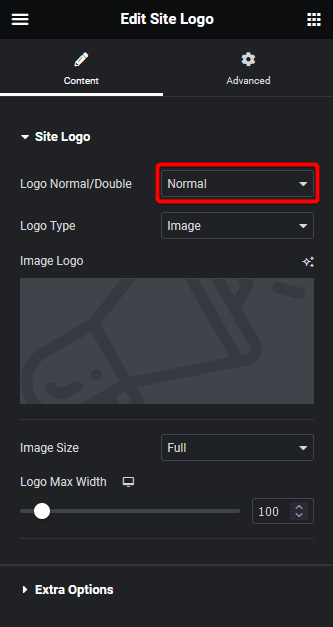
4. In the Site Logo widget, select Normal from the Logo Normal/Double dropdown and add the logo.
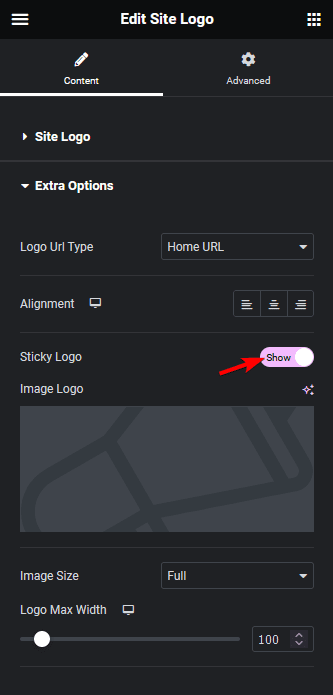
5. Go to the Extra Options tab and enable the Sticky Logo toggle.
6. In the Image Logo section, add the logo. Select the image size and width as needed.
Now you will see a different logo in the sticky header on scroll.

For a glass blur effect on your sticky header, see How to Create a Blurred Glass Sticky Header in Elementor.
Also, read How to Change Site Logo on Hover in Elementor.
