






Only sending form submissions to email is risky: one message in spam and the lead is gone.
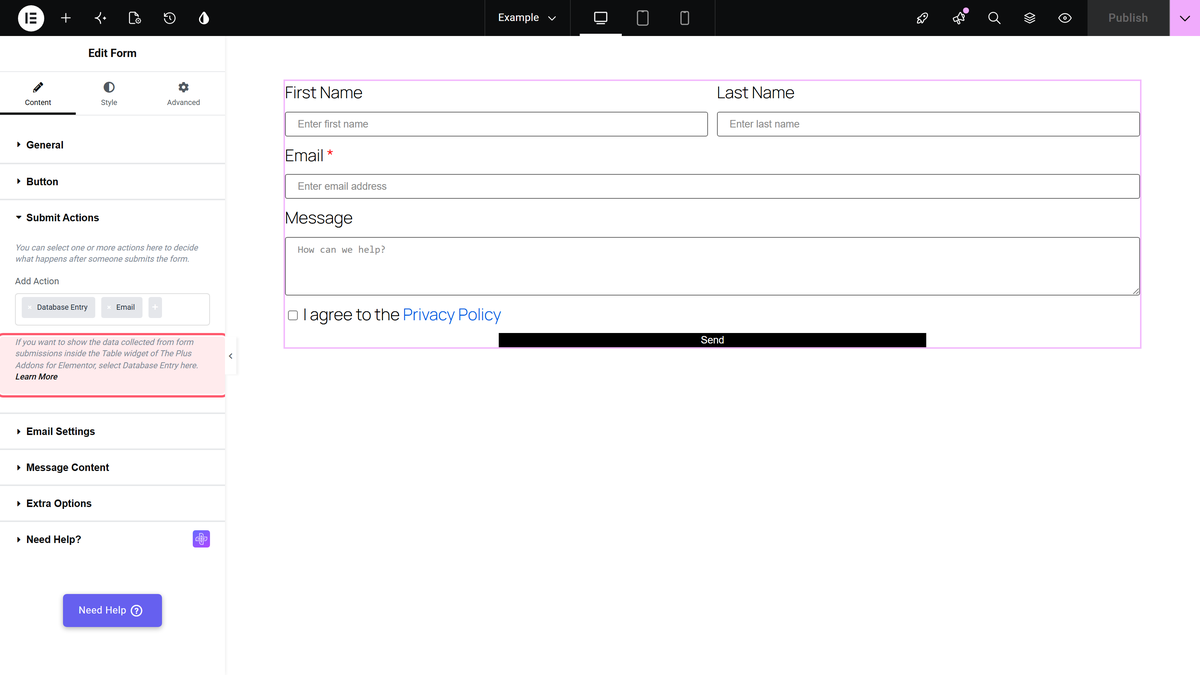
With the Database Entry action of the Form widget from The Plus Addons for Elementor, every submission is also saved in your WordPress dashboard.
To check the complete feature overview documentation of The Plus Addons for Elementor Form widget, click here.
Requirement – This widget is a part of The Plus Addons for Elementor, make sure it’s installed & activated to enjoy all its powers.
Before You Start
- Edition: Pro — Database Entry needs The Plus Addons for Elementor Pro. The free plugin does not list it.
- Widget to enable: Form, switched on under The Plus Addons > Widgets.
Steps
- Add the Form widget to your page and set up your fields.
- In Content > Submit Actions, add Database Entry to Add Action. You can keep Email as well.
- Optional: in Extra Options, set a Form ID so you can tell forms apart.
- Publish the page and send a test submission.
View Your Submissions
Go to The Plus Addons > Submissions in your WordPress dashboard.
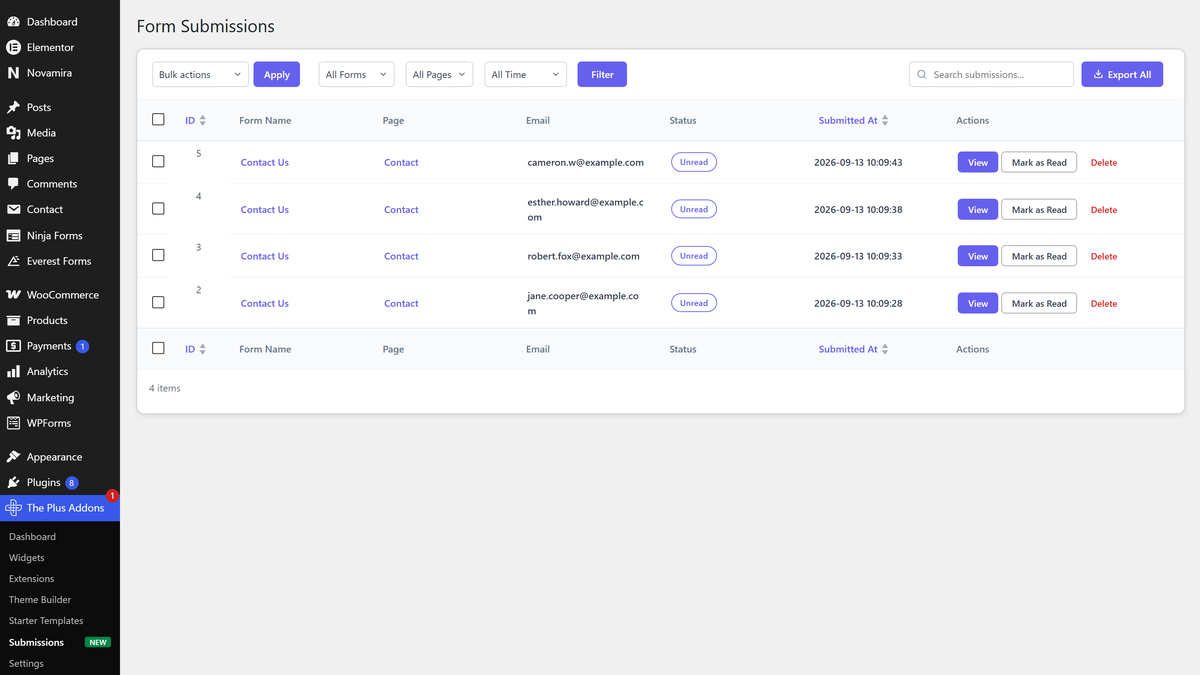
- View opens one submission with all its field values.
- Mark as Read / Mark as Unread changes the Status column.
- Delete removes an entry for good. There is no undo.
- Filter the list by form (All Forms), page (All Pages) or date (Today, Yesterday, Last 7 Days, Last 30 Days or Custom), then click Filter.
- Search entries with the search box at the top.
- To download a CSV file, click Export All, or tick entries and choose Export from Bulk actions.
How It Behaves
- Each entry stores the field values with their Unique IDs, the Form Name, the Form ID and the page it was sent from.
- It also stores the visitor’s IP address and browser, and the user ID if they were logged in.
- The entry is saved even if another action, such as Email, fails.
Limitations
- The Submissions menu appears only after the first saved submission. Before that it is not in the menu.
- Entries are stored in your site’s database. Mention this in your privacy policy if you collect personal data.
Troubleshooting
I can’t find the Submissions menu
Send one test submission from a form that uses Database Entry, then reload the dashboard. The menu also needs The Plus Addons for Elementor Pro to be active and the Form widget to be switched on.
