






Open registration forms attract bot sign-ups. Google reCAPTCHA v3 checks visitors in the background, without a puzzle to solve.
The reCAPTCHA v3 option of the WP Login & Register widget from The Plus Addons for Elementor adds it to the registration form.
To check the complete feature overview documentation of The Plus Addons for Elementor WP Login & Register widget, click here.
Requirement – This widget is a part of The Plus Addons for Elementor, make sure it’s installed & activated to enjoy all its powers.
Before You Start
- Edition: Pro — the WP Login & Register widget is only part of The Plus Addons for Elementor Pro. The free plugin lists it as a locked Pro widget and does not add it to Elementor.
- Widget to enable: WP Login & Register, switched on under The Plus Addons > Widgets.
- WordPress setting: Settings > General > Membership: Anyone can register must be ticked, or the register form shows a notice instead of its fields.
- A Google account to create reCAPTCHA keys. Only reCAPTCHA v3 keys are supported.
Step 1: Create reCAPTCHA v3 Keys
- Open the Google reCAPTCHA admin console and register a new site.
- Choose reCAPTCHA v3 as the type and add your domain without
https://.
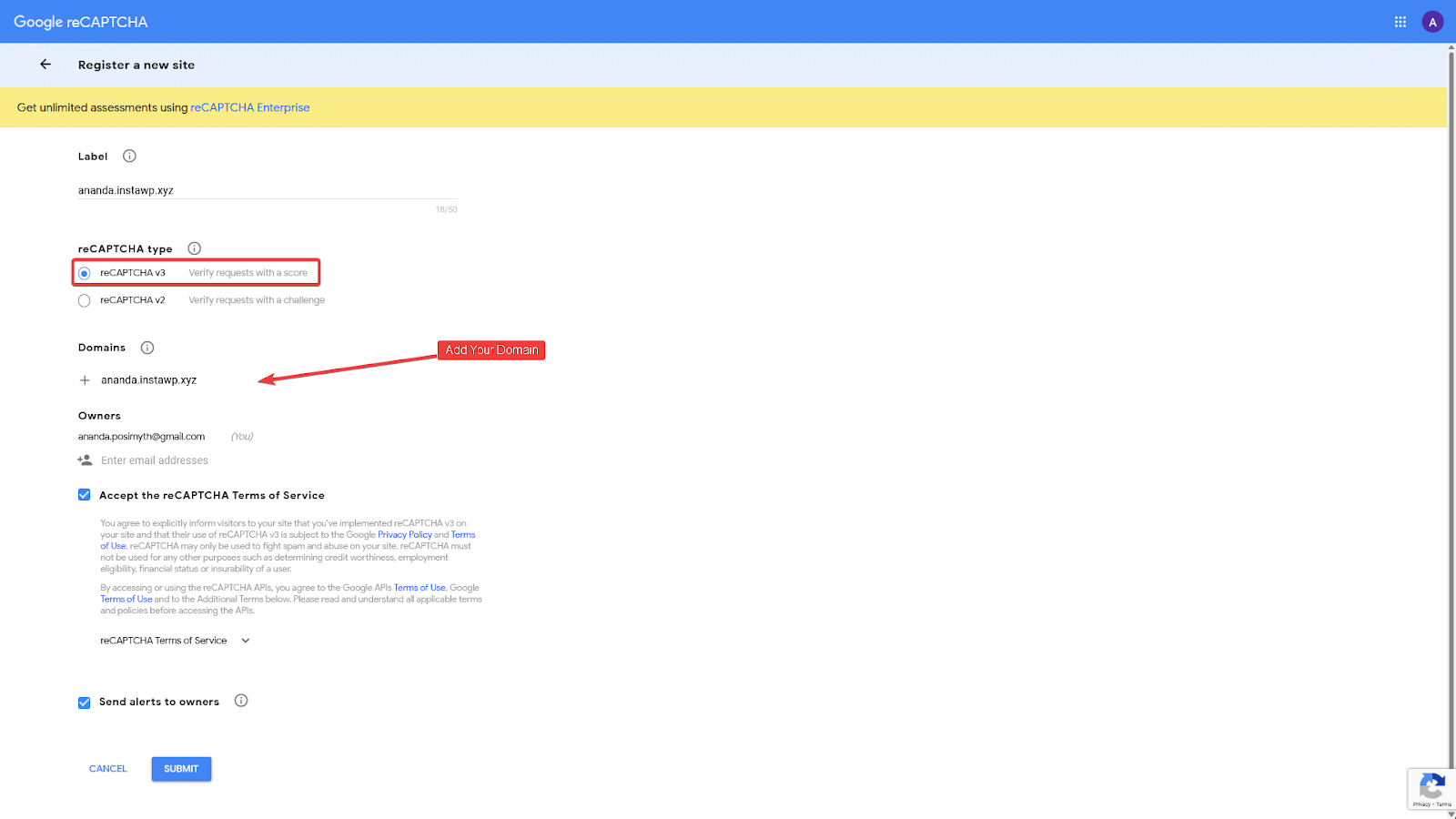
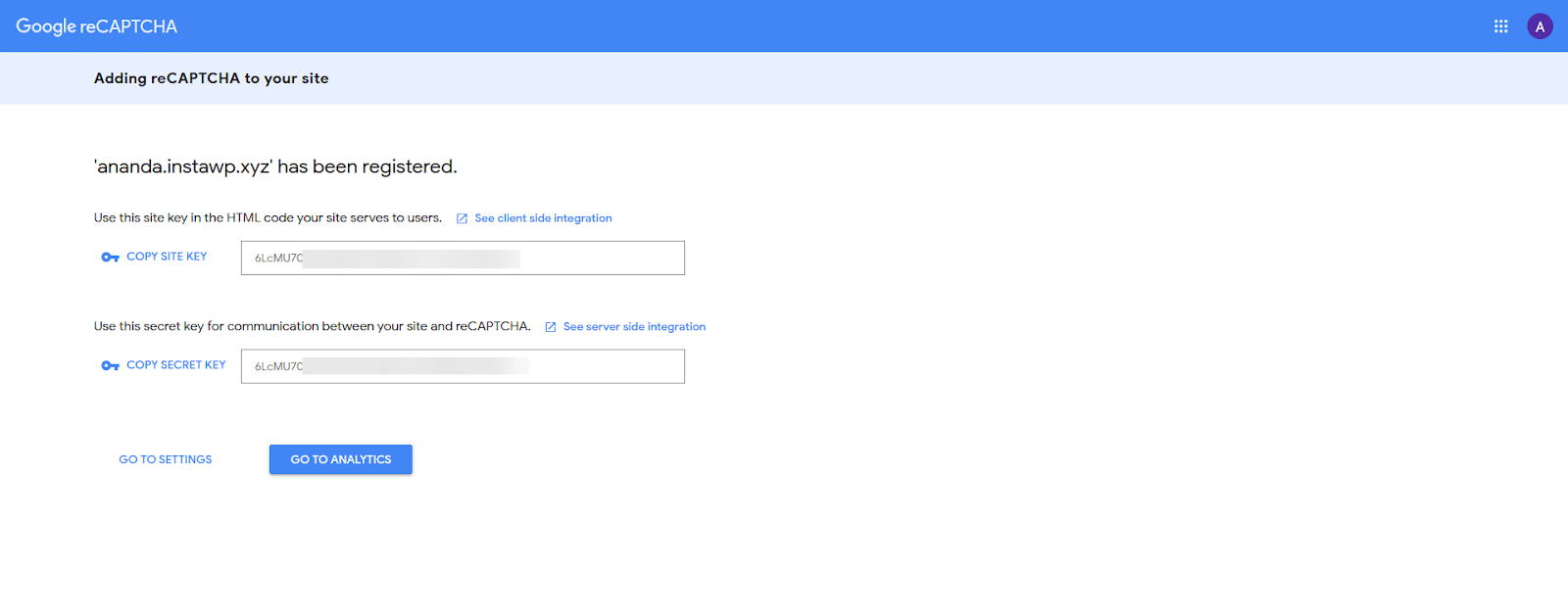
- Submit the form and copy the Site Key and the Secret Key.
Step 2: Save the Keys in The Plus Addons
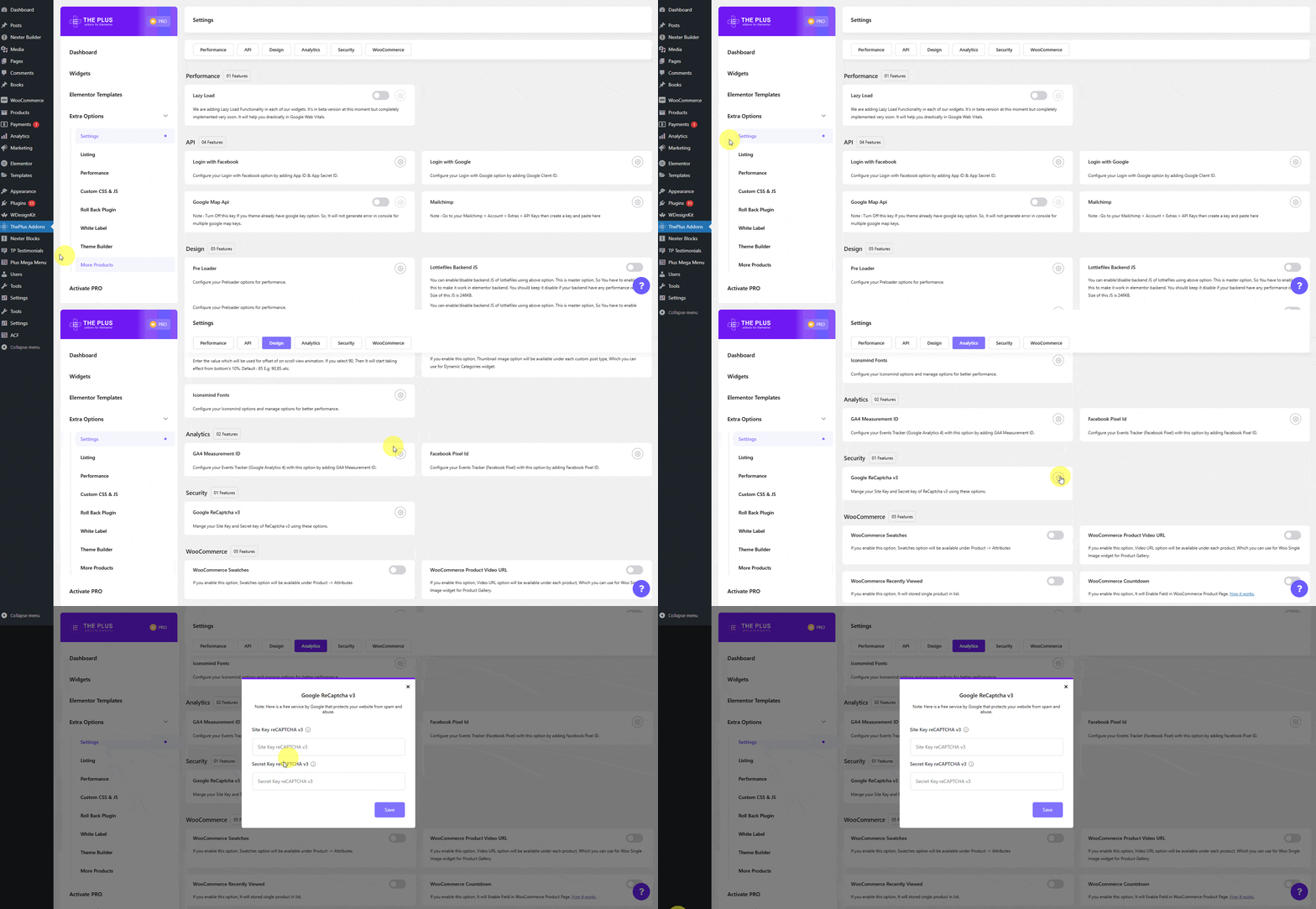
- Go to The Plus Addons > Settings and find Google ReCaptcha v3 in the Security group.
- Click its settings icon, paste the keys into Site Key reCAPTCHA v3 and Secret Key reCAPTCHA v3, and save.
Step 3: Turn It On in Every Registration Form
- Edit the page with the WP Login & Register widget set to Register or Login and Register.
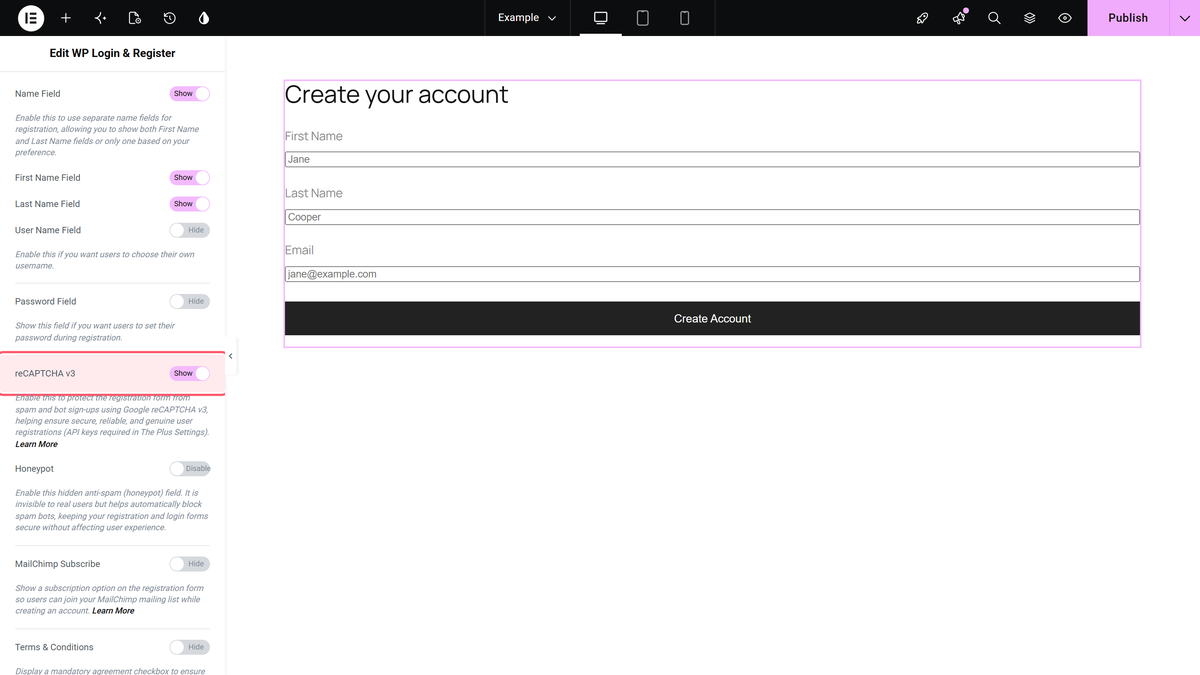
- Open Register Extra Options and turn on reCAPTCHA v3.
- Repeat this for every WP Login & Register registration form on the site, then publish.
How It Behaves
- The form loads Google’s reCAPTCHA script and asks Google for a token in the background.
- When the form is sent, your site checks the token with Google before it creates the account.
- It protects the registration form only. The login and lost password forms are not covered.
Limitations
- Saved keys affect every registration form on the site. Once a secret key is saved, a WP Login & Register registration form without reCAPTCHA v3 turned on refused all sign-ups in our test with “Please check the the captcha form.” Turn the option on in every registration form, or remove the keys.
- Keys for reCAPTCHA v2 do not work; the form then fails with the same message.
- The widget is part of The Plus Addons for Elementor Pro only.
Troubleshooting
Sign-ups fail with “Please check the the captcha form.”
Turn on reCAPTCHA v3 in that widget and check that your keys are reCAPTCHA v3 keys registered for this domain.
