






If your registration form collects personal data, you usually want visitors to accept your terms and privacy policy before an account is created.
The Terms & Conditions option of the WP Login & Register widget from The Plus Addons for Elementor adds a required checkbox with your own text and links.
To check the complete feature overview documentation of The Plus Addons for Elementor WP Login & Register widget, click here.
Requirement – This widget is a part of The Plus Addons for Elementor, make sure it’s installed & activated to enjoy all its powers.
Before You Start
- Edition: Pro — the WP Login & Register widget is only part of The Plus Addons for Elementor Pro. The free plugin lists it as a locked Pro widget and does not add it to Elementor.
- Widget to enable: WP Login & Register, switched on under The Plus Addons > Widgets.
- WordPress setting: Settings > General > Membership: Anyone can register must be ticked, or the register form shows a notice instead of its fields.
- Published terms and privacy policy pages to link to.
How to Add a Consent Checkbox
- Add the WP Login & Register widget and set Type to Register or Login and Register.
- Open Register Extra Options and turn on Terms & Conditions.
- Replace the text in the Terms & Conditions field below it with your own wording.
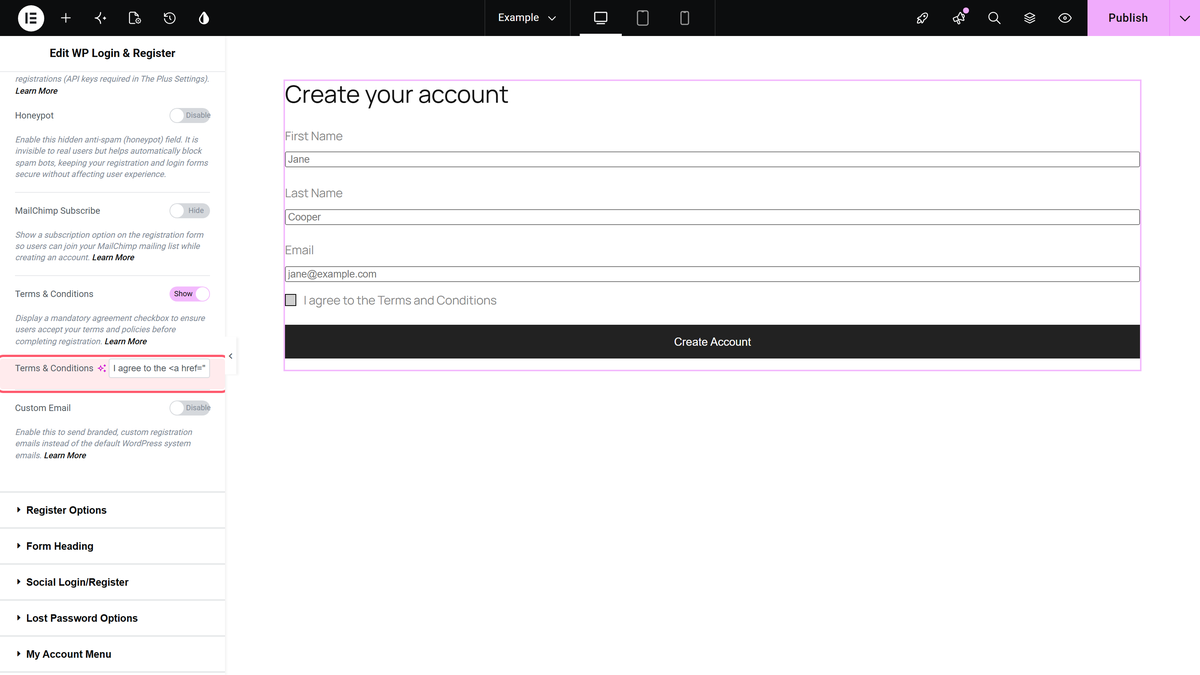
The field accepts HTML, so you can link your pages, for example:
I agree to the <a href="/terms/" target="_blank">Terms and Conditions</a>
- Publish the page and try to register without ticking the box.
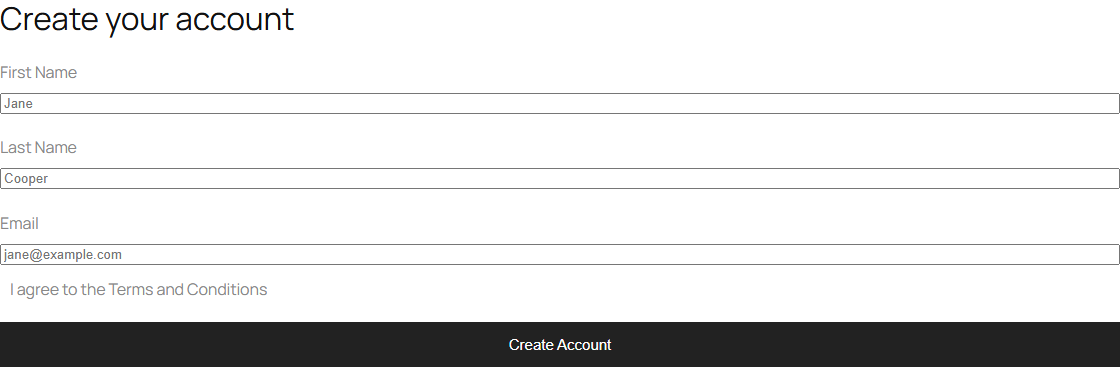
How It Behaves
- The checkbox appears above the register button with your text; links in it are clickable.
- The box is required. With it unticked, the browser stops the form and no account is created.
- Style the text and the checkbox in Style > Terms & Conditions, and its width in Register Fields Width.
Limitations
- The consent is not recorded. The widget only blocks the form until the box is ticked; it does not save when or to what a member agreed. If you need a record, keep it with another tool.
- The checkbox alone does not make a site compliant with GDPR or any other law. Check your requirements with a legal advisor.
- The widget is part of The Plus Addons for Elementor Pro only.
Troubleshooting
Visitors can register without ticking a box
Check that Terms & Conditions is turned on in that widget’s Register Extra Options, then update the page.
