






Do you want to keep a heading out of the table of contents in Elementor? Not every heading belongs in the outline — a call to action, a note to the team, or a repeated sub-heading only makes the list harder to scan.
The Table Of Content widget looks for one CSS class, tp-toc-ignore. Any heading that carries it is skipped, and so is every heading inside a container that carries it.
To check the complete feature overview documentation of The Plus Addons for Elementor Table Of Content widget, click here.
Requirement – This widget is a part of The Plus Addons for Elementor Pro, make sure it’s installed & activated to enjoy all its powers.
Before You Start
- Edition: Pro — Table Of Content is only in The Plus Addons for Elementor Pro. With the Pro plugin switched off the widget is not in the editor at all, and a page that already uses it shows nothing where the widget was.
- Widget to enable: Table Of Content, switched on under The Plus Addons > Widgets.
- The page needs real headings: the widget does not create headings, it indexes the ones already on the page. Build the article with heading widgets (H2, H3, H4) before you judge the result.
Steps
- Add the Table Of Content widget to the page and set up Layout and Select Tags as usual.
- Click the heading you want to leave out.
- Open the Advanced tab, then the Layout section, and type
tp-toc-ignoreinto CSS Classes. Type it without a dot in front.
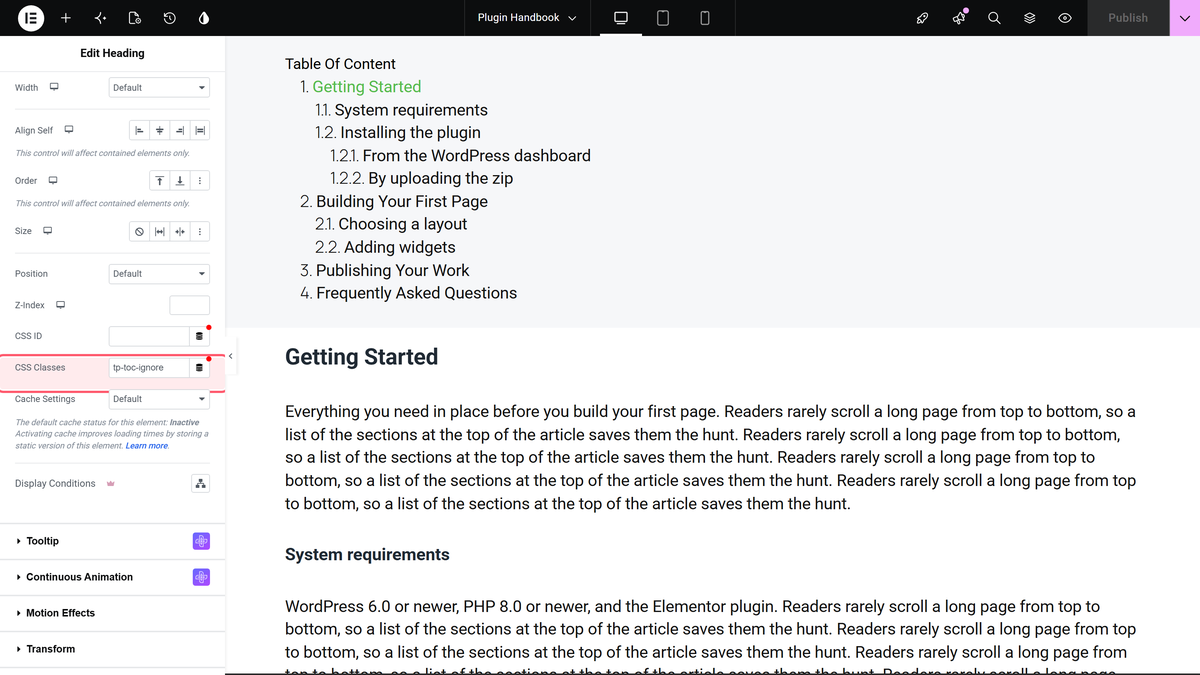
- Update the page and reload the published version.
What You End Up With
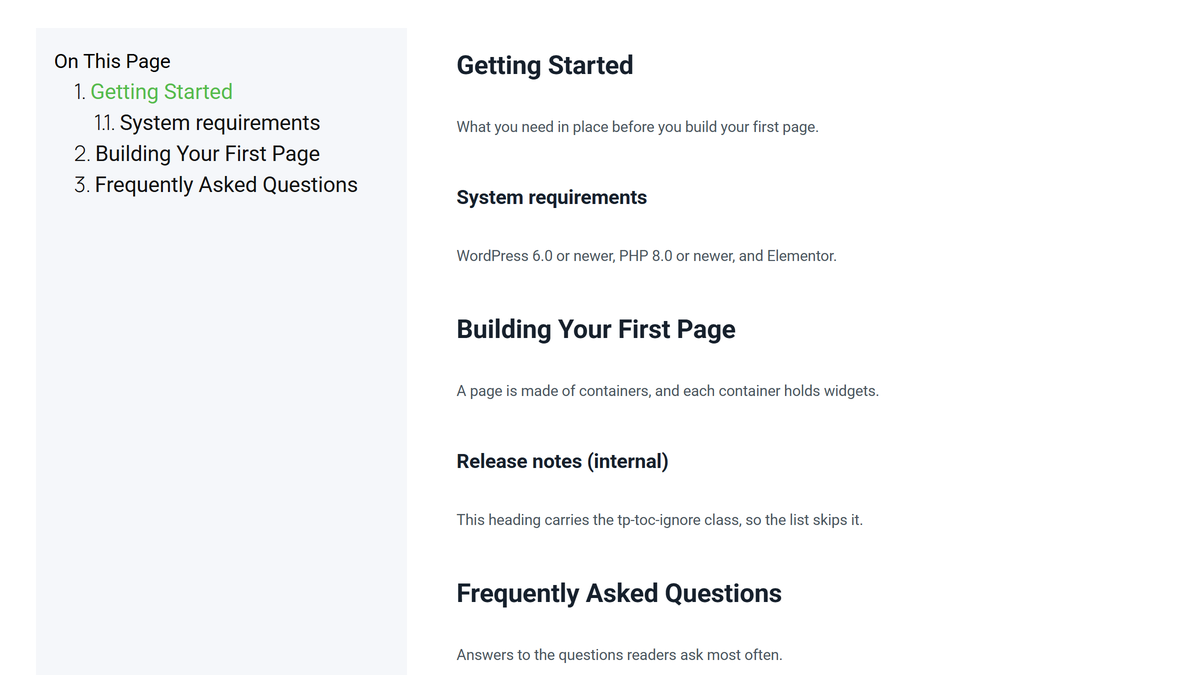
The heading is still on the page and still reads exactly as before. It is simply missing from the list.
Excluding a Whole Section
The same class works on a container. Put tp-toc-ignore in the container’s CSS Classes field and every heading inside it is skipped — useful for a promo block, a related-posts strip, or a sidebar that shares the page with the article.
If you want the opposite — index one part of the page and ignore everything else — use Restricted Container Area instead. It is usually less work than tagging each block you do not want.
How It Behaves
- The class only tells the table of contents to skip the heading. Nothing about the heading changes on the page.
- You can use it on as many headings as you like.
- An excluded heading is not given an anchor, so nothing else on the page can link to it either. If you need the anchor, give the heading a CSS ID of your own in the same Layout section.
- The class is read when the page loads, so the list always matches the current content.
Limitations
- The class name is fixed. There is no setting for choosing a different one.
- Hash Tag leaves a dead marker behind. With Hash Tag switched on, an excluded heading still gets the copy marker beside it, and because the heading has no anchor the marker copies a broken link ending in
#undefined. If you use both features, keep them apart — or give the excluded heading a CSS ID so the marker has something to point at. - Excluding a parent heading does not promote its children: an H3 under an excluded H2 stays where it is in the outline.
Troubleshooting
The heading is still in the list
Check the spelling, and that you typed it without a leading dot. Then make sure you put it on the heading itself rather than on the container around it — although both work, a container-level class takes out every heading inside, which may not be what you wanted.
Too many headings are missing
The class is on a container, not on a single heading. Move it to the one heading you meant to exclude.
I want to keep only the H2 headings
Do not tag anything. Open Layout > Select Tags and remove every level except H2.
