

































Want to make the active slide stand out in your Elementor carousel? The Carousel Anything widget in The Plus Addons for Elementor lets you increase the center slide area so that the active slide appears larger than the surrounding slides, with partial previews of adjacent slides visible on either side.
To check the complete feature overview documentation of The Plus Addons for Elementor Carousel Anything widget, click here.
Best Used For:
- Portfolio sites that want to spotlight the active slide in a hero carousel with partial previews of adjacent items
- WooCommerce product pages using a featured product carousel where the center item needs to stand out visually
- Agency and photography sites building full-width image carousels with a depth-and-focus layout
Requirement – This widget is a part of The Plus Addons for Elementor. Make sure it is installed and activated to enjoy all its powers.
Increase Center Slide Size
To increase the center slide size, add the Carousel Anything widget to the page. After you have created your slides, go to the Style tab and open the Carousel Options section. Turn on the Center Mode toggle. Use this when you want the active slide to appear larger and more prominent than the surrounding slides, such as in a testimonial carousel, a portfolio showcase, or a product highlight section.
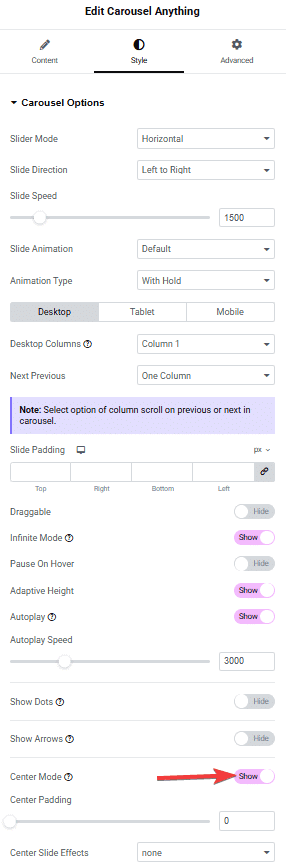
Once Center Mode is on, a Center Padding slider appears. Increase this value to add more space around the center slide and make the active slide stand out from adjacent slides. From the Center Slide Effects dropdown, select an effect to apply to the center slide. Depending on the effect you choose, additional adjustable options appear below the dropdown, such as opacity or scale controls. To create a continuously playing carousel that pairs well with center mode, see How to Change Elementor Carousel Slider automatically with autoplay.
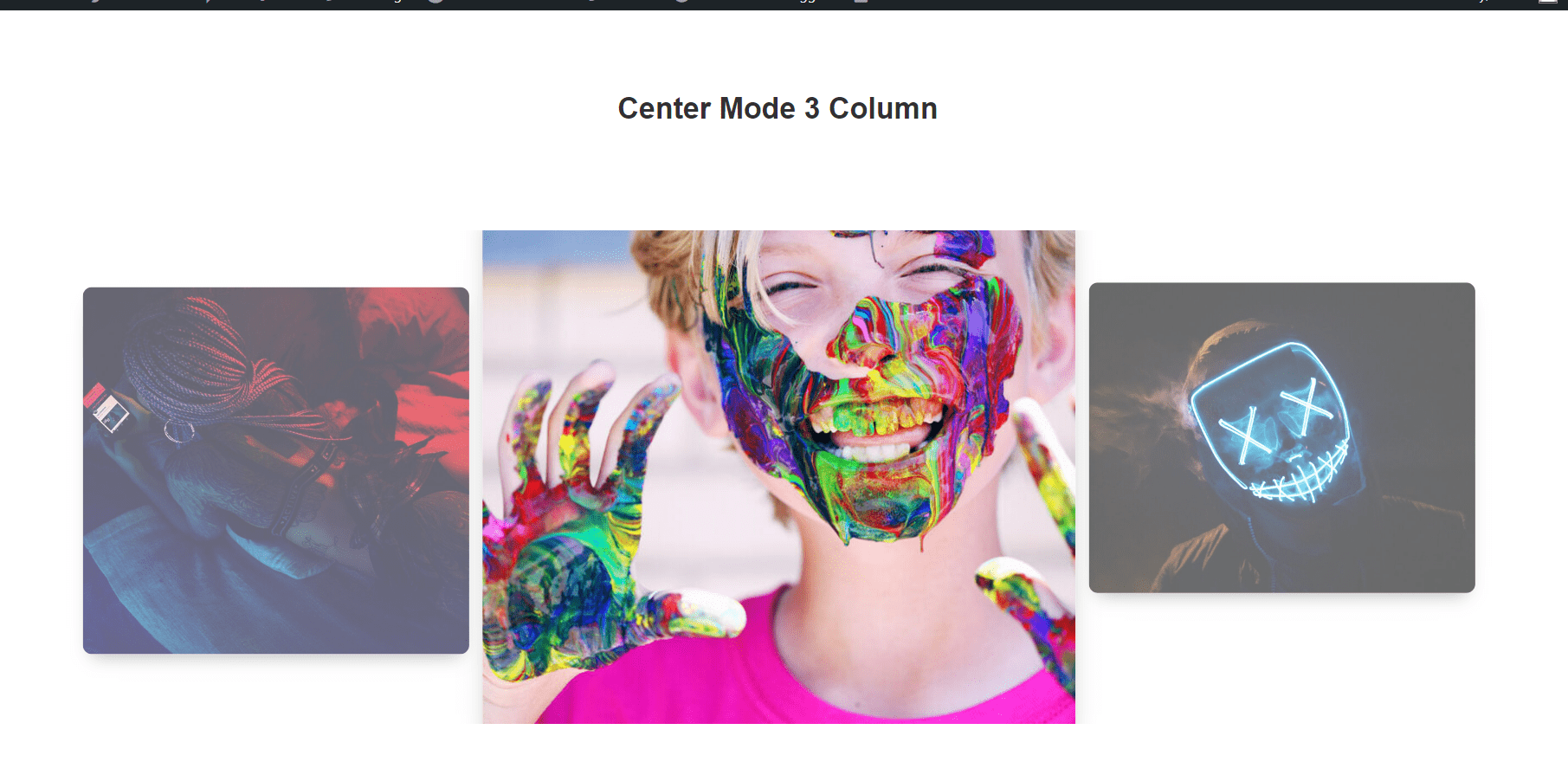
Increase Center Slide Size
The Carousel Anything widget includes additional Pro carousel features that extend its functionality beyond center mode.
Vertical Carousel
Switches the carousel to vertical orientation so slides stack vertically and scroll via mouse wheel, drag, or touch. Use this when building a vertical storytelling layout or a side-panel product navigator on a wide-format site. This feature is available with The Plus Addons for Elementor Pro.
Autoplay Mode
Automatically transitions between slides at a configurable duration and speed, without requiring any user interaction. Use this for hero banners or announcement carousels where content needs to cycle continuously. This feature is available with The Plus Addons for Elementor Pro.
Infinite Mode (Loop)
Slides wrap continuously so the carousel loops without a hard stop at the end. Use this in combination with Center Mode and Autoplay for a smooth, uninterrupted browsing experience. This feature is available with The Plus Addons for Elementor Pro.
Unique Carousel ID (Remote Sync)
Assigns a custom ID to the carousel to link it to a Carousel Remote widget. This lets navigation controls placed elsewhere on the page, such as arrow buttons or dot indicators, control this specific carousel. To set up dynamic slide behavior alongside center mode, see How to Change Carousel Background On Slide Change in Elementor. This feature is available with The Plus Addons for Elementor Pro.
Why Upgrade to Pro?
The features described above, including Vertical Carousel, Autoplay Mode, Infinite Mode, and Unique Carousel ID, are available with The Plus Addons for Elementor Pro.
These Pro features extend the carousel to cover advanced site-building scenarios that go beyond standard slide navigation.
The Plus Addons for Elementor Pro also includes 120+ additional widgets, performance optimization, and priority support.
