






Do you want a Related Posts section at the end of every article? Readers who finish a post are the most likely to read another, if you put one in front of them.
The Blog/Post Listing widget in The Plus Addons for Elementor picks related posts automatically, using the category and tags of the post being read.
To check the complete feature overview documentation of The Plus Addons for Elementor Blog Listing widget, click here.
Requirement – This widget is a part of The Plus Addons for Elementor, make sure it’s installed & activated to enjoy all its powers.
Before You Start
- Edition: Pro — the Single Page Related Posts listing type is part of The Plus Addons for Elementor Pro. In the free plugin this control does not appear in the panel at all.
- A single post template. Create one with the free Nexter Builder or with Elementor Pro’s Theme Builder.
- Widget to enable: Blog/Post Listing, switched on under ThePlus Settings > Widgets.
Step 1: Open your single post template
Create or edit the template that displays single blog posts, and scroll to where related posts should go — usually after the content and before the comments.
Step 2: Add the widget and choose Single Page Related Posts
Drag in the Blog/Post Listing widget. In Content > Layout, set Post Listing Types to Single Page Related Posts.
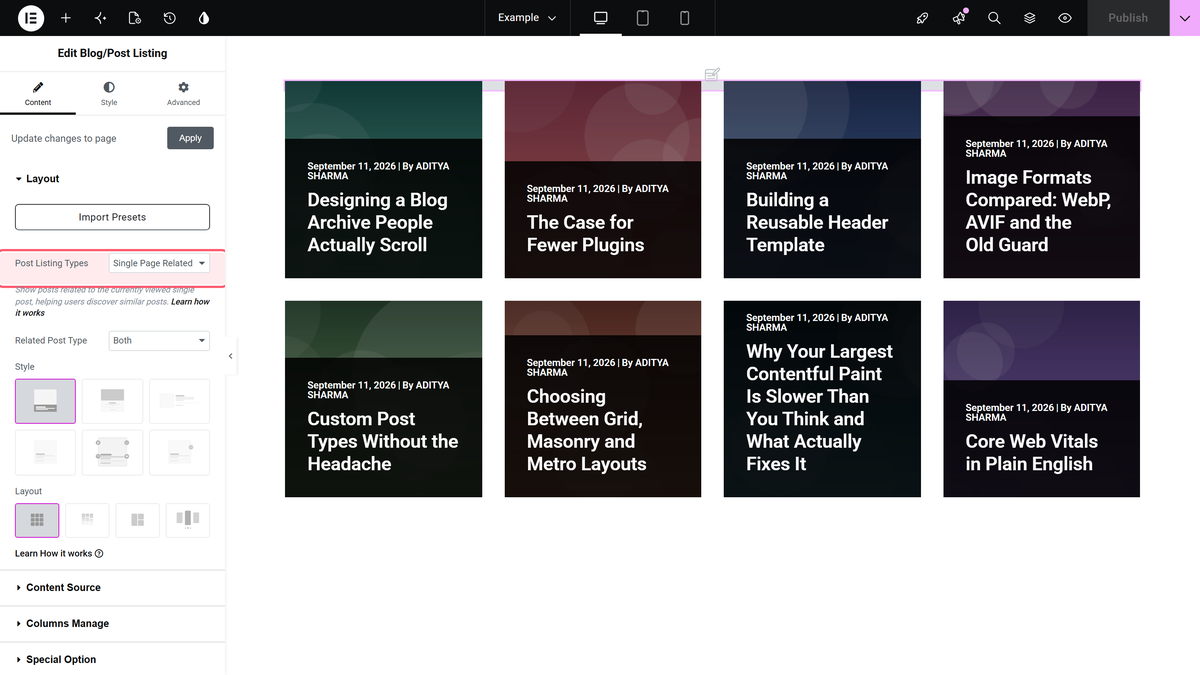
Step 3: Choose how posts are matched
Related Post Type appears below it:
| Option | A post counts as related when it | Result |
|---|---|---|
| Based on Category | shares at least one category | Most results |
| Based on Tags | shares at least one tag | Depends on how you tag |
| Both (default) | shares a category and a tag | Fewest, closest matches |
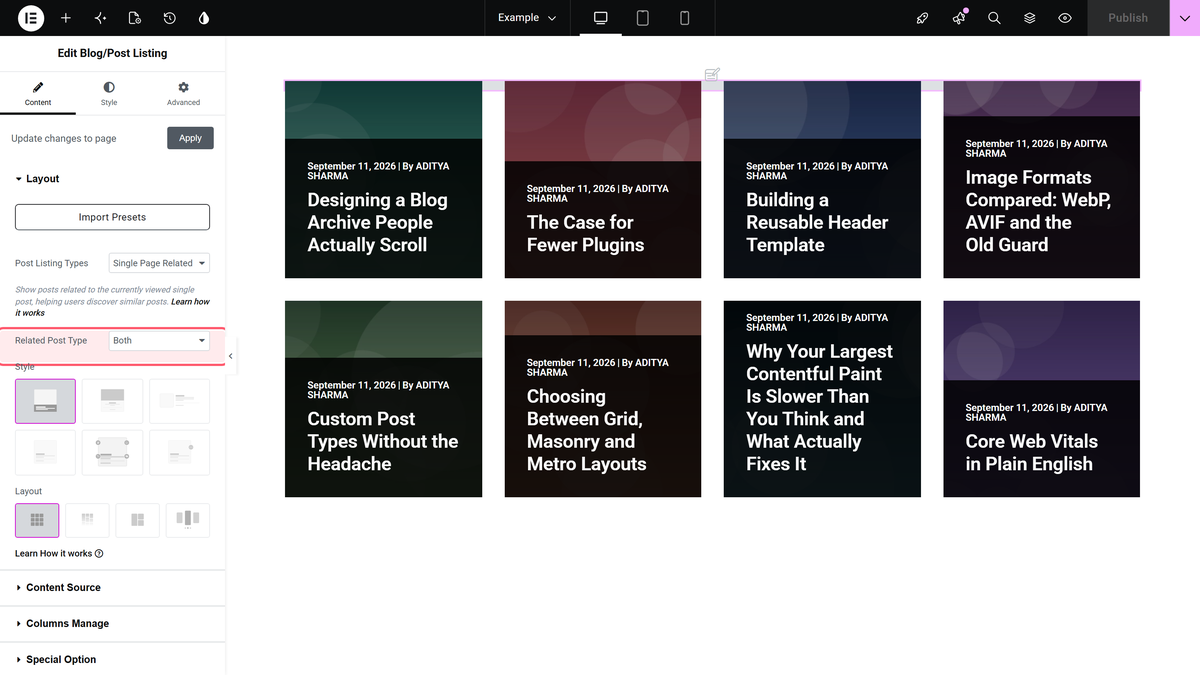
The post being read is never included in its own related list.
Step 4: Style it and publish
Choose a Style and Layout, publish the template, and open any blog post to see its related posts.
Settings Reference
| Setting | Where | Options | Default |
|---|---|---|---|
| Post Listing Types | Content > Layout | Normal Page, Archive Page, Single Page Related Posts | Normal Page |
| Related Post Type | Content > Layout | Based on Category, Based on Tags, Both | Both |
Limitations
- Pro only. Post Listing Types does not appear in the free plugin.
- Only works on a single post. In a normal page the widget has no current post to compare against.
- No pagination or Load More. More Post Options is hidden on this listing type, and so are the category filter and the Content Source query controls.
- Category and tag only. There is no matching by author or custom taxonomy.
Troubleshooting
No related posts appear
With Both, a post must share a category and a tag — often nothing does. Switch to Based on Category.
The same posts appear everywhere
Most of your posts are in one category. Use Based on Tags and tag posts more specifically.
It works in the editor preview but not on the site
Check the template is published and its display condition covers your posts.
