






Do you want to keep certain posts out of a blog listing — announcements, a private category, or anything tagged as archived? Excluding by category or tag does it without touching the posts themselves.
The Blog/Post Listing widget in The Plus Addons for Elementor has an exclude field for each.
To check the complete feature overview documentation of The Plus Addons for Elementor Blog Listing widget, click here.
Requirement – This widget is a part of The Plus Addons for Elementor, make sure it’s installed & activated to enjoy all its powers.
Before You Start
- Edition: Pro — Exclude Category and Exclude Tags is part of The Plus Addons for Elementor Pro. In the free plugin this control does not appear in the panel at all.
- Widget to enable: Blog/Post Listing, switched on under ThePlus Settings > Widgets.
Step 1: Add the widget
Drag the Blog/Post Listing widget onto the page and keep Post Listing Types on Normal Page. The exclude fields are not shown on Archive Page or Single Page Related Posts listings.
Step 2: Exclude categories
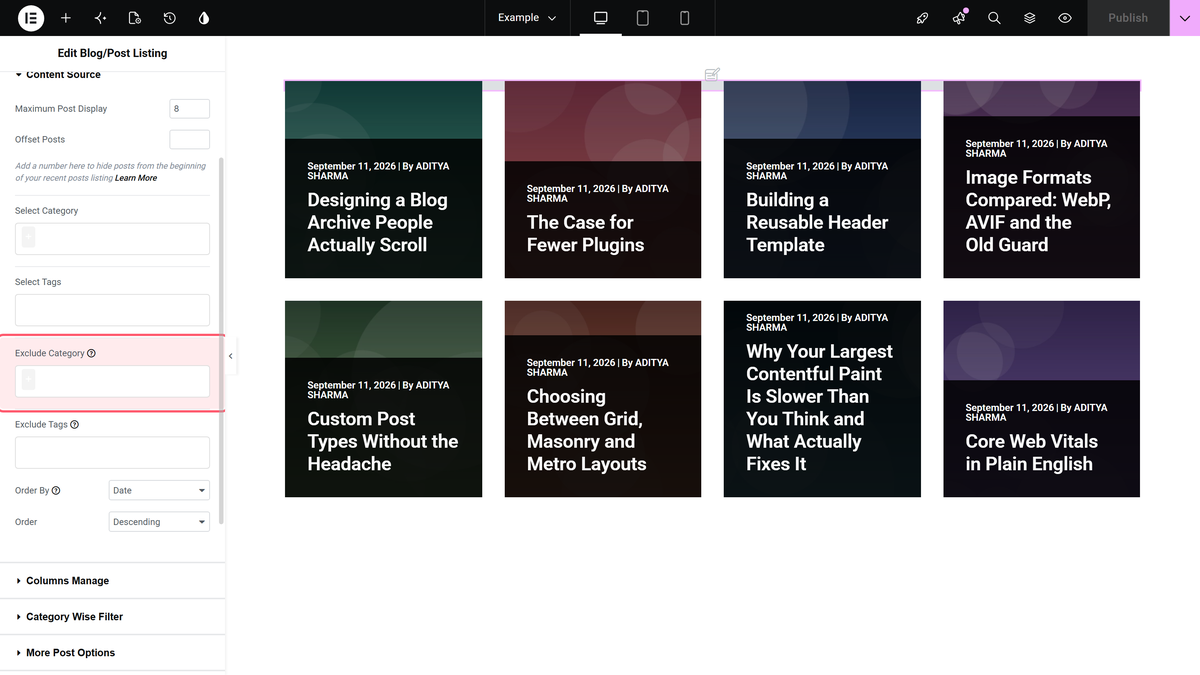
Open Content > Content Source. In Exclude Category, choose one or more categories. Posts in any of them drop out of the listing.
Step 3: Exclude tags
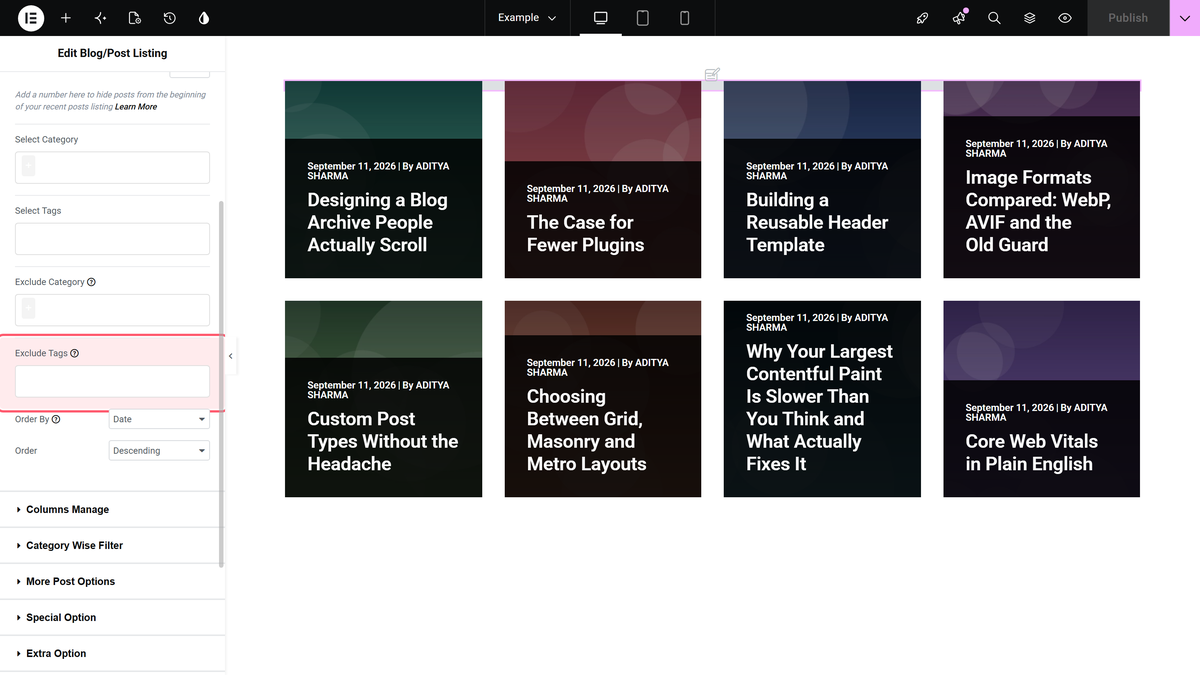
In Exclude Tags, just below, choose one or more tags. Posts with any of those tags drop out.
How the two fields combine
When you fill in both, a post is removed if it matches either one. A post in an excluded category is hidden even if its tags are fine, and a post with an excluded tag is hidden even if its category is fine.
| Post | Exclude Category: News | Exclude Tags: Archived | Shown? |
|---|---|---|---|
| In News, no tags | Matches | — | No |
| In Guides, tagged Archived | — | Matches | No |
| In News, tagged Archived | Matches | Matches | No |
| In Guides, no tags | — | — | Yes |
The include fields above them, Select Category and Select Tags, work the other way: with both filled in, a post has to be in one of the categories and carry one of the tags to be shown.
Settings Reference
| Setting | Where | Effect | Default |
|---|---|---|---|
| Select Category | Content > Content Source | Show only these categories | All |
| Select Tags | Content > Content Source | Show only these tags | All |
| Exclude Category | Content > Content Source | Hide posts in any of these | None |
| Exclude Tags | Content > Content Source | Hide posts with any of these | None |
Limitations
- Pro only. The free plugin does not have these fields.
- Categories and tags only. There is no exclude for authors or single posts.
- Normal Page listings only. Hidden on Archive Page and Single Page Related Posts.
Troubleshooting
More posts disappeared than I expected
Remember the two fields combine with OR. A post matching only the tag, or only the category, is still removed. Clear one field to see which one is doing it.
An excluded post still shows
Check the post really has that category or tag, and clear any page cache.
I cannot find Exclude Category
It is part of the Pro plugin, and it is hidden when Post Listing Types is Archive Page or Single Page Related Posts.
