



























How to Create Category Grid in Elementor?

Key Takeaways

  • Dynamic Categories widget from The Plus Addons for Elementor displays post categories in a grid layout.
  • Users must install and activate The Plus Addons for Elementor to access the Dynamic Categories widget.
  • The layout can also show tags or other taxonomies by selecting the appropriate option.
Table Of Content

Creating a category grid in Elementor can be a fantastic way to visually present different post categories, making it easier for visitors to navigate and find relevant content on your site. This layout allows you to display categories in an organized grid-based structure.

With the Dynamic Categories widget from The Plus Addons for Elementor, you can easily show post categories in a grid layout.

To check the complete feature overview documentation of The Plus Addons for Elementor Dynamic Categories widget, click here.

Requirement  – This widget is a part of The Plus Addons for Elementor, make sure it’s installed & activated to enjoy all its powers.

To do this, make sure you’ve created some post categories, then follow the steps – 

1. Add the Dynamic Categories widget on a page and select an appropriate style from the Style section from the Content Layout tab.

2. Then select Grid from the Layout section.

3. After that, select a category from the Taxonomies dropdown.
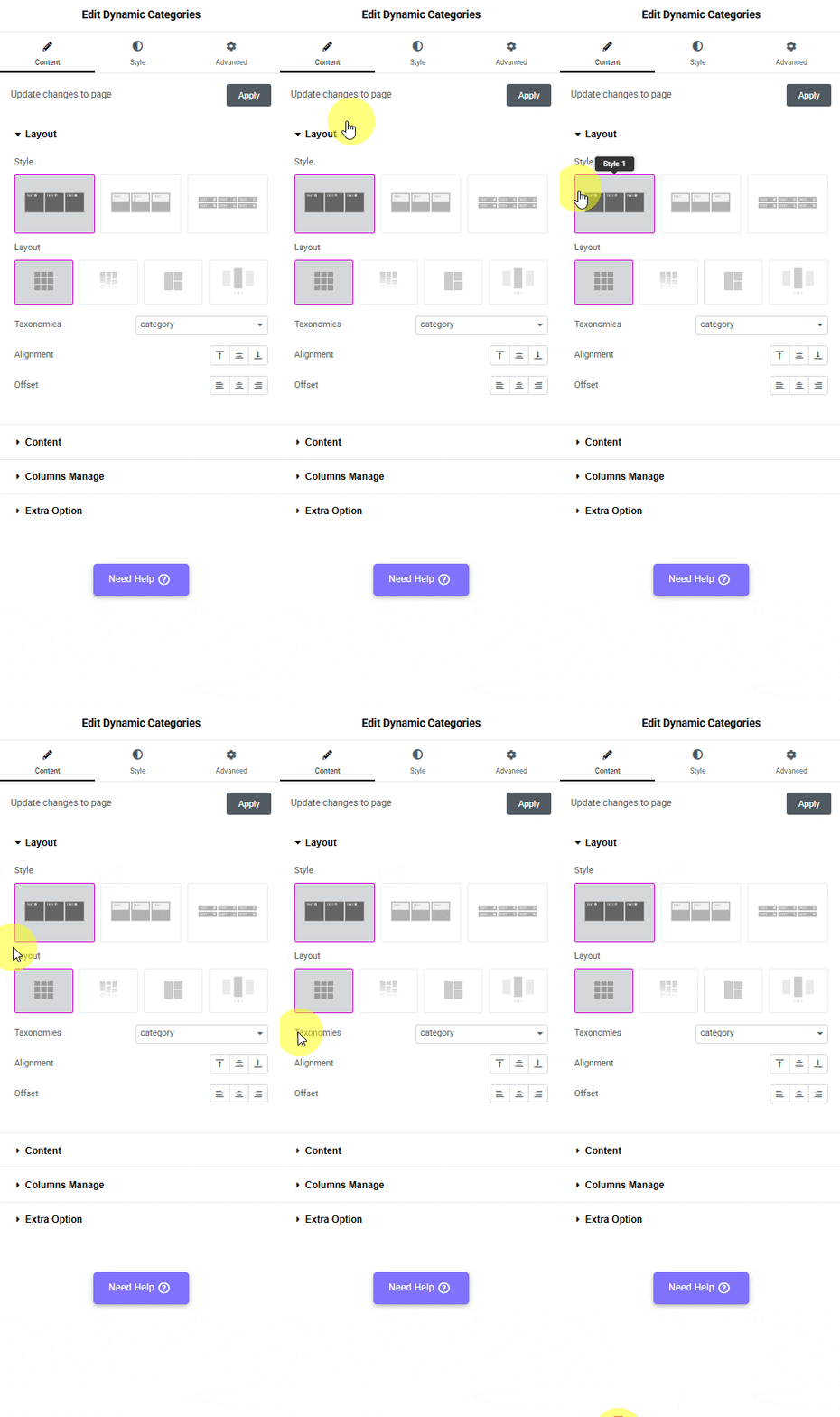
Tpae dynamic categories grid how to create category grid in elementor? From the plus addons for elementor

Note: Similarly, you can show tags or other taxonomies in a grid layout by selecting the appropriate option.

Now, your post categories will show in a grid layout.
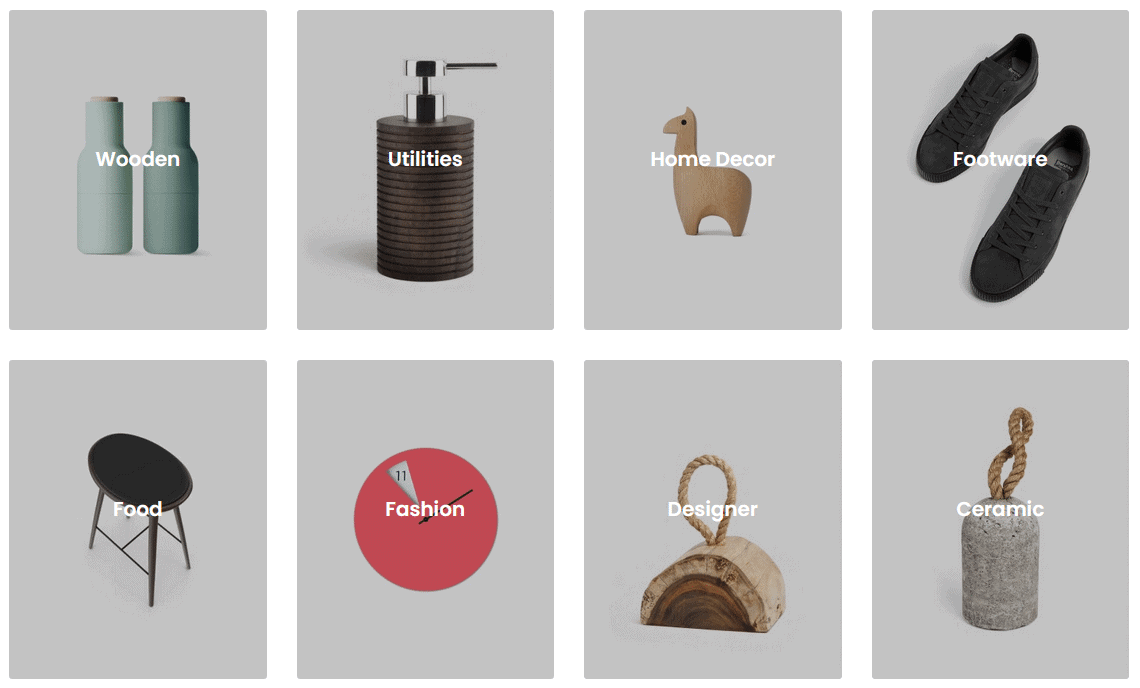
Dynamic categories grid demo how to create category grid in elementor? From the plus addons for elementor

Now, your post categories will show in a grid layout.

About the Author

Photo of Aditya Sharma CMO of The Plus Addons for Elementor
CMO · The Plus Addons for Elementor · 10 years experience

He has spent years in the WordPress ecosystem building, breaking, and optimizing sites until they actually perform. He works at the intersection of speed, growth, and usability, helping creators ship websites that load fast and convert. An active WordPress community contributor sharing through tools, tutorials, and direct collaboration. Tested practice, not theory.

WordPressElementorn8nAIClaudeAutomationServer
Get Instant Answers to all your questions about The Plus Addons for Elementor, trained on 1000+ Docs and Videos

Related Frequently Asked Questions

What should I do if the Dynamic Categories widget isn't displaying my categories?

If the Dynamic Categories widget isn't showing your categories, ensure that you have created post categories in your WordPress site. Without any categories set up, the widget won't have anything to display. Also, make sure that The Plus Addons for Elementor is installed and activated, as this widget is a part of that plugin.

Can I use the Dynamic Categories widget to display tags or other taxonomies?

Yes, the Dynamic Categories widget from The Plus Addons for Elementor allows you to display not only categories but also tags and other taxonomies. You can select the appropriate option from the Taxonomies dropdown to customize what is shown in the grid layout. This flexibility can help in organizing content effectively, catering to different visitor needs.

What layout options are available when creating a category grid in Elementor?

When creating a category grid using the Dynamic Categories widget, you can choose a grid layout by selecting 'Grid' from the Layout section. This organized structure enhances the visual presentation of categories, making it easier for visitors to navigate your site and find relevant content quickly.

Are there any specific styles I should consider when using the Dynamic Categories widget?

Choosing an appropriate style for the Dynamic Categories widget is crucial for visual appeal and user experience. In the Style section of the Content Layout tab, you can select from various styles to match your site's design. A well-chosen style can enhance the overall aesthetics and ensure that the category grid integrates seamlessly with your site's theme.

Does using the Dynamic Categories widget affect page loading speed?

While the Dynamic Categories widget from The Plus Addons for Elementor provides a visually appealing way to display categories, itu2019s important to monitor its impact on page loading speed. Complex layouts with many categories can potentially slow down page load times, especially on mobile devices. Optimize images and limit the number of categories displayed to maintain performance.

What is the benefit of using a category grid layout for my posts?

Using a category grid layout allows you to visually present different post categories, making it easier for visitors to navigate your site. This organized structure can significantly enhance user experience, as it helps users quickly find relevant content. The Dynamic Categories widget from The Plus Addons for Elementor simplifies this process, enabling you to create an effective layout effortlessly.

Last reviewed: April 9, 2026
