


























How to Change the Mouse Cursor for a Container in Elementor?

Key Takeaways

  • Mouse Cursor widget from The Plus Addons for Elementor allows changing the mouse cursor for a specific container.
  • Users select 'Container' from the Cursor Area dropdown to apply the custom cursor.
  • The widget requires installation and activation of The Plus Addons for Elementor to function.
Table Of Content

Are you looking to change the mouse cursor for a particular container in Elementor? There can be situations where you might want to change the mouse cursor for a container, not the whole page, which can create a more engaging and interactive user experience.

With the Mouse Cursor widget from The Plus Addons for Elementor, you can easily change the mouse cursor for a container in Elementor.

To check the complete feature overview documentation of The Plus Addons for Elementor Mouse Cursor widget, click here.

Requirement  – This widget is a part of The Plus Addons for Elementor, make sure its installed & activated to enjoy all its powers.

To do this, add the Mouse Cursor widget from The Plus Addons for Elementor to the container on which you want to change the mouse cursor and follow the steps –

1. Select Container from the Cursor Area dropdown.
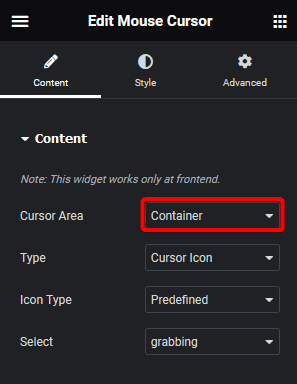
Mouse cursor container how to change the mouse cursor for a container in elementor? From the plus addons for elementor

2. Then select the appropriate cursor type and custom cursor as per your requirements.

Now you’ll see your custom mouse cursor in that specific container only.
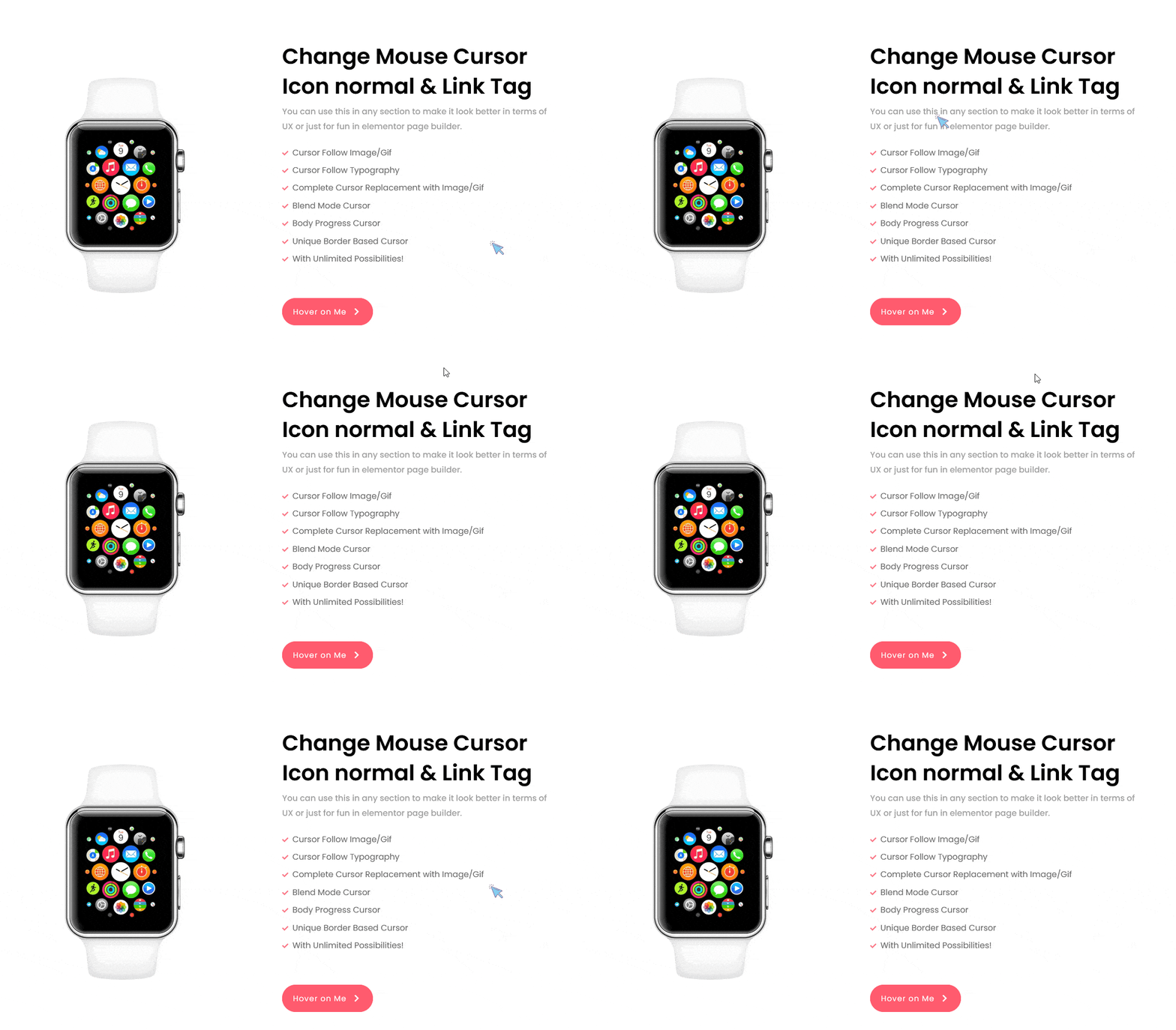
Mouse cursor container demo how to change the mouse cursor for a container in elementor? From the plus addons for elementor

About the Author

Aditya Sharma
CMO · The Plus Addons for Elementor · 7 years experience

He has spent years in the WordPress ecosystem building, breaking, and optimizing sites until they actually perform. He works at the intersection of speed, growth, and usability, helping creators ship websites that load fast and convert. An active WordPress community contributor sharing through tools, tutorials, and direct collaboration. Tested practice, not theory.

WordPressElementorn8nAIClaudeAutomationServer
Get Instant Answers to all your questions about The Plus Addons for Elementor, trained on 1000+ Docs and Videos

Related Frequently Asked Questions

What do I need before starting to change the mouse cursor in Elementor?

You need to have The Plus Addons for Elementor installed and activated to use the Mouse Cursor widget. This widget enables you to change the mouse cursor for a specific container.

How do I change the mouse cursor for a container in Elementor?

To change the mouse cursor, add the Mouse Cursor widget from The Plus Addons for Elementor to your desired container. Then, select 'Container' from the Cursor Area dropdown and choose the appropriate cursor type.

What happens after I complete the steps to change the mouse cursor?

After completing the steps, you will see your custom mouse cursor appear only within that specific container. This creates a more engaging user experience.

Is there another way to change the mouse cursor in Elementor?

The page does not mention any alternative methods to change the mouse cursor in Elementor. The recommended approach is to use the Mouse Cursor widget from The Plus Addons for Elementor.

What if the custom cursor does not appear in the container?

If the custom cursor does not appear, ensure that you have correctly selected 'Container' in the Cursor Area dropdown and that The Plus Addons for Elementor is properly installed and activated.

Why would I want to change the mouse cursor for a specific container?

Changing the mouse cursor for a specific container can enhance user engagement and create a more interactive experience, as opposed to changing the cursor for the entire page.

Last reviewed: April 9, 2026
