Most WordPress internal linking advice stops at “link to related posts.” That is not a strategy. It is a description of what happens when nobody has one. Sites with hundreds of posts and no deliberate linking system almost always have the same pattern: a handful of pillar pages carry all the internal links, while dozens of genuinely useful posts sit with one or zero inbound links, waiting for Google to notice them on its own.
Google’s own crawling documentation is blunt about why that matters: “every page you care about should have a link from at least one other page on your site.” No link, and there is a real chance the page never gets crawled at all, let alone ranked.
What Internal Linking Actually Means
An internal link is any hyperlink that points from one page on your domain to another page on the same domain. That is different from an external link, which points to a different domain, and different from a backlink, which is an external link pointing at you from someone else’s site.
Internal links do three jobs at once. They give search engine crawlers a path to discover a page. They pass link equity (a share of the linking page’s authority) to the linked page. And they tell both users and search engines what a page is about, through the anchor text used to link to it.
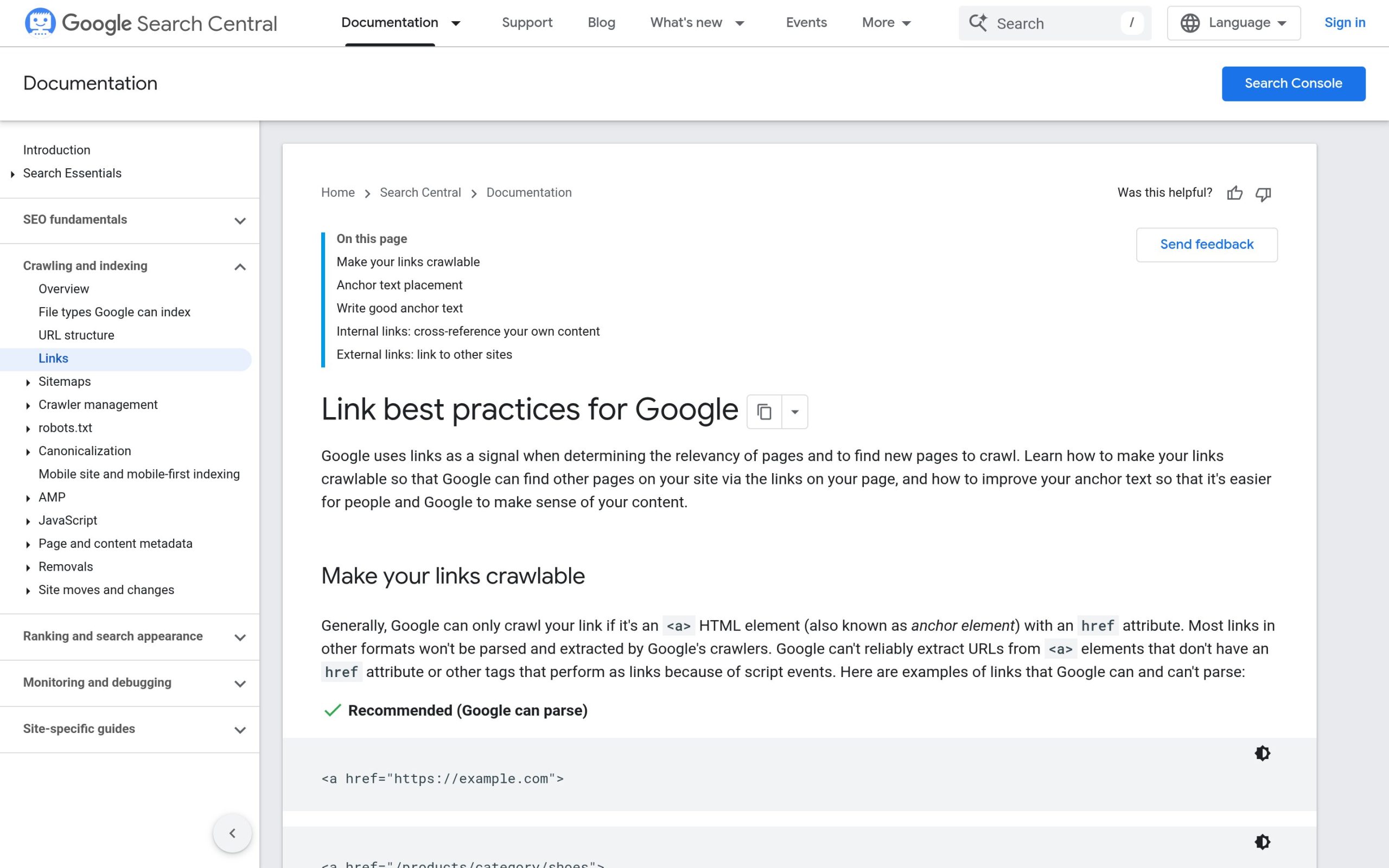
Google’s crawlable-links documentation adds a technical requirement that a lot of WordPress themes and page builders quietly break: “Google can only crawl your link if it’s an <a> HTML element with an href attribute.” A link built as a <div> or <span> with a JavaScript click handler, which is common in some custom Elementor layouts and card-grid designs, is invisible to Google no matter how many humans click it.
<a href> tag.Why Internal Linking Still Moves Rankings in 2026
Three separate mechanics are at work, and conflating them is why so much internal linking advice sounds vague.
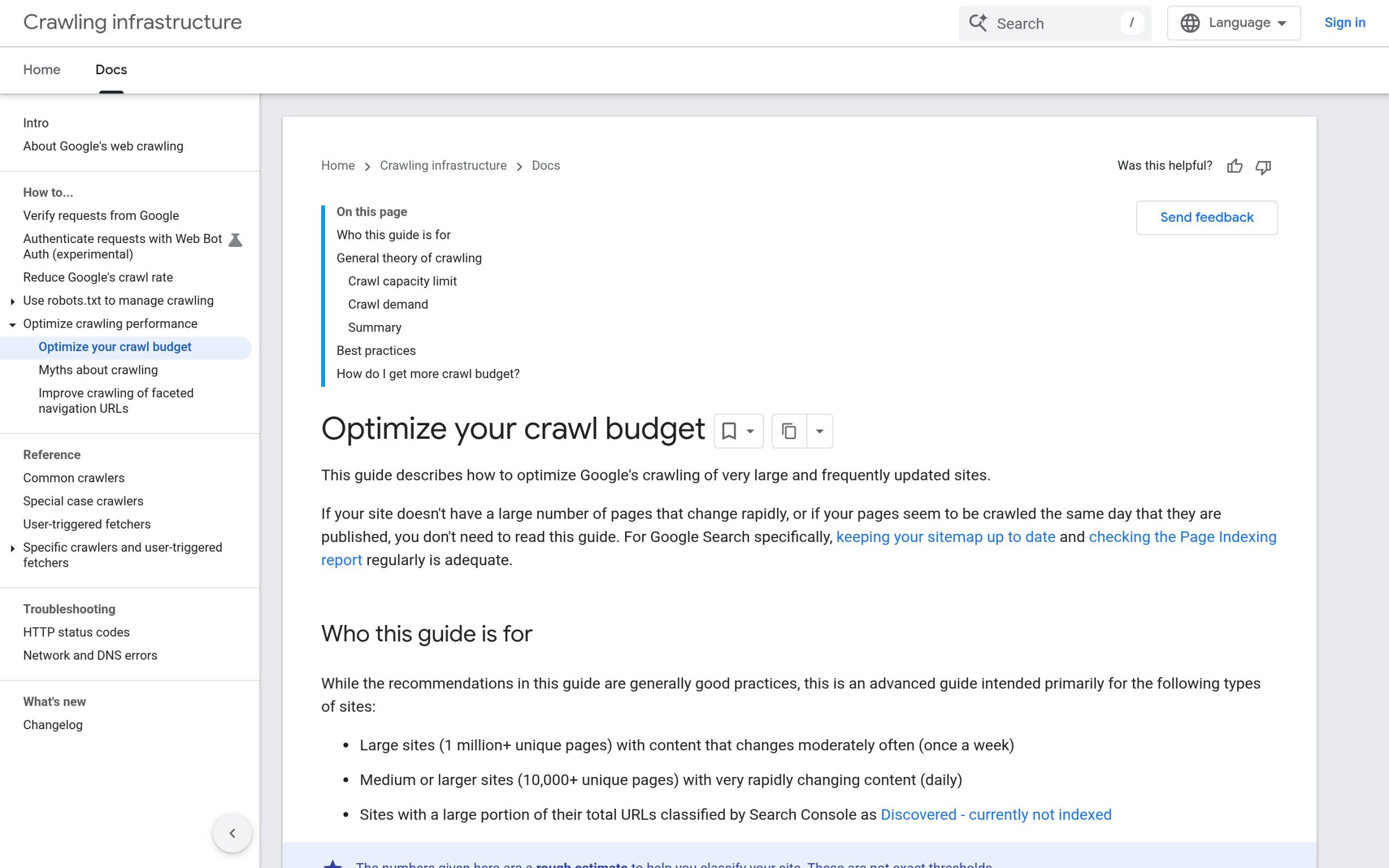
- Discovery and crawl priority. Google defines crawl budget as the set of URLs it “can and wants to crawl,” based on crawl capacity and crawl demand. A page that is only reachable through a sitemap, with no internal link pointing to it, is treated as lower priority than a page linked from your homepage or a high-traffic post.
- Link equity distribution. Authority does not distribute evenly across a site. Pages that already rank well and get traffic tend to get crawled more often, which means a link from one of those pages reaches Google faster than a link from an obscure page nobody visits.
- Topical relevance signals. Anchor text tells Google what the destination page is about. A link with the anchor “internal linking strategy” is a much stronger relevance signal than one that says “click here,” and it also tells human readers exactly what they will find if they click.
None of that requires guesswork. If you already run an SEO audit on WordPress, an orphan-page check (any page with zero internal links) should already be part of it.
Five Internal Linking Mistakes That Quietly Cap Your Rankings
1. Orphan pages. A post published and never linked from anywhere else on the site. It relies entirely on the XML sitemap for discovery, which is slower and less reliable than a direct internal link.
2. Generic anchor text. “Click here,” “read more,” and “this article” waste the single strongest relevance signal a link carries. Google’s own guidance is that anchor text should be “descriptive, reasonably concise, and relevant” to both pages, not generic filler.
3. All links pointing the same direction. Linking only from new posts back to old cornerstone content, and never the reverse, starves your newest work of the authority it needs to get crawled quickly.
4. JavaScript-only navigation. Card grids, tab systems, and some Elementor carousel widgets render links as clickable divs instead of real anchor tags. They work for visitors and are functionally invisible to Google.
5. Redirect chains inside your own links. Linking to a URL that has since moved, so the click passes through one or two redirects before landing on the real page. Google’s crawl-budget guidance flags redirect chains directly as something that “negatively affect crawling.” Update the link to point straight at the final URL.
A Step-by-Step Internal Linking Strategy for WordPress
Step 1: Identify your donor pages. These are the posts and pages that already rank well or get consistent traffic. Pull this from Google Search Console’s Performance report, sorted by clicks. These pages get crawled often, so a link placed on them reaches Google fast.
Step 2: Identify your target pages. Look for two categories: pages with zero or one internal link pointing to them (check Search Console’s Links report, under “Internal links”), and pages that already rank on page one but get surprisingly little internal support. The second group is often the highest-return fix, since the ranking signal is already there and just needs reinforcing.
Step 3: Match by topic, not convenience. A link only helps if it makes sense to a reader. Link a donor page to a target in the same topical cluster: a comparison post to another comparison post, a how-to to a related how-to. Forcing an off-topic link for the sake of “more internal links” does not help rankings and reads as spam to a human visitor.
Step 4: Write the anchor text last. Once you know the target page’s primary keyword, use a close variation of it as the anchor. Keep it natural inside the sentence rather than bolting a keyword phrase onto unrelated text.
Step 5: Re-check in four to six weeks. Pull the Search Console Links report again and confirm the target page’s internal link count actually rose, then check whether its average position moved. If nothing changed, the link may be too deep in the page, or the anchor text may not match search intent closely enough.
If your site runs on The Plus Addons for Elementor, this whole process is a manual editorial task, not a plugin feature. There is no widget that decides which pages should link to which. That judgment call is exactly where topical relevance and reader intent should drive the decision, not automation.
Internal Linking Tools and Plugins Worth Knowing
Two different categories solve two different problems.
Dedicated internal linking plugins (Link Whisper, Internal Link Juicer) scan your content as you write and suggest existing posts to link to, based on keyword matches. They are useful for catching links you would otherwise forget, but the suggestions are keyword-based, not topic-based, so they still need a human to judge whether a suggested link actually makes sense.
SEO suites with a linking feature built in. Both Rank Math and Yoast SEO include link-suggestion tools inside the block editor, though Yoast gates its internal linking suggestions behind its Premium tier. If you are already running one of the best SEO plugins for WordPress, check whether the linking feature you need is already included before adding a second, dedicated plugin on top.
Neither category replaces Step 1 and Step 2 above. A plugin can surface candidate links inside a single post; only a Search Console export or a full-site crawl shows you which pages across the entire site are actually starved of links.
Anchor Text Best Practices
Keep four rules in mind. Make the anchor descriptive enough that a reader knows what they will land on before clicking. Keep it reasonably short, a phrase rather than a full sentence. Vary the exact wording across different links pointing to the same target, since Google’s own spam guidance flags anchor text stuffed with the identical exact-match keyword every time. And never use generic filler like “click here” or “this page,” since it wastes the strongest relevance signal a link carries.
One place this shows up directly: if a target page is about FAQ schema, an anchor like “FAQ schema” or “how FAQ schema works” outperforms “learn more” every time, both for the reader and for the crawler trying to understand what the linked page covers.
How to Audit Your Existing Internal Links
Two ways to do this, depending on what tools you have access to.
Search Console (free, built in). Open Search Console, go to Links, then Internal links. Sort by number of linking pages, ascending. Anything near zero is an orphan or near-orphan page. This report lives only in the Search Console interface and export, it is not available through the Search Console API, so plan to pull it manually every few weeks rather than automating it.
A full-site crawl. A crawler like Screaming Frog or a similar tool builds a complete internal-link graph, which catches pages Search Console has not indexed yet and shows you the exact anchor text used on every existing link, not just the count.
Whichever method you use, the goal is the same list: pages with too few internal links, and pages that already rank well but are not passing any of that authority downward. That second list is where Google AI Overview visibility and standard blue-link rankings tend to move together, since both reward pages that a site treats as genuinely important, and internal links are one of the clearest signals of that.
If you have already added schema markup to your key pages, pair that work with an internal linking pass on the same pages. Structured data tells a crawler what a page is; internal links tell it how important that page is relative to the rest of your site. They reinforce each other.
Frequently Asked Questions
How many internal links should a WordPress post have?
Google’s own guidance is explicit that there is “no magical ideal number.” The real test is relevance: link to every page that genuinely helps the reader understand more, and stop there. A 500-word post might reasonably have two or three internal links; a 3,000-word guide might have ten or more, if that many related pages actually exist.
Do internal links help SEO rankings directly?
Indirectly, through two mechanisms search engines confirm openly: faster crawl discovery for pages that would otherwise be hard to find, and a share of link equity passed from a well-linked page to the pages it links out to. Neither is a direct ranking factor on its own, but both influence whether a page gets crawled, indexed, and understood correctly.
What is an orphan page in WordPress?
A published page or post with zero internal links pointing to it from anywhere else on the site. It can still appear in your XML sitemap and get crawled eventually, but discovery is slower and it receives no link equity from the rest of the site, which usually means weaker rankings than an equivalent page that is properly linked.
Can a plugin automate my entire internal linking strategy?
Not fully. Internal linking plugins are good at suggesting candidate links inside the post you are currently editing, based on keyword matches. They cannot see your whole site’s link graph, judge topical relevance the way a human editor can, or decide which of your ranking pages most need reinforcement this month. Use a plugin to speed up individual edits, but run the site-wide audit yourself.