If you’ve ever installed two Elementor addon plugins on the same site by accident, you already know the headache: duplicate widgets cluttering the panel, style conflicts nobody can trace, and a page builder that suddenly takes three extra seconds to load. That’s usually how site owners end up actually comparing Essential Addons for Elementor and The Plus Addons for Elementor, not from a marketing page, but because something broke and they had to pick one and remove the other.
Both plugins solve the same underlying problem: Elementor’s own widget library is thin, and building a real business site on the 2026 WordPress + Elementor stack, a pricing page, a mega menu, a WooCommerce store, means either hand-coding it or installing an addon. But the two extend Elementor from different directions, and picking the wrong one for your project means paying for widgets you will never open. Here is how they actually compare, using what is live on each plugin’s own WordPress.org listing today, plus a cost breakdown of the question many readers really arrive with: can an addon replace paying for Elementor Pro, and what does that cost per year?
What Is Essential Addons for Elementor?
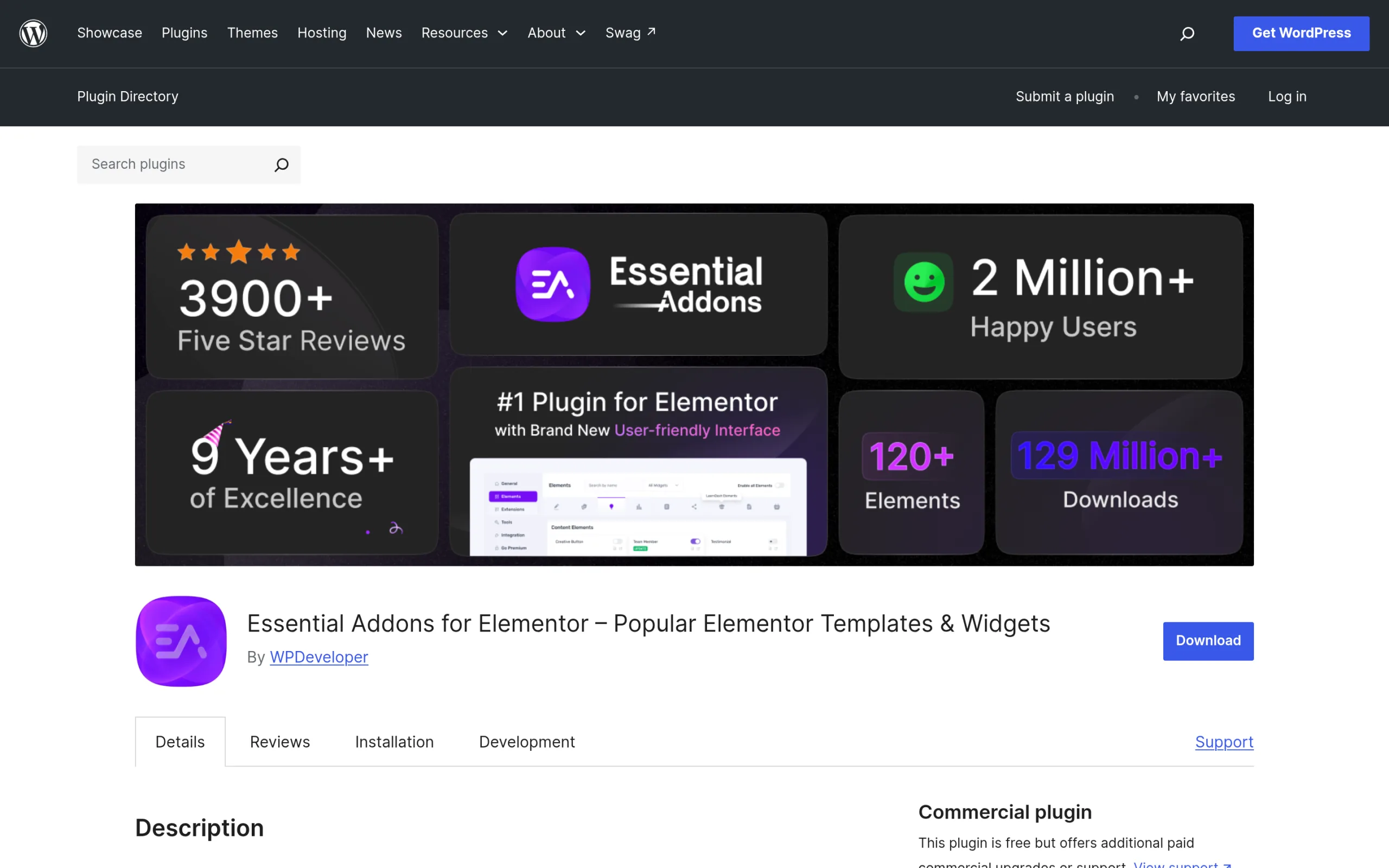
Essential Addons for Elementor (by WPDeveloper) is the most-installed third-party Elementor addon on WordPress.org: over 1 million active installations and a 98% rating across 4,126 reviews at the time of writing, running version 6.8.5, last updated September 30, 2026. The free tier alone ships a widget library the plugin’s readme puts at 65+ widgets (Post Grid, Testimonials, Creative Buttons, a Mega Menu, and similar building blocks) plus 11 free extensions, including a Reading Progress Bar, a Duplicator, a Table of Contents, and a Header & Footer Builder. Free users also get access to Templately’s library of ready-made templates through the plugin’s own integration, which the readme counts at 6,500+ templates and blocks.
The Pro upgrade adds 50+ more widgets, including a Lightbox & Modal, an Instagram Feed, and an Advanced Google Map, plus eight Pro-only extensions: Parallax, Particles, Advanced Tooltip, Conditional Display, Dynamic Tags, Interactive Animations, Custom Cursor, and Content Protection. WooCommerce also gets extra widgets on Pro, including a Product Slider, a Cross-Sells display, a Thank You page, and an Account Dashboard.
What Is The Plus Addons for Elementor?
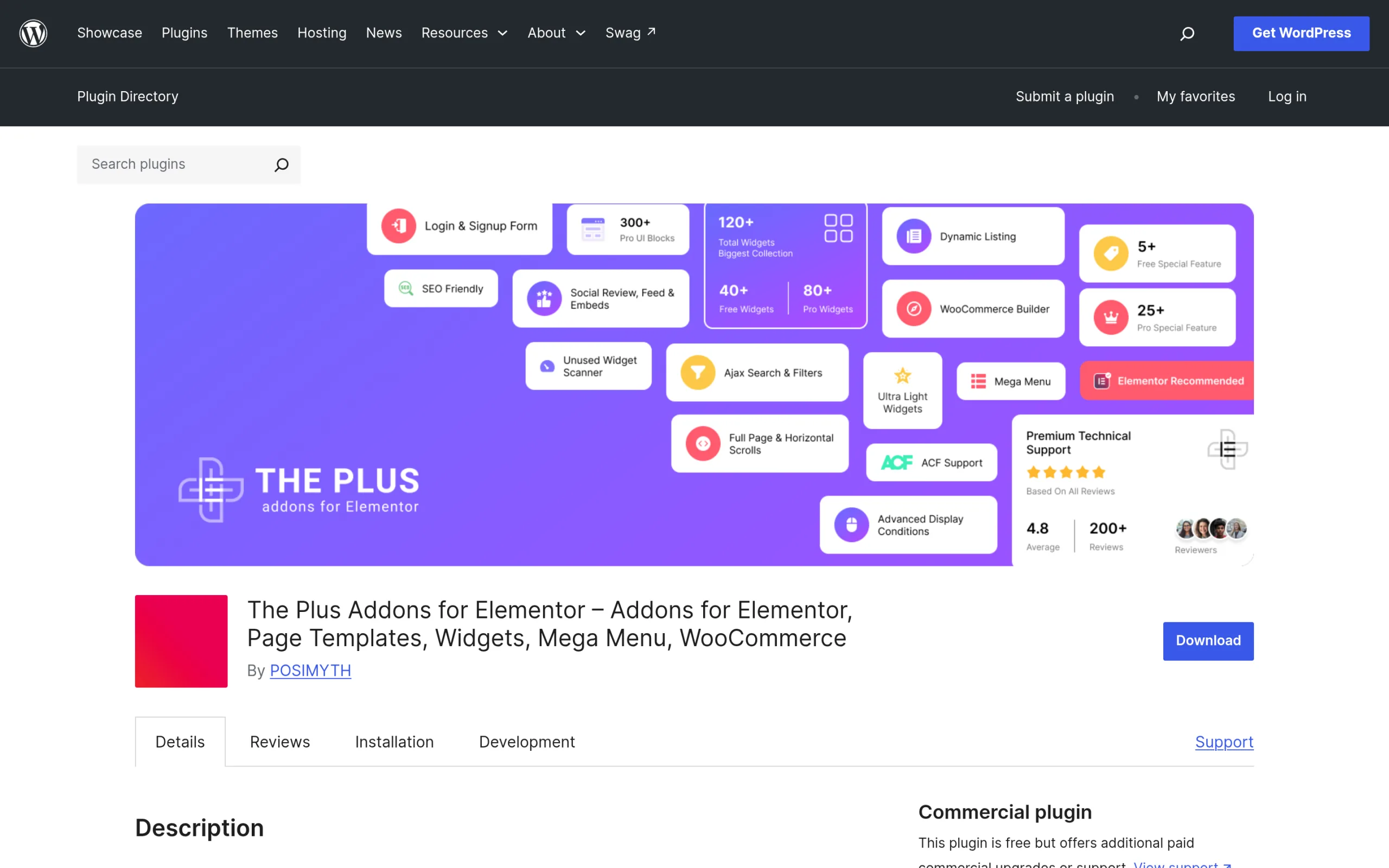
The Plus Addons for Elementor takes a different approach. Instead of a long, flat list of individual widgets, it bundles full “builders” for the parts of a site an addon plugin usually leaves you to assemble by hand. Its own WordPress.org listing (version 6.5.2, the latest release after the 6.5.0 update, updated September 24, 2026, over 100,000 active installations, a 92% rating across 387 reviews) advertises 120+ widgets and extensions and 1,000+ ready-made templates, organized around six builder modules: a Blog Website Builder, a WooCommerce Store Builder, a Mega Menu for Elementor, a Grid Builder, a Popup Builder, and a Header Builder, plus widgets like a live-AJAX search bar.
Roughly 35 of those widgets and extensions are free; the remaining 85+, including the entire WooCommerce Store Builder, the Mega Menu, the Header & Footer Builder, and the Popup Builder, sit behind the paid plans. One feature is worth calling out because it rarely shows up on addon comparison charts: a One-Click Auto Widget Scanner that switches off every widget you are not using, backed by modular asset delivery so CSS and JS load per widget instead of in one large bundle.
Feature-by-Feature Comparison
Every number below is pulled from each plugin’s own WordPress.org listing on October 6, 2026, not from either company’s marketing site.
| Essential Addons for Elementor | The Plus Addons for Elementor | |
|---|---|---|
| Active installs (WordPress.org) | 1 million+ | 100,000+ |
| Rating | 98% (4,126 ratings) | 92% (387 ratings) |
| Latest version | 6.8.5 | 6.5.2 |
| Minimum WordPress version | 5.3 | 6.0 |
| Free widgets | 65+ (per readme) | 35+ widgets and extensions |
| Free extensions | 11 (incl. Header & Footer Builder) | One-Click Auto Widget Scanner, Dynamic Tags, Cross-Domain Copy & Paste, Blog and CPT Builder |
| Premium widgets/extensions | +50 widgets, 8 Pro-only extensions | Remaining 85+ of the 120+ total, incl. the full WooCommerce Store Builder |
| WooCommerce | Product Grid, Cart and Checkout widgets are free; Product Slider, Thank You, Cross-Sells and Account Dashboard are Pro | Full WooCommerce Store Builder (cart, checkout, my account, thank you, single product), Pro |
| Mega menu | Mega Menu widget, listed among the free widgets | Vertical and horizontal Mega Menu builder, Pro |
| Popups | Lightbox & Modal widget (Pro) for trigger-based popups; no dedicated popup builder listed | Popup Builder with display conditions, Pro |
| Ready-made templates | 6,500+ via Templately integration | 1,000+ built in |
| Last updated | Sep 30, 2026 | Sep 24, 2026 |
Performance & Site Speed
Neither company publishes an independent load-time benchmark, so treat any single-site “X is Y% faster” screenshot you find online with some skepticism; results depend entirely on the theme, host, and which widgets are actually placed on the page. What each plugin does document on its own listing is which widgets and extensions it ships, and that has a direct effect on how much CSS and JavaScript your site has to load even when a widget sits unused in the library.
Both plugins let you turn widgets off. The Essential Addons readme describes enabling and disabling individual elements to keep pages light, and The Plus Addons readme describes a one-click scanner that disables every unused widget for you, plus per-widget CSS and JS delivery. If you only use 10 of the 120+ available widgets in The Plus Addons, the other 110+ never load on the front end. The practical difference is effort: one route is a manual checklist you maintain, the other scans your pages and does it for you. In either case, switch off what you do not use before judging speed.
Pricing Comparison
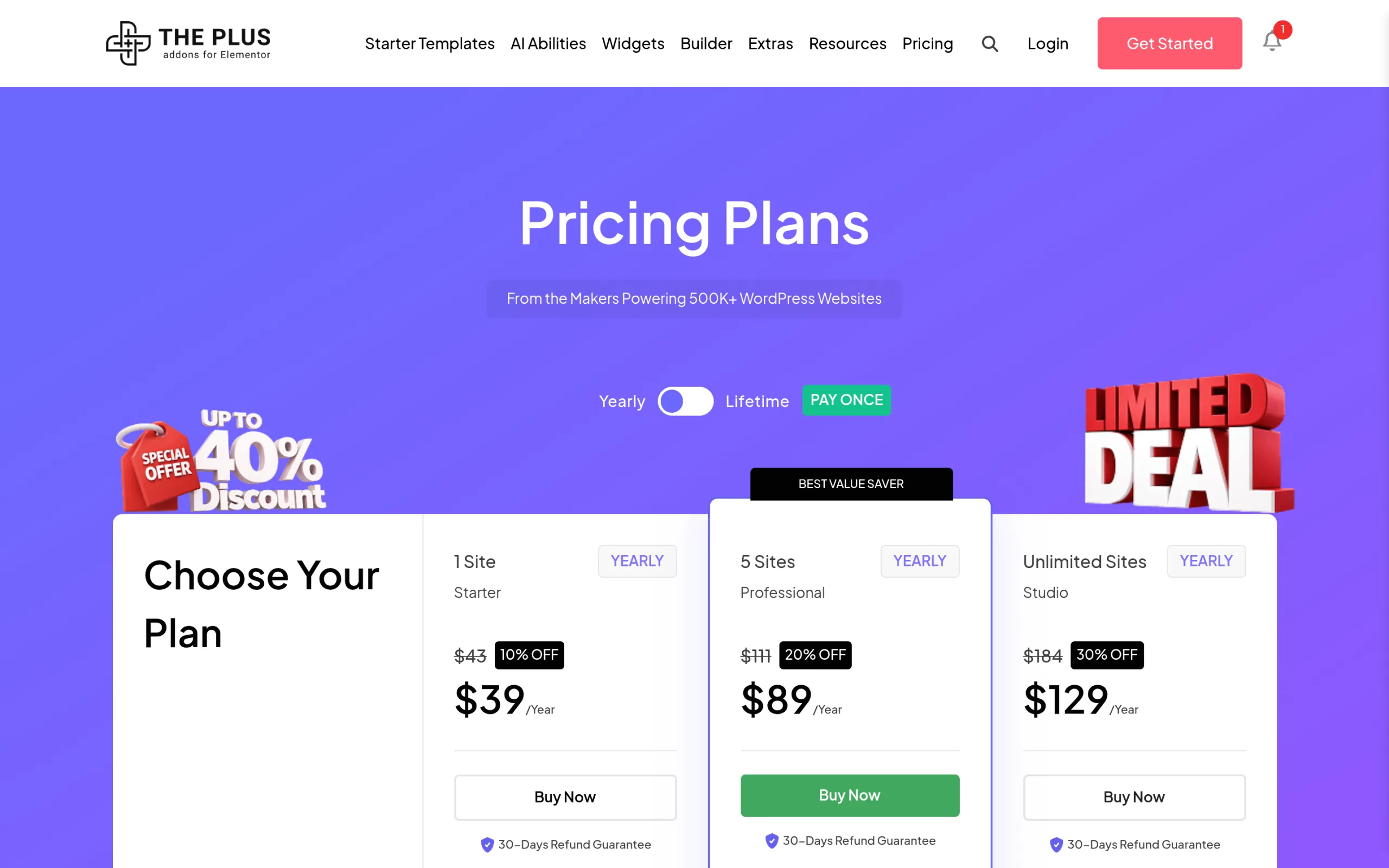
The Plus Addons for Elementor’s current pricing is published directly on its own site: a Starter plan at $39/year (1 site), Professional at $89/year (5 sites), Studio at $129/year (unlimited sites), and an Agency Bundle at $399/year that bundles five POSIMYTH products, including The Plus Addons for Elementor itself. Lifetime one-time options exist at the same tiers: $139, $249, $349, and $899. Every plan carries a 30-day refund guarantee.
Essential Addons for Elementor Pro is sold per site count on its own pricing page. During its Autumn Special on October 6, 2026, a single-site license is listed at $3.99 per month billed annually (regular $4.99), an unlimited-sites license at $7.49 per month billed annually (regular $9.99), and a lifetime unlimited license at $209.99 (regular $299.99). Its FAQ states a 14-day money-back guarantee. Those are monthly figures, so the yearly totals used below are our own multiplication by 12, and a promotion like this can end without notice.
What Is the Cheapest Way to Get Elementor Pro Features With Addons?
Many people searching for “Essential Addons for Elementor Pro” are really asking a cost question: can a paid addon give them what Elementor Pro gives them, for less? The short answer is yes for most layout and builder features, with a few gaps worth checking first. Every price in this section was fetched from the vendors’ own pricing pages on October 6, 2026, in US dollars. Elementor lists prices in several currencies, so your checkout total may differ.
What You Pay for Elementor Pro Today
Elementor’s pricing page lists Essential at $60/year for 1 site, Advanced Solo at $84/year for 1 site, Advanced at $108/year for 3 sites, and Expert at $204/year for 25 sites. Plans that bundle Pro with its wider suite start at Elementor One at $180 for the first year (renewing at $228) and One Agency at $432 for the first year (renewing at $540) with unlimited sites. The plan matters, because Elementor’s own listing marks the Essential tier as having no Popup Builder, no eCommerce features, and no custom code and CSS. If you need those, Advanced Solo at $84 is the real starting price for one site. For a full plan-by-plan breakdown, see our guide to Elementor Pro pricing and renewal costs.
Which Pro Features Each Addon Stack Replaces
Elementor’s comparison page (updated September 15, 2026) lists the features Pro adds on top of the free editor: the Theme Builder for headers, footers and single or archive templates, a Form Builder, a Popup Builder, a WooCommerce Builder, dynamic content, a Nav Menu widget, and custom code and CSS. Nothing below says Elementor lacks a feature; it maps each Pro feature to what each addon’s own readme lists.
| Elementor Pro Feature | The Plus Addons | Essential Addons | Happy Addons |
|---|---|---|---|
| Header and footer builder | Header & Footer Builder (Pro) | Header & Footer Builder (free extension) | Theme Builder (free) |
| Single post and archive templates | Blog and CPT Builder (free) | Not listed in readme | Theme Builder (free) |
| Popup Builder | Popup Builder (Pro) | Lightbox & Modal widget (Pro), trigger-based only | Modal Popup widget (Pro), click-triggered |
| WooCommerce Builder | Store Builder: cart, checkout, my account, thank you, single product (Pro) | Cart and Checkout widgets (free); Thank You and Account Dashboard (Pro) | Product grid, carousel, single product and mini cart widgets |
| Forms | Form Builder and form stylers (free); Login and Signup forms (Pro) | Stylers for form plugins; Login | Register Form | Stylers for form plugins; Mailchimp widget |
| Mega menu and navigation | Mega Menu builder (Pro) | Mega Menu widget | Happy Mega Menu (Pro) |
| Dynamic content | Dynamic Tags (freemium) | Dynamic Tags (Pro extension) | Not listed in readme |
| Custom code | Not listed in readme | Custom JS (free extension) | Not listed in readme |
The honest reading: The Plus Addons covers the widest set of Pro builders in one install (header and footer, popups, WooCommerce, mega menu, loops), Happy Addons gives you a free theme builder, and Essential Addons is strongest as a widget and effects library. Before you drop Elementor Pro, check two things the addons do not clearly match: Elementor’s Form Submissions page for storing entries in WordPress, and its custom code and CSS tools.
Cost Per Year for 1 Site, 25 Sites and Unlimited Sites
All of these addons run on top of the free Elementor editor, so the addon price is the whole bill. The table uses the cheapest plan on each vendor’s page that covers the site count, prices fetched October 6, 2026.
| Option | 1 Site | 25 Sites | Unlimited Sites | Lifetime |
|---|---|---|---|---|
| Elementor Pro (cheapest plan with the Pro builders) | $84/year (Advanced Solo) | $204/year (Expert) | $432 first year, $540 renewal (One Agency) | None listed |
| The Plus Addons for Elementor | $39/year (Starter) | $129/year (Studio; Professional covers 5 sites at $89) | $129/year (Studio) | $139 (1 site), $249 (5 sites), $349 (unlimited) |
| Essential Addons Pro (Autumn Special) | $47.88/year ($59.88 regular) | $89.88/year ($119.88 regular) | $89.88/year ($119.88 regular) | $209.99 unlimited ($299.99 regular) |
| Happy Addons Pro | Not verifiable: the page prints “3539” for this plan | $99/year (100 sites) | $189/year (1,000 sites) | $149 (1 site), $269 (5), $389 (100), $549 (1,000) |
On those numbers, a single The Plus Addons license saves $45 a year against Elementor Pro for one site, $75 a year at 25 sites, and $303 in the first year for unlimited sites. Essential Addons Pro is cheaper still on its promotional unlimited price, though it covers fewer of the Pro builders, so price per feature is a better test than price per site. If you are comparing the full unlimited route, The Plus Addons pricing lists the Studio plan and the lifetime options side by side.
Why Stacking Two Addons Usually Costs More
It is tempting to cover every gap by buying two addons. For one site, The Plus Addons Starter ($39) plus Essential Addons Pro ($47.88) comes to $86.88 a year, which is more than Elementor Pro Advanced Solo at $84, and you now carry two plugins that register overlapping widgets. One addon that matches your actual feature list is the cheapest route; a second only makes sense when it fills a specific gap. Templates are another place costs hide, because Elementor Pro bundles Pro templates, cloud templates and Theme Builder site parts while free kits cover less; our comparison of Elementor Pro templates and free template kits explains the difference before you pay for either.
A Simple Way to Pick Your Route
Start from your feature list, not the price. If you need Elementor’s native form submissions stored in WordPress, or its custom code and CSS tools, Elementor Pro Advanced Solo or Expert is the safer purchase. If your sites need a header and footer, popups, a WooCommerce store and a mega menu, a single The Plus Addons license covers those at $39 or $129 a year, or $349 once for unlimited sites. If your sites are mostly marketing pages that need effects and a large widget library, Essential Addons Pro at $47.88 a year on the current promotion is enough. If you want a free theme builder before committing to anything, start with the Happy Addons free plugin and upgrade later.
Refund windows make this low risk to test. Elementor’s pricing page states a 30-day money-back guarantee, The Plus Addons gives 30 days, and both Essential Addons and Happy Addons state 14 days. Build one real page with the Pro feature you care about most inside that window, and keep whichever plan handled it without extra plugins.
Which Should You Choose?
If your priority is the largest possible raw count of individual widgets and effects across a personal or portfolio site, and a Lightbox & Modal widget is enough for your popups, Essential Addons for Elementor gives you the bigger free widget count and works down to WordPress 5.3.
If you are building a real business site, especially one that needs a WooCommerce store, a mega menu, a popup, and a custom header without stacking three separate plugins, The Plus Addons for Elementor bundles all four into one install on its paid plans, and its auto widget scanner means you are not stuck loading assets for widgets you never turned on. At $39/year for a single site, it is also the cheaper entry point against both Essential Addons Pro ($47.88/year at the current promotion) and Elementor Pro ($84/year). Either way, read the broader set of Elementor alternatives before committing, since your theme and host matter as much as the addon plugin you pick.
Suggested Reading
- Elementor Pro Pricing: Every Plan, Renewal Cost and What You Get
- Elementor Pro Templates vs Free Template Kits
- Elementor Alternatives Compared for 2026
- How to Clean Up a Bloated Elementor Site
- What’s New in The Plus Addons for Elementor 6.5.0
- Is Elementor Dying? An Honest 2026 Look
- The Complete WordPress + Elementor Stack for 2026