If you have ever opened a stylesheet and seen something like --primary-color: #3556e9; sitting at the top, followed by color: var(--primary-color); further down, you have already met CSS custom properties. Most people call them CSS variables, and once you understand what they actually do, changing an entire site’s color scheme, spacing scale, or dark mode toggle stops being a find-and-replace job across a dozen files.
This guide covers what CSS custom properties are, how they differ from Sass or Less variables, how to declare and use them with real code, and where they show up inside a page builder like Elementor even if you never write a line of custom CSS yourself.
What Are CSS Custom Properties?
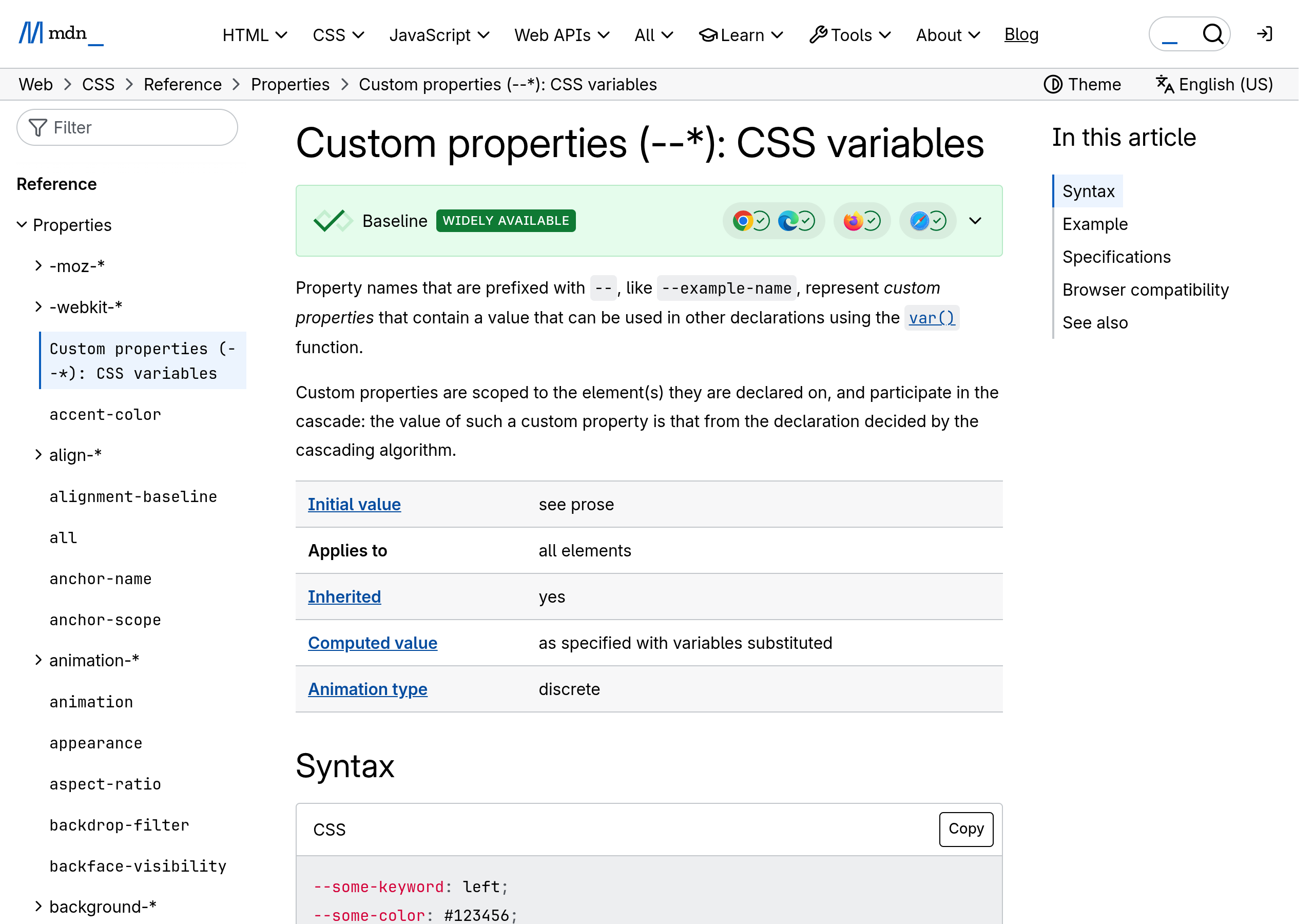
A CSS custom property is a value you define once, give a name prefixed with two dashes, and then reuse anywhere in your stylesheet with the var() function. The official name is “custom property” because that is exactly what it is, a property you invent yourself rather than one built into the CSS specification like color or margin. “CSS variable” is the informal name most developers actually use.
A basic declaration looks like this:
:root {
  --primary-color: #3556e9;
  --spacing-md: 16px;
}

.button {
  background-color: var(--primary-color);
  padding: var(--spacing-md);
}
Declaring the properties on :root makes them available to every element on the page, because :root sits at the very top of the document. Change the value once at the top and every rule that references var(--primary-color) updates automatically, with no find-and-replace across the stylesheet.
Also Read: Elementor Flexbox vs Grid Container: What Actually Changed
CSS Custom Properties vs. Sass or Less Variables
If you have used Sass or Less, the syntax will feel familiar, but the two are not the same thing under the hood, and the difference matters more than it looks.
- Sass and Less variables are compiled away. A build step swaps every
$primary-coloror@primary-colorfor its literal value before the browser ever sees the file. Once compiled, the variable is gone. - CSS custom properties live in the browser at runtime. The browser keeps
--primary-coloras an actual, inspectable value in the DOM. You can read it, change it with JavaScript, or override it per element, all without recompiling anything. - Custom properties cascade and inherit like normal CSS. You can redefine
--primary-colorinside a single component or media query, and only that scope picks up the new value. A compiled Sass variable has no concept of scope once it becomes a static value. - Custom properties respond instantly to JavaScript. A single line like
document.documentElement.style.setProperty('--primary-color', '#ff5a6e')repaints every element using that variable immediately, which is exactly how most dark mode and theme switchers work today.
In short, a preprocessor variable is a shortcut for the person writing the code. A CSS custom property is a live value the browser itself understands, which is what makes it useful for anything that needs to change after the page has already loaded.
How to Declare and Use CSS Custom Properties
Here is the basic process for setting up and using your own custom properties.
- Pick a scope. Use
:rootfor values the whole site should share, or a class like.cardfor values only that component should use. - Name the property with two leading dashes, for example
--card-radius, and give it a value, for example--card-radius: 12px;. - Reference it anywhere with
var(--card-radius), for exampleborder-radius: var(--card-radius);. - Add a fallback for safety with a second argument, for example
var(--card-radius, 8px), which applies 8px if the variable is ever missing or misspelled. - Override it locally when needed, by redeclaring the same property inside a more specific selector or a media query, and only that scope picks up the new value.
A fallback value is worth using on anything load-bearing. If a typo slips into a variable name somewhere in a large stylesheet, the browser silently falls back to the default you provided instead of rendering with no value at all.
Real-World Use Cases
A few patterns account for most of the reason CSS custom properties caught on so fast, and most production websites you use every day already lean on at least one of them, whether or not the team behind them calls it out explicitly.
- Dark mode toggles: define light and dark values for the same variable names under a
[data-theme="dark"]selector, then flip one attribute on the page to swap the entire palette. - Design tokens: centralize colors, spacing, radii, and font sizes in one place so a brand refresh means editing a handful of values instead of hunting through every component.
- Component theming: let a single button or card component accept different colors per instance by overriding its custom properties inline, without writing a new CSS class for every variation.
- Responsive spacing: redefine a spacing variable inside a media query so every component using it automatically tightens up on smaller screens.
Also Read: How to Use Elementor Flexbox Containers
CSS Custom Properties in Elementor: Global Colors and Beyond
You do not have to write var() by hand to benefit from this. Elementor’s own Global Colors and Global Fonts panel is built on the same underlying idea: define a color or font once, apply it across dozens of widgets, and update every instance by editing the single global value. Under the hood, Elementor’s newer container and style system stores many of these shared values as real CSS custom properties, which is part of why editing a global color updates the live preview instantly instead of requiring a full page reload.
If you are building on Elementor with The Plus Addons, the practical takeaway is this: set your palette and type scale once in Elementor’s Global Colors and Global Fonts settings rather than picking a fresh color on every individual widget. Widgets like Advanced Typography then inherit those shared values automatically, so a brand color update in one place ripples through the whole site the same way a hand-written var(--primary-color) would in custom code.
A Worked Example: Building a Dark Mode Toggle
Seeing the full pattern in one place makes it easier to apply than reading the pieces separately. Here is a minimal dark mode toggle built entirely on custom properties, no framework required.
:root {
  --bg-color: #ffffff;
  --text-color: #1a1a1a;
}

[data-theme="dark"] {
  --bg-color: #121212;
  --text-color: #f2f2f2;
}

body {
  background-color: var(--bg-color);
  color: var(--text-color);
  transition: background-color 0.2s ease, color 0.2s ease;
}
With that CSS in place, a single line of JavaScript on a button click is enough to flip the entire site’s palette:
document.documentElement.dataset.theme =
  document.documentElement.dataset.theme === "dark" ? "light" : "dark";
Every element that reads var(--bg-color) or var(--text-color) repaints immediately, because the browser recalculates the variable’s value the moment the data-theme attribute changes on the root element. Nothing needs to be recompiled and no page reload is involved. This is the exact mechanism most WordPress theme dark mode switchers, including third-party dark mode plugins, rely on today.
Common Mistakes to Avoid
Most of the confusion around custom properties comes down to a handful of repeat mistakes.
- Forgetting the two dashes.
primary-color: blue;is not a custom property, it is simply invalid CSS the browser silently ignores. It has to start with--, as in--primary-color: blue;. - Using a custom property where a value is expected without
var().color: --primary-color;does nothing. You always need to wrap the reference invar(), as incolor: var(--primary-color);. - Declaring the variable in a scope that never contains the element using it. A custom property defined inside
.sidebaris not visible to an element outside the sidebar in the markup. Move the declaration up to a shared ancestor, often:root, if multiple unrelated sections need it. - Assuming old Internet Explorer support. Custom properties never worked in Internet Explorer 11 and are not going to. If a project still has to support IE11 specifically, this feature is not an option there regardless of fallbacks.
- Reaching for JavaScript before checking if pure CSS solves it. A hover state, a focus ring, or a simple light and dark palette swap can usually be handled with
:hover,:focus, and a data attribute selector alone. Save the JavaScript for genuinely interactive controls, like a visible toggle switch a visitor clicks.
Browser Support and Fallbacks
CSS custom properties are Baseline “Widely available,” meaning every major browser, Chrome, Edge, Firefox, and Safari, has supported them for years at this point. There is no meaningful compatibility risk left for a typical WordPress site in 2026. The one habit worth keeping regardless is the fallback argument covered earlier, var(--name, fallback-value), since it protects against a genuine typo rather than an old browser, and typos are far more common than an outdated browser at this point. If your analytics still show meaningful traffic on Internet Explorer 11, that is the one real exception where custom properties will not work at all, and a preprocessor or a build step remains the safer choice for that specific audience segment.
Suggested Reading
- Elementor Flexbox vs Grid Container: What Actually Changed
- How to Use Elementor Flexbox Containers
- Advanced Typography for Elementor
Frequently Asked Questions
Are CSS custom properties the same as CSS variables?
Yes. “CSS custom property” is the formal name in the specification, and “CSS variable” is the informal name most developers use in conversation. They refer to the same feature.
Do I need Sass if I already use CSS custom properties?
Not for variables specifically. CSS custom properties cover the variable use case natively in the browser. Sass still offers extras custom properties do not, like nesting shortcuts, mixins, and loops, so many teams use both together rather than choosing one over the other.
Can I change a CSS custom property with JavaScript?
Yes, and this is one of their biggest advantages over preprocessor variables. A single call to element.style.setProperty('--name', 'value') updates the value live, which is the mechanism behind most dark mode toggles and interactive theme switchers.
What happens if I reference a custom property that was never defined?
Without a fallback, the property using var() is treated as if its value were invalid, which for most properties means it falls back to its initial or inherited value. With a fallback, for example var(--name, 16px), the browser uses the fallback instead, which is why adding one is good practice for anything visually important.
Do I need to write custom CSS to use this in Elementor?
No. Elementor’s Global Colors and Global Fonts panels apply the same underlying idea through the visual editor, so you get the “define once, reuse everywhere” benefit without writing a single line of CSS by hand.