


































Are you looking to add a beautiful grid layout to showcase your testimonials on your website? Whether you want to highlight client reviews, customer feedback, or success stories, showing them in a grid layout allows you to present testimonials in a visually appealing manner.
With the Testimonial widget from The Plus Addons for Elementor, you can easily create a stunning grid layout for your testimonials.
To check the complete feature overview documentation of The Plus Addons for Elementor Testimonial widget, click here.
Requirement – This widget is a part of The Plus Addons for Elementor, make sure its installed & activated to enjoy all its powers.
To do this, add the Testimonial widget on the page, after selecting the appropriate style, select Grid from the Layout section. Then select the appropriate source from the Select Source dropdown.
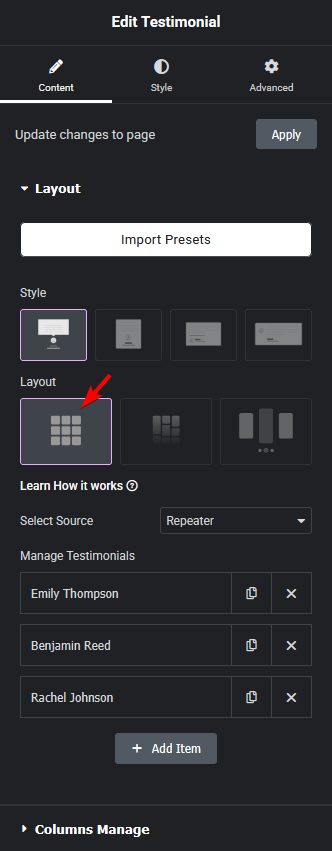
Now your testimonials will show in a grid layout. You can manage the grid columns from the Columns Manage tab.
Also, read How to Show Testimonials in Masonry Grid Layout in Elementor.

