

















How to Exclude Post by Post ID From Custom Post Grid Layout?

Key Takeaways

  • Dynamic Smart Showcase widget from The Plus Addons for Elementor excludes individual posts by their ID from the custom post grid.
  • Users find the post ID by hovering over the post in the Dashboard to view the edit URL.
  • Multiple post IDs can be added in the Exclude Post(s) field, separated by commas.
Table Of Content

Sometimes, you may want to remove certain posts from being displayed in your post grid due to various reasons. By excluding these posts, you can ensure that your custom post grid only showcases the most relevant and up-to-date content to your audience.

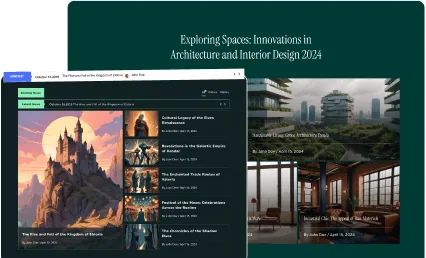
With the Dynamic Smart Showcase widget from The Plus Addons for Elementor you can easily exclude individual posts by their id from the custom post grid.

To check the complete feature overview documentation of The Plus Addons for Elementor Dynamic Smart Showcase widget, click here.

Requirement  – This widget is a part of The Plus Addons for Elementor, make sure its installed & activated to enjoy all its powers.

For this, you need to find the post id of the post you want to exclude from the list.

To find a post id, from the Dashboard, go to Posts, and hover over the post that you want to get the id of. At the bottom of the browser, it will show the post edit URL with its id. The number after ‘post=’ is the post id.
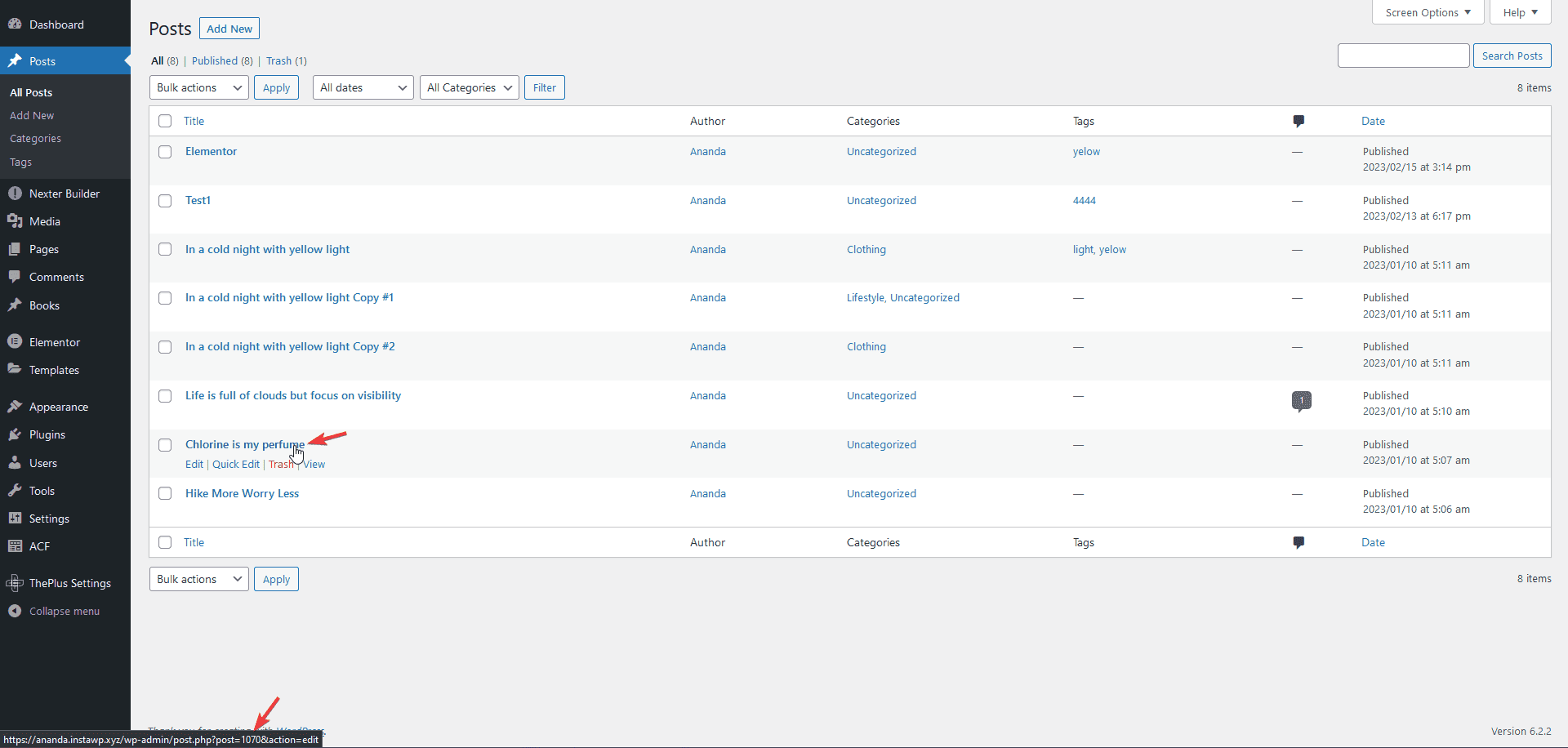
Find post id

Once you find the post id, add the Dynamic Smart Showcase widget on the page, after selecting the appropriate style and layout select Posts from the Post Type dropdown.

Then go to the Content Source tab, in the Exclude Post(s) field you can add the post id.

Note: You can add multiple post IDs separated by commas.
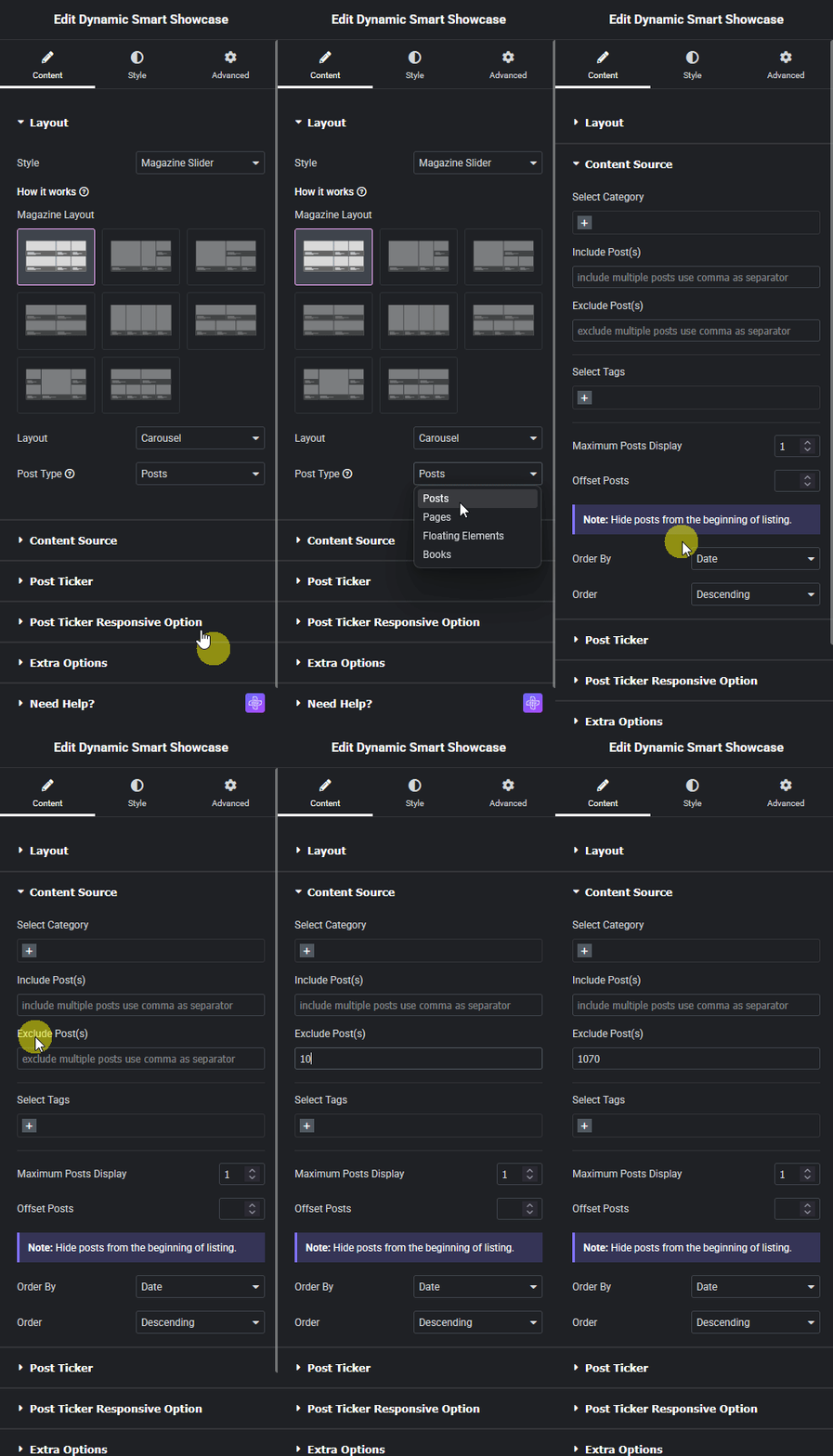
Dynamic smart showcase exclude post id new how to exclude post by post id from custom post grid layout? From the plus addons for elementor

In a similar way, you can add post ids in the Include Post(s) field to only show specific posts.

Also, read How to Show Custom Posts Based on Custom Taxonomy in Custom Post Grid Layout.

About the Author

Photo of Aditya Sharma CMO of The Plus Addons for Elementor
CMO · The Plus Addons for Elementor · 10 years experience

He has spent years in the WordPress ecosystem building, breaking, and optimizing sites until they actually perform. He works at the intersection of speed, growth, and usability, helping creators ship websites that load fast and convert. An active WordPress community contributor sharing through tools, tutorials, and direct collaboration. Tested practice, not theory.

WordPressElementorn8nAIClaudeAutomationServer
Get Instant Answers to all your questions about The Plus Addons for Elementor, trained on 1000+ Docs and Videos

Related Frequently Asked Questions

What should I do if the post I want to exclude isn't disappearing from the grid?

If a post isn't being excluded as expected, double-check that you've entered the correct post ID in the Exclude Post(s) field. The post ID can be found by hovering over the post in the Dashboard and looking for the number after 'post=' in the URL. Ensure that the Dynamic Smart Showcase widget is properly set up and that the widget is installed and activated from The Plus Addons for Elementor.

How can I ensure that only specific posts are shown in the grid?

To show only specific posts, use the Include Post(s) field in conjunction with the Dynamic Smart Showcase widget. Add the post IDs you want to include, separated by commas. This method is particularly useful when you want to highlight certain content while excluding others, ensuring that your audience sees only the most relevant posts.

What happens if I forget to add the post ID when trying to exclude a post?

If you forget to add the post ID in the Exclude Post(s) field, that post will continue to appear in your custom post grid layout. It's crucial to ensure that the correct IDs are entered to achieve the desired display of content. Regularly reviewing your settings can help avoid this oversight.

Is there a way to preview changes after excluding posts from the grid?

After making changes to the Exclude Post(s) field in the Dynamic Smart Showcase widget, you can preview the changes directly on your page. This immediate feedback allows you to verify that the correct posts are excluded before finalizing your layout. Always check the live view to ensure your grid displays as intended.

Last reviewed: April 11, 2026