































Looking to add a category-wise filter to your custom post grid in Elementor? By using the category filter, your visitors can easily navigate through different categories of posts and find the content they are most interested in.
With the Dynamic Smart Showcase widget from The Plus Addons for Elementor you can easily add a category filter to your custom post grid.
To check the complete feature overview documentation of The Plus Addons for Elementor Dynamic Smart Showcase widget, click here.
Requirement – This widget is a part of The Plus Addons for Elementor, make sure its installed & activated to enjoy all its powers.
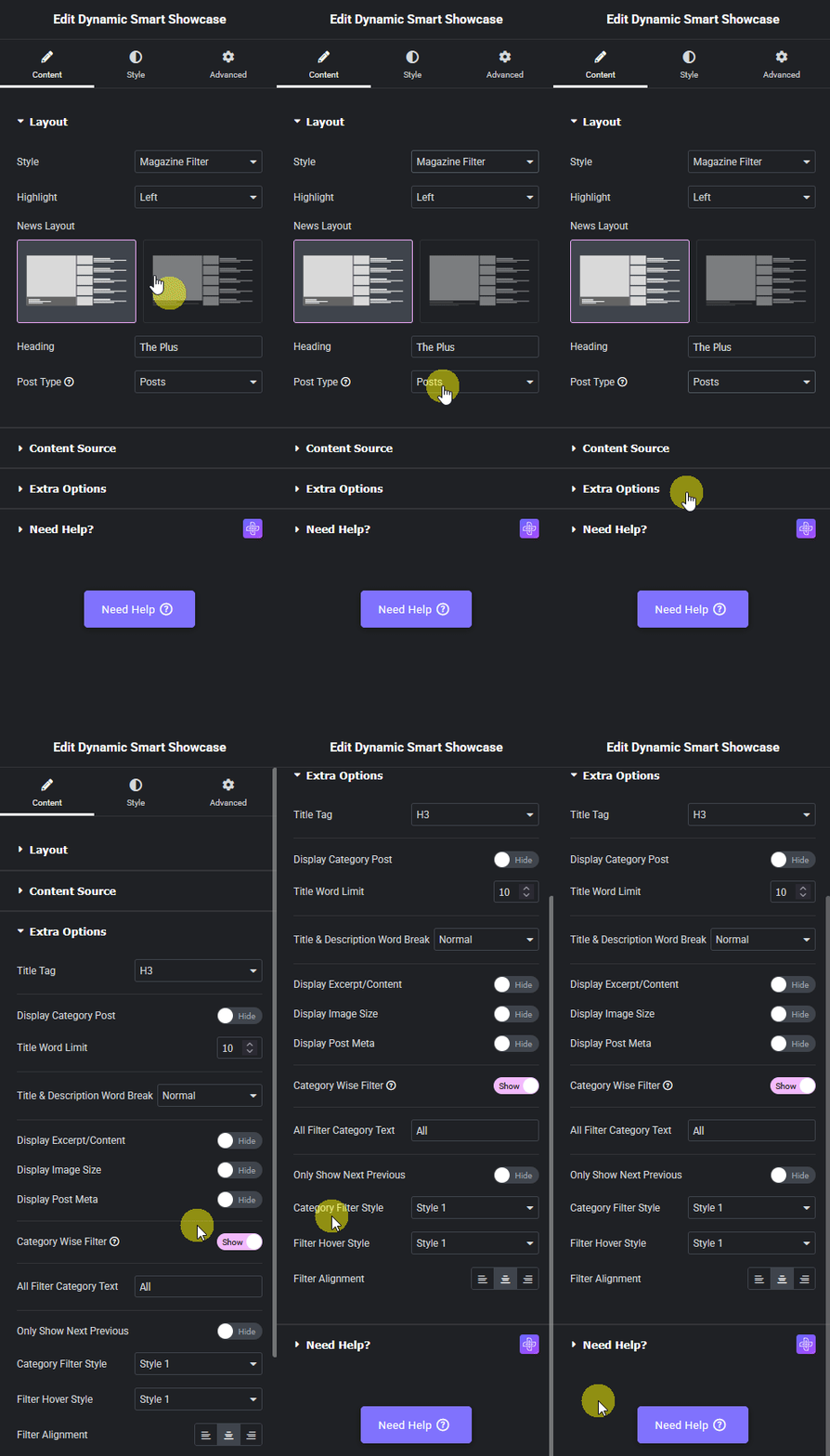
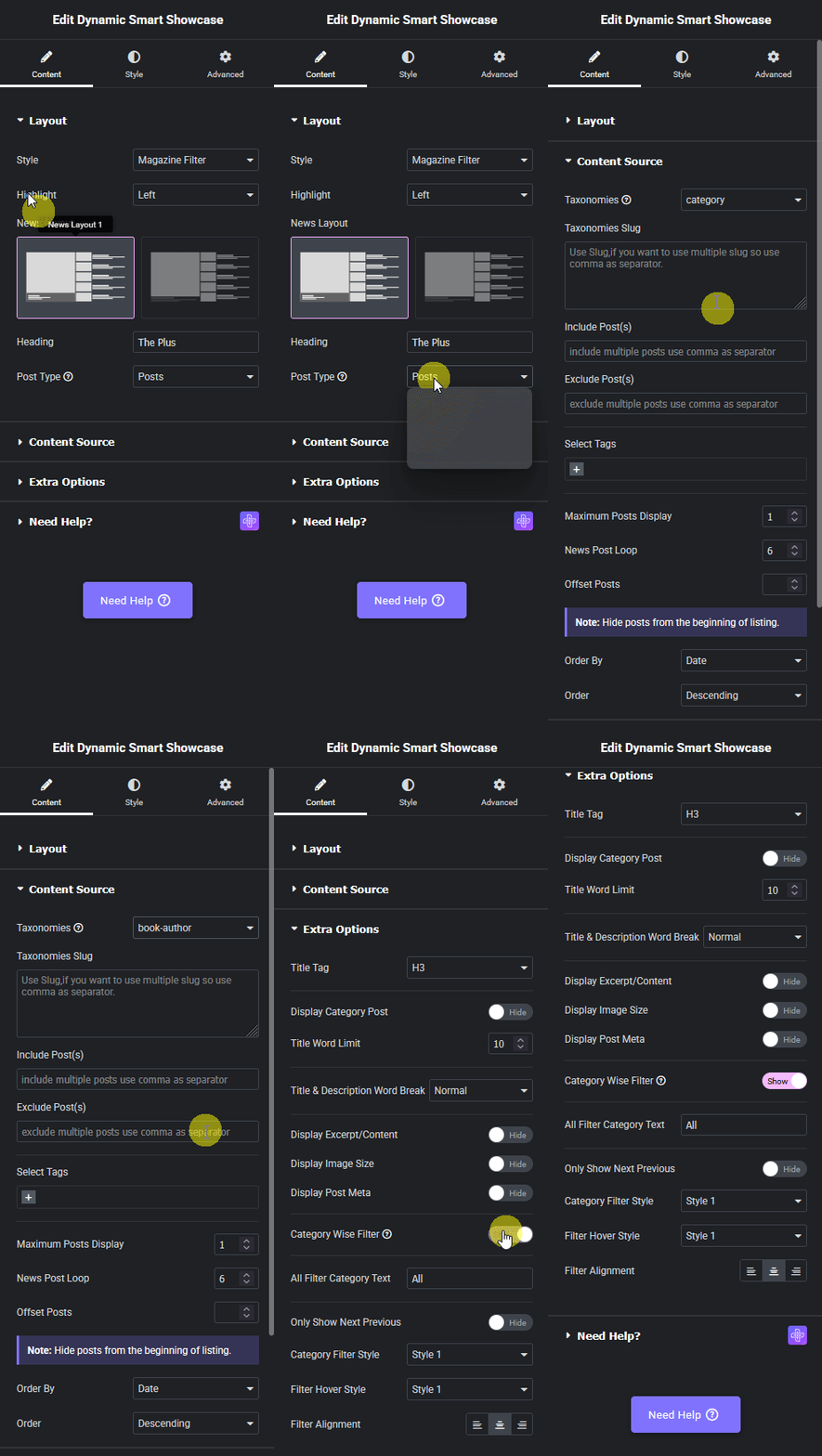
To do this, add the Dynamic Smart Showcase widget on the page, and select Magazine Filter from the Style dropdown, after selecting the appropriate style from the Magazine Layout, you have to select Posts from the Post Type dropdown.
Then go to the Extra Options tab, and turn on the Category Wise Filter toggle.
To ensure this works, make sure to assign categories to your post, only then it will show here.
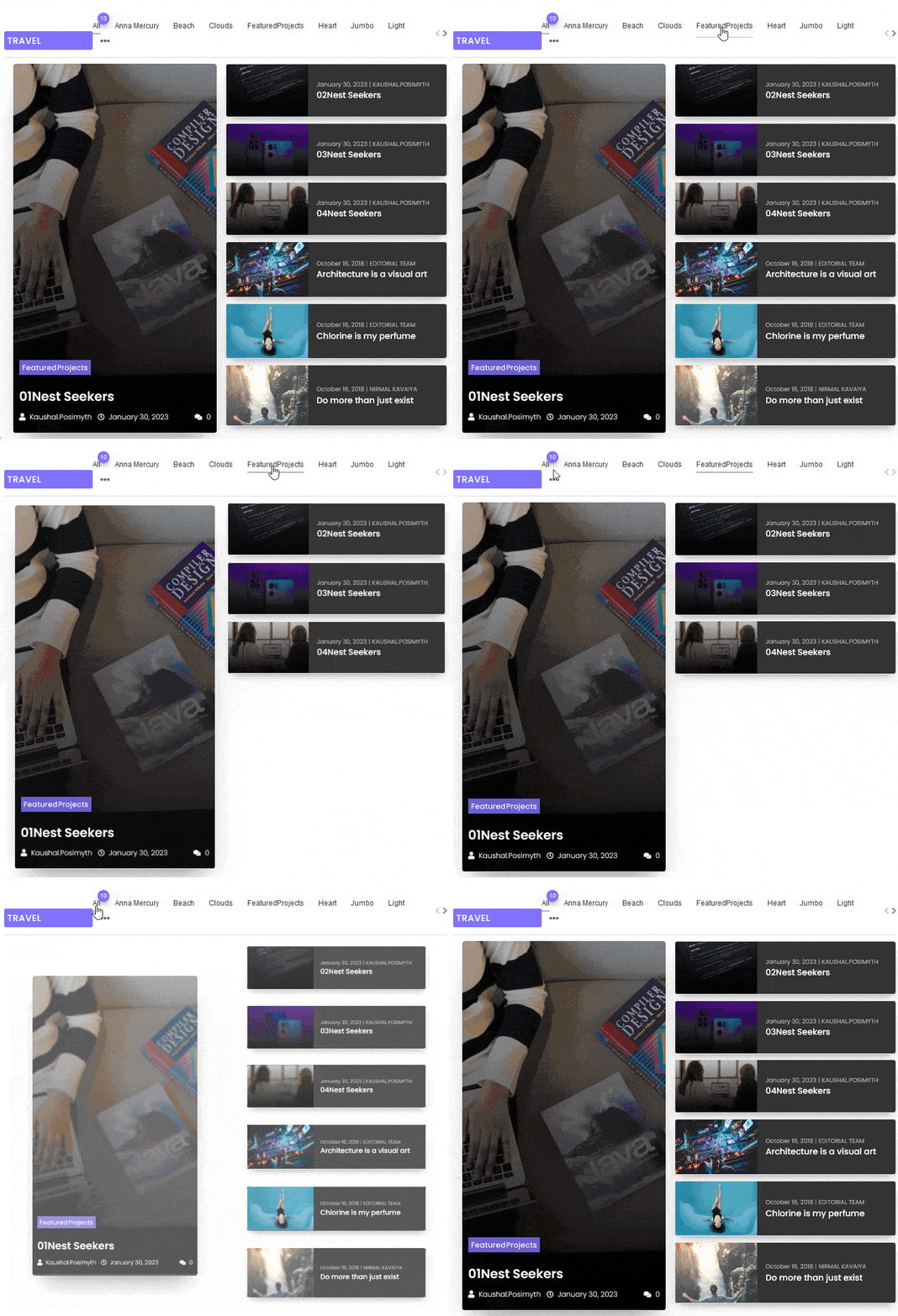
Now you’ll be able to see filter options in your post listing that you can use to filter the posts by category.
From the All Filter Category Text field, you can add an additional filter label to show all the posts.
From the Only Show Next Previous toggle, you can add a next previous navigation to the list.
Note: Enabling the Only Show Next Previous option will hide the filters.
You can also select different predefined styles for the category filter labels for normal and hover states from the Category Filter Style and Filter Hover Style dropdowns, respectively.
From the Filter Alignment section, you can align the filter.
Category Filter in Custom Post Type
To add a category filter to a custom post type you need to have a custom post type with a custom taxonomy. You can use the free Advanced Custom Fields (ACF) to create a custom post type and custom taxonomy.
Make sure you have added some posts in the custom post type and taxonomy in the custom taxonomy. Suppose we have a custom post type called Books and a custom taxonomy called Book Author.
Now add the Dynamic Smart Showcase widget on the page, and select Magazine Filter from the Style dropdown, after selecting the appropriate style from the Magazine Layout, you have to select your custom post type i.e. Books from the Post Type dropdown.
Then go to the Content Source tab, and select your custom taxonomy i.e. book-author from the Taxonomy dropdown.
Then go to the Extra Options tab, and turn on the Category Wise Filter toggle.
Now you’ll be able to see filter options in your custom post type listing that you can use to filter the posts by taxonomy.
The rest of the options will work similarly to the normal post.
Also, read How to Create a Custom Post Grid Layout with Dynamic CPTs in Elementor.
