



























How to Find Figma File URL?

Table Of Content

You need to have the Figma file URL to convert your Figma design to an Elementor template from The Plus Addons for Elementor.

To find the URL of a Figma file, open the Figma file and follow the steps – 

1. Click on the Share button.
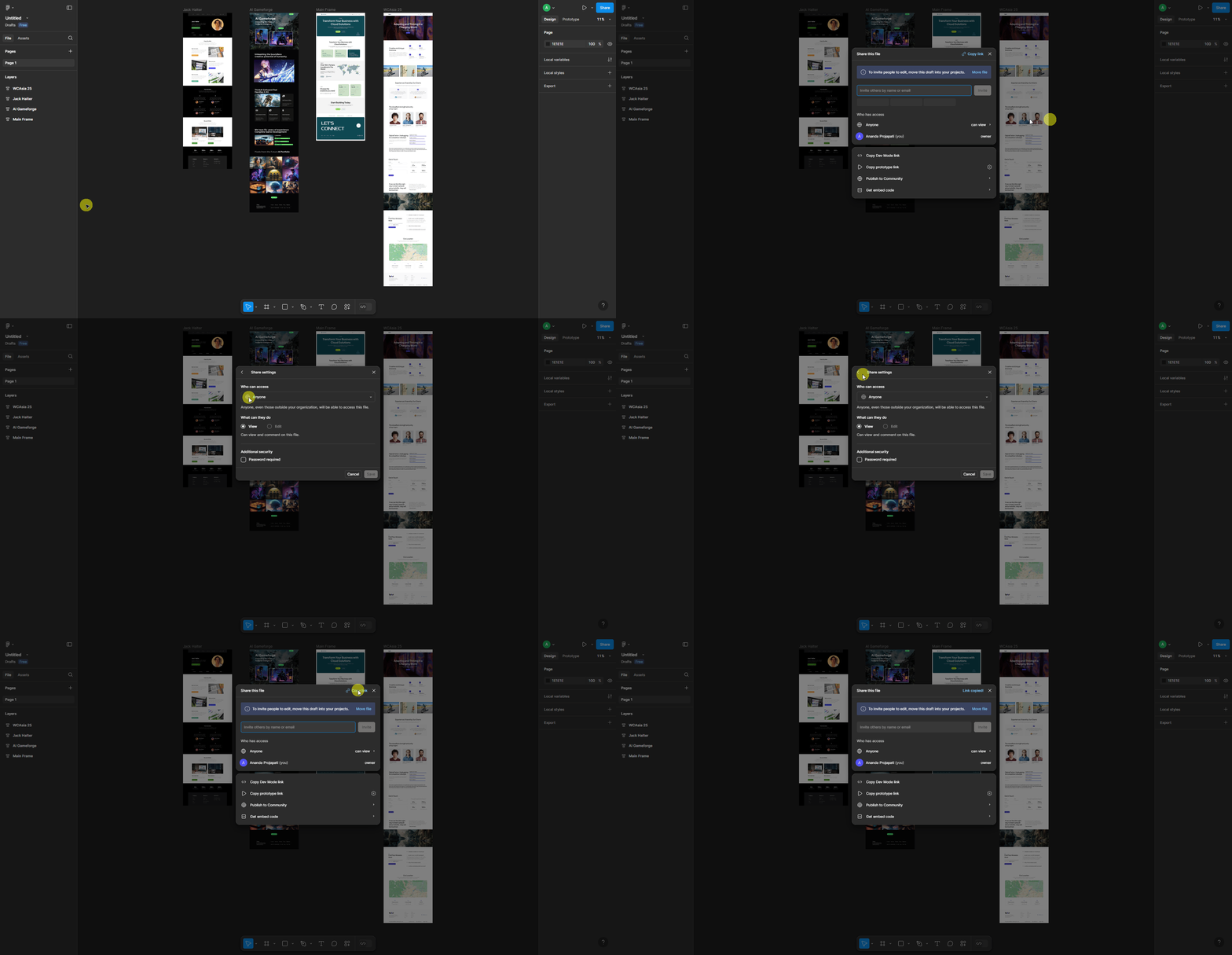
Figma file url how to find figma file url? From the plus addons for elementor

2. In the popup, select Anyone from the Who Can Access section.

3. Once done, click on the Copy Link button to copy the Figma file URL.

Now you can use this Figma file URL to convert your Figma layout to Elementor template from The Plus Addons for Elementor.


AUTHOR

Aditya Sharma

Aditya has spent years in the WordPress ecosystem building, breaking, and optimizing sites until they actually perform. He works at the intersection of speed, growth, and usability, helping creators ship websites that load fast and convert. An active WordPress community contributor sharing through tools, tutorials, and direct collaboration. Tested practice, not theory.
Get Instant Answers to all your questions about The Plus Addons for Elementor, trained on 1000+ Docs and Videos