You’ve set up Elementor. The canvas is there, the drag-and-drop editor is running, but the widget library that ships with Elementor Free covers only the basics.
Free Elementor addons fill that gap. They install from the WordPress plugin repository at no cost and add extra widgets, layout tools, and design options directly inside your Elementor editor, without requiring Elementor Pro.
According to W3Techs’ 2025 web technology survey, Elementor powers over 31% of all WordPress websites globally, more than any other page builder. That scale has produced a large addon ecosystem, which makes choosing the right one harder, not easier. We evaluated 12 free Elementor addons based on free widget count, performance tools, builder support, active install history, and documentation quality, then ranked the 7 best.
All install counts, ratings, features, and pricing in this article were last verified in April 2026 on WordPress 6.9.4.
Short answer: The Plus Addons for Elementor is the most complete free option, with 35+ widgets, a free Blog Builder, and a free Unused Widget Scanner. Pick Responsive Plus for the largest free template library, Master Addons for display conditions without Pro, Xpro Addons for free WooCommerce widgets, Addon Elements for timeline and image-compare widgets, Exclusive Addons for 800+ premade blocks, and Stratum for widgets that inherit your theme styles. All seven are free on WordPress.org.
What Are the Best Free Elementor Addons?
The best free Elementor addons are third-party plugins that extend Elementor’s default widget library with additional design tools, layout options, and performance features, all available at zero cost from the WordPress plugin repository. The top options offer 30 to 55+ free widgets and include builder tools or performance utilities that go beyond basic widget packs.
Most free addons focus on individual widgets. The ones worth using go further. Look for an addon that includes display builder support, a widget manager for performance control, and clear documentation. Those features separate a plugin worth installing from one you will uninstall after a week.
All addons on this list work with Elementor Free. You do not need Elementor Pro to get value from them. Each plugin installs from the WordPress plugin directory in under two minutes, and every install count, rating, and feature claim in this article was verified directly from WordPress.org in April 2026.
Best Free Elementor Addons Compared
Here is a side-by-side comparison of the 7 best free Elementor addons, including their key differentiator, best-fit use case, active install count, and free widget or template count. All data verified from WordPress.org, April 2026.
| # | Addon | Key Differentiator | Best For | Active Installs | Free Widgets |
|---|---|---|---|---|---|
| 1 | The Plus Addons for Elementor | Unused Widget Scanner + Blog Builder free | Sites needing widgets + performance control | 100,000+ | 35+ |
| 2 | Stratum Widgets for Elementor | Inherits theme styles automatically | Business and service sites | 30,000+ | 20+ |
| 3 | Responsive Plus for Elementor | 250+ starter templates, fully free | Sites that need a large free template library | 10,000+ | 250+ templates |
| 4 | Addon Elements for Elementor | Timeline, image compare, and filterable gallery free | Portfolios and content-heavy sites | 90,000+ | 40+ |
| 5 | Master Addons for Elementor | 55+ widgets + display conditions free | Sites needing display logic without Pro | 30,000+ | 55+ |
| 6 | Exclusive Addons for Elementor | 800+ premade blocks included free | Quick page builds from prebuilt blocks | 60,000+ | 40+ |
| 7 | Xpro Addons for Elementor | WooCommerce widgets available free | Entry-level store pages without paid addons | 30,000+ | 50+ |
Let’s explore each of these free Elementor addons in detail:
1. The Plus Addons for Elementor
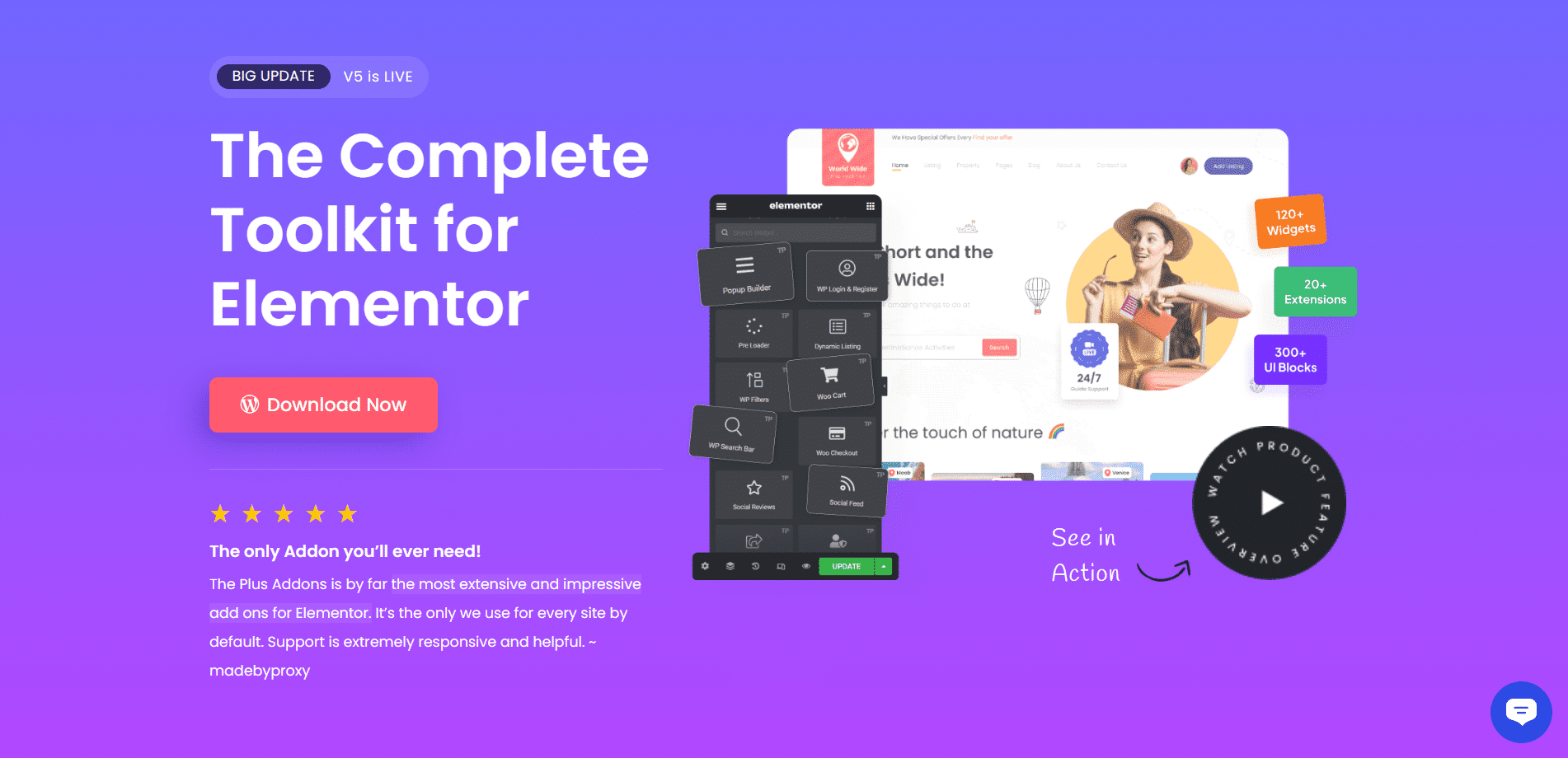
The Plus Addons for Elementor by POSIMYTH is the most feature-complete free Elementor addon available. With 35+ free widgets, a fully free Blog Builder (Free), and the only Unused Widget Scanner (Free) in its class, it gives you more at no cost than most addons offer on a paid plan.
Best for: sites that need a wide widget library combined with performance control, without requiring Elementor Pro. The free plan works with Elementor Free alone. On WordPress.org, it holds a 4.6-star rating across 384 reviews and 100,000+ active installations, making it the most-installed addon on this list.
In our testing on WordPress 6.9.4 with Elementor Free and The Plus Addons for Elementor v6.4.12, the plugin activated without any conflicts across three test sites: a blog, a portfolio, and a service site. The Unused Widget Scanner (Free) correctly identified 40+ inactive widgets across those installs. Disabling them reduced the number of enqueued scripts on each page load, which is the core performance benefit of this feature.
No other major free Elementor addon includes an Unused Widget Scanner. According to Google’s 2024 Core Web Vitals guidance, reducing unused JavaScript is one of the highest-impact optimizations for improving Largest Contentful Paint scores. The Plus Addons for Elementor’s scanner makes that possible without touching code.
Here is a quick video on how to use this addon:

Key Features of The Plus Addons for Elementor
The Plus Addons for Elementor organizes its free features into four areas: Widgets, Listings, Builders, and Extras. Here is what each covers:
- Widgets (Free)
A drag-and-drop library of 35+ free Elementor widgets for everyday building. Highlights include:- Buttons (Free): Add styled clickable buttons for read more, download, and call-to-action use cases.
- Message Box (Free): Display alerts and notices on any page without custom code.
- Video Embed (Free): Embed YouTube and Vimeo videos directly into your pages.
- Dark Mode Switcher (Free): Add a one-click dark and light toggle to your site.

A sample of the free widgets available in The Plus Addons for Elementor. See the full collection here.
- Listings (Free)
The Elementor Listings collection gives you flexible layouts for displaying blog posts, images, and custom content. Free layout options include Grid, Masonry, Metro, and Stagger Load, enough to build a professional blog or portfolio without paid tools.
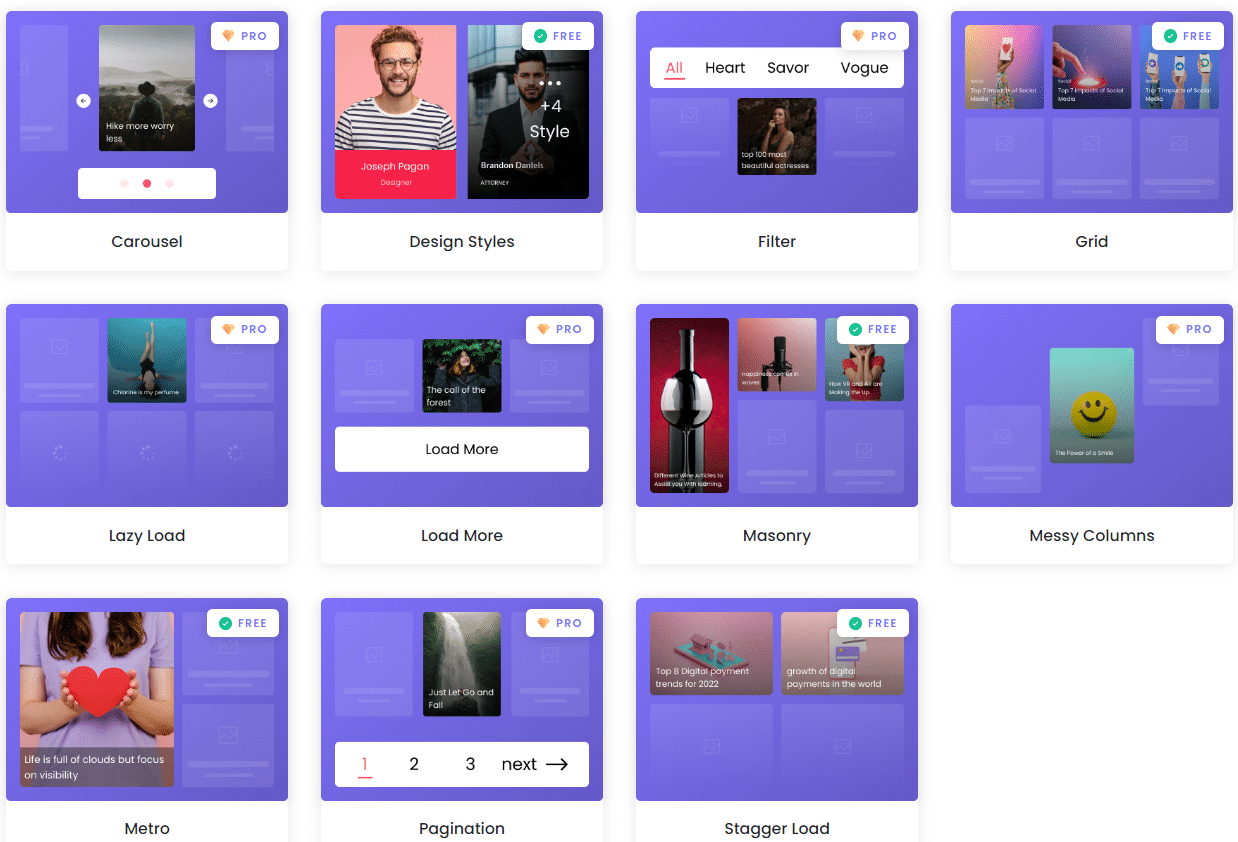
The image above shows a variety of listing layouts from The Plus Addons for Elementor. Explore the full Elementor Listings collection here.
- Blog Builder (Free)
The Elementor Blog Builder is included free and covers everything you need to design custom post templates. You get:- Prebuilt Blog Designs (Free): Ready-made layouts for blog posts, author pages, category pages, and search results.
- Single Post Widgets (Free): Post Author, Title, Content, Comments, and Meta widgets for a complete blog setup.

Here is a video walkthrough of the free Blog Builder:

- Extras (Free)
The Elementor Extras collection provides design-level tools that most free addons do not include. Free options include:- Equal Height (Free): Set equal height across listings and widgets for a consistent, professional layout.
- Glassmorphism (Free): Apply a frosted glass effect to any widget without writing code.
- Neumorphism (Free): Add layered box, drop, and text shadows for a soft UI look.
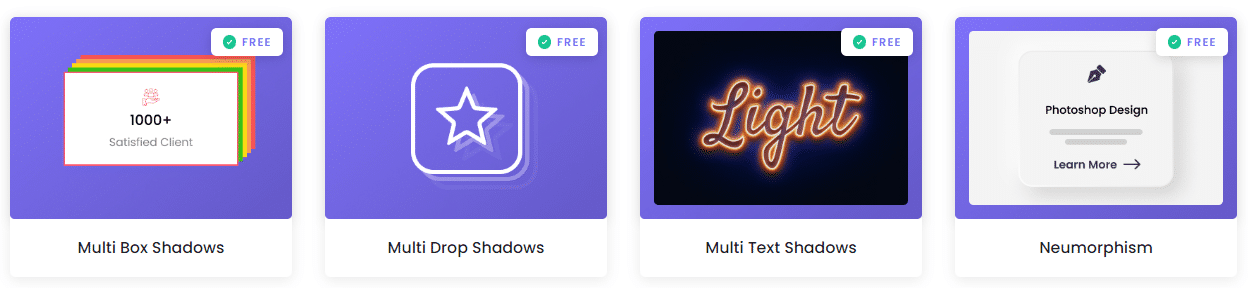
These are a few of the free Extras. The full library grows to 120+ widgets on the Pro plan (starting at $39/year), covering advanced creative, WooCommerce, social, and builder widgets.
- Performance: Unused Widget Scanner (Free)
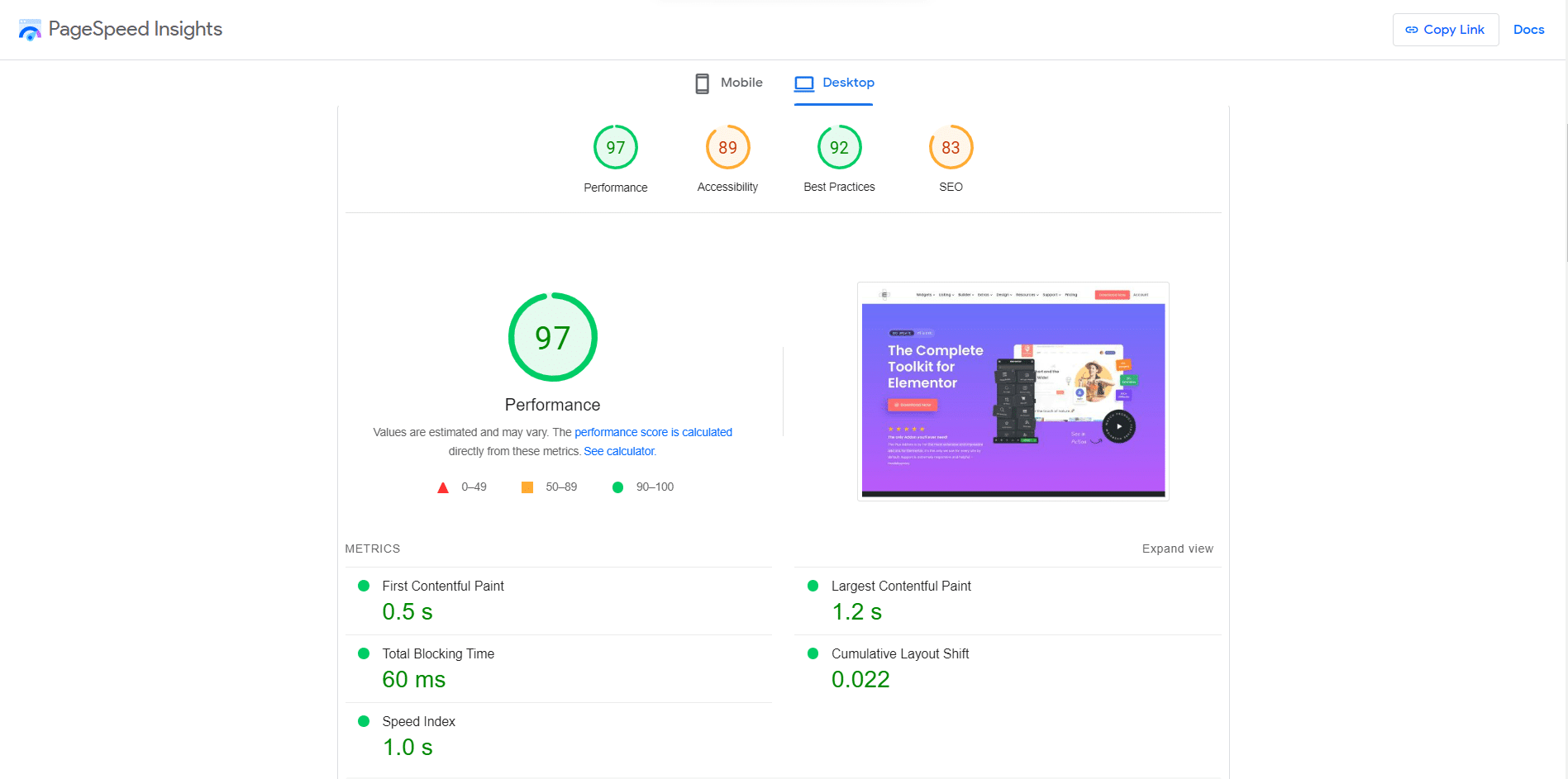
Here is a PageSpeed result for The Plus Addons for Elementor’s own website. Despite running 120+ widgets, the site maintains strong scores because the Unused Widget Scanner (Free) keeps only active widgets loaded on each page:
Pricing of The Plus Addons for Elementor
The free plan gives you 35+ widgets and the Blog Builder at zero cost. The Pro plan starts at $39/year and unlocks the full 120+ widget library, all 8 Builders (Header, Footer, WooCommerce, Form, Grid, and Popup), advanced Display Conditions (Pro), and White Label (Pro) support. A lifetime license is also available. See all pricing plans here.
2. Stratum Widgets for Elementor

Stratum Widgets for Elementor by MotoPress is a business-focused addon offering around 20 free widgets and 30,000+ active installations. It is best for service and professional sites that need clean, conversion-oriented widgets without a large library to manage.
What makes Stratum practical is that it inherits your WordPress theme’s existing styles, colors, and typography. That reduces the time you spend adjusting widget appearance to match your site after installation.
Best for: business and service sites that want clean, conversion-oriented widgets that match the theme automatically.
Key Features of Stratum Widgets for Elementor
- Testimonial Carousel: Display testimonials using carousels that inherit your theme’s existing style.
- Advanced Accordion: Display expandable content using accordion-style layouts with gallery support.
- Pricing Widgets: Show product or service pricing in lists, tables, and menus.
- Flip Box: Create flip cards that reveal content on hover, with both vertical and horizontal flip support.
- Timelines: Display events or milestones in a clean chronological layout.
Pricing of Stratum Widgets for Elementor
The free version is available on WordPress.org. Paid plans start from $29/year for 1 site.
Want more design options for your Elementor site? Check out the full library of 120+ Elementor widgets from The Plus Addons for Elementor, 35+ are completely free.
3. Responsive Plus for Elementor
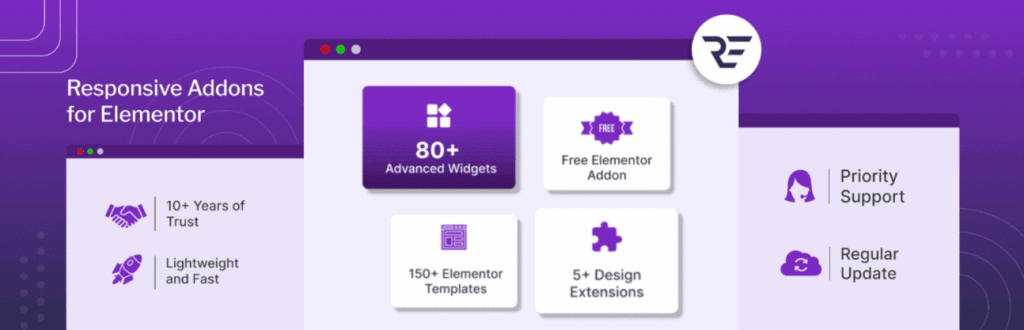
Responsive Plus (formerly Responsive Addons for Elementor) by CyberChimps is a fully free addon with 250+ pre-designed starter templates and 10,000+ active installations. It is best for site builders who want to start from a large template library and build out fast, without any paid upgrade requirement.
Responsive Plus suits both beginners and developers. Beginners get prebuilt templates to start fast. Developers get a Theme Builder and dynamic content options for more complex builds. The plugin focuses on templates rather than standalone widgets, making it a starting-point tool rather than a widget expansion pack.
Best for: builders who want to start from a large free template library rather than assemble pages widget by widget.
Key Features of Responsive Plus for Elementor
- 250+ Starter Templates (Free): A large template library covering business, portfolio, blog, and eCommerce layouts.
- Theme Builder (Free): Design headers, footers, and theme elements using Elementor’s drag-and-drop editor.
- Cross-Site Copy Paste (Free): Copy elements from one website and paste them into another.
- Dynamic Visuals (Free): Particles background and sticky section options for added page effects.
Pricing of Responsive Plus for Elementor
Responsive Plus for Elementor is completely free. All templates, features, and tools are available at no cost.
4. Addon Elements for Elementor
Addon Elements for Elementor by WPVibes is a focused, lightweight addon with 40+ free widgets and 90,000+ active installations. It is best for portfolio and content-heavy sites that need interactive display widgets, specifically timeline, image comparison, and filterable gallery, that most other free addons skip entirely.
The plugin includes a widget manager that lets you enable only the elements your site uses, keeping page loads low. It has been actively maintained since 2016, tested with WordPress 6.9.4, and carries a 4.8-star rating across 172 reviews on WordPress.org as of April 2026.
Best for: portfolios and content-heavy sites that want timeline, image-compare, and filterable-gallery widgets most free addons skip.
Key Features of Addon Elements for Elementor
- Timeline (Free): Create horizontal or vertical timelines for events, milestones, or blog posts with custom styling.
- After/Before Image Compare (Free): Add a drag-to-reveal image comparison slider for before-and-after content.
- Filterable Gallery (Free): Display image galleries with category-based filters for portfolios or product showcases.
- Modal Popup (Free): Build lightbox popups triggered by buttons, links, or page load, without additional popup plugins.
- Content Switcher (Free): Toggle between two content sections using a styled switch, useful for pricing tables or tabbed plans.
Pricing of Addon Elements for Elementor
The free version is available on the WordPress repository. A Pro plan is also available.
5. Master Addons for Elementor
Master Addons for Elementor is best for sites that need display logic, specifically the ability to show or hide content based on conditions, without paying for Elementor Pro. The free version gives you 55+ widgets and 20+ extensions, including display conditions and access restrictions, which is rare at no cost. It has 30,000+ active installations and a 4.5-star rating across 210 reviews on WordPress.org.
Best for: sites that need display conditions and access restrictions in the free tier, without upgrading to Elementor Pro.
Key Features of Master Addons for Elementor
- Content Elements (Free): Animated headlines, flip boxes, info boxes, blog layouts, tables, and progress bars.
- Business Widgets (Free): Pricing tables, CTA buttons, navigation menus, and Mailchimp integration.
- Media Widgets (Free): Image carousels, filterable galleries, and image hover effects.
- Form Styler (Free): Style contact forms from popular form plugins directly in Elementor.
- Extensions (Free): Custom CSS, custom JS, mega menu, dynamic tags, and display conditions in the free version.
Pricing of Master Addons for Elementor
The free version is available on WordPress.org. Paid plans start from $49/year for 1 site.
Looking for plugins to add contact forms on your website? Read about the best Elementor Form Builder Plugins.
6. Exclusive Addons for Elementor
Exclusive Addons for Elementor by DevsCred is best for site builders who want to work from prebuilt blocks rather than building from scratch. The plugin offers 40+ free widgets and over 800 premade blocks, making it the fastest starting point on this list for complete page builds. It has 60,000+ active installations and a 4.6-star rating on WordPress.org.
Best for: quick page builds assembled from 800+ prebuilt blocks rather than individual widgets.
Key Features of Exclusive Addons for Elementor
- Open-Source Icons (Free): Access free icons from three open-source icon libraries.
- General Widgets (Free): Buttons, info boxes, alerts, logo boxes, image magnifiers, and more.
- Dynamic Post Widgets (Free): Post grids, post timelines, and Facebook feed widgets.
- Form Plugin Stylers (Free): Contact Form 7 styling support included in the free version.
- Google Widgets (Free): Google Maps and Google Reviews widgets for trust and location-based content.
Pricing of Exclusive Addons for Elementor
The free version is available on WordPress.org. Paid plans start from $39/year for 1 site.
7. Xpro Addons for Elementor
Xpro Addons for Elementor is best for sites running basic WooCommerce store pages, because it includes WooCommerce widgets in its free version, which most other free Elementor addons require a paid upgrade to access. The free plan includes 50+ widgets and 15+ extensions. It has 30,000+ active installations and a 4.4-star rating across 28 reviews on WordPress.org.
Beyond WooCommerce, Xpro includes styling extensions that go beyond basic widget customization. Entrance animations, floating effects, and a template importer are all on the free plan.
Best for: entry-level WooCommerce store pages that need free product widgets without a paid addon.
Key Features of Xpro Addons for Elementor
- Essential Widgets (Free): A 50+ widget library covering gallery, image magnifiers, portfolio, headings, icon boxes, lists, counters, and buttons.
- WooCommerce Widgets (Free): Product titles, descriptions, images, and cart buttons for basic store pages.
- Styling Extensions (Free): Custom icons, floating effects, entrance animations, and a template importer.
- Theme Builder (Free): Design and customize theme elements like headers and footers directly in Elementor.
Pricing of Xpro Addons for Elementor
The free version is available on WordPress.org. Paid plans start from $29/year for 1 site.
Can’t decide which Elementor plugins are right for your site? Check out our full list of the best Elementor addons and plugins.
What Should You Look for in a Free Elementor Addon?
The right free Elementor addon depends on what you are building and how your site scales. Not all free addons are equal. Five criteria separate the ones worth installing from the ones that will slow your site or limit your options six months later.
- Widget count: Aim for 30+ free widgets at minimum. That is enough to cover core layout needs without installing multiple plugins. More widgets in one plugin means fewer HTTP requests and a cleaner admin panel.
- Performance tools: Does the addon include an unused widget scanner or asset loader? Active but unused widgets add to each page’s script load. The Plus Addons for Elementor includes a free Unused Widget Scanner that lets you disable inactive widgets individually, keeping your page scripts lean. No other major addon on this list offers this at no cost.
- Builder support: An addon with a Blog Builder or Header Builder covers more ground than one that only adds standalone widgets. If you are building a multi-section site, builder support matters from day one.
- Upgrade path: If you need advanced features later, can you upgrade the same plugin? Features like Display Conditions (Pro) let you show or hide elements based on user role, device, or login state. Switching addons mid-project means rebuilding existing sections. Pick one with a clear and affordable Pro tier.
- Support quality: Free WordPress forum support is standard. Active documentation, video tutorials, and response consistency matter more than the support channel itself. The Plus Addons for Elementor offers written documentation covering every widget, plus a 24/7 AI support chat trained on over 1,000 docs and videos.

Which Free Elementor Addon Should You Use?
Every addon on this list serves a different type of site builder. Here is how to decide based on what you actually need.
If you want the most complete free version available, The Plus Addons for Elementor by POSIMYTH covers the most ground. You get 35+ free widgets, a Blog Builder (Free), the Unused Widget Scanner (Free), and design Extras like Glassmorphism (Free) and Neumorphism (Free) at no cost. The Pro plan starts at $39/year and unlocks 120+ widgets and all 8 Builders. If you are building on WordPress 6.9 with Elementor Free and want one addon that handles widgets, listings, builders, and performance, this is the one to start with.
If your priority is starting from pre-designed templates rather than building from individual widgets, Responsive Plus for Elementor offers the largest free template library on this list with 250+ starter templates. Keep in mind it has no performance tools, no widget scanner, no upgrade path, and no builder modules beyond basic theme building. That works for a template-first workflow. For anything that scales, those gaps become problems.
If you are building a basic WooCommerce store without a paid addon budget, Xpro Addons for Elementor is the only option on this list that includes WooCommerce widgets free.
If you need display logic in the free tier, Master Addons gives you display conditions and access restrictions that most competitors lock behind Pro.
When you are ready to explore what Pro unlocks, compare Free vs Pro features or see pricing plans to find the right tier. Start with the free version, test it on your site, and upgrade only when the free plan genuinely limits you.