


Black Friday 2026 falls on Friday 27 November, with Cyber Monday on 30 November. If you build sites with Elementor, this is the one week of the year when page builders, addons, hosting and the plugins around them all drop their prices at once, and many offers start well before the Friday itself.
This page tracks those offers in one place. We check vendor sale pages and record what is already live and which vendors have announced a start date, so you can plan your purchases instead of guessing.
Black Friday 2026: The Key Dates
Most Black Friday sales do not wait for the Friday. Early-bird offers and Halloween sales start in late October, and many vendors go live by mid-November. Check each vendor’s own page for its exact dates, as listed below.
| Date | What happens |
|---|---|
| Late October to mid-November | Early-bird offers and Halloween sales |
| Thursday 26 November 2026 | Thanksgiving in the US; many vendors switch their full Black Friday pricing on |
| Friday 27 November 2026 | Black Friday |
| Monday 30 November 2026 | Cyber Monday; some vendors run a separate, smaller offer |
| 10 December | The POSIMYTH Black Friday offers end |
Is There An Elementor Black Friday Deal In 2026?
Yes. On 19 November 2026, Elementor’s pricing page shows a Black Friday sale of up to 40% off, with the biggest savings on multi-year plans. Check the page for the exact end date and the final price before you buy.
If you were searching for an Elementor discount code or promo code, the honest answer is that Elementor’s sales have applied the discount on the pricing page itself, so there is nothing to paste at checkout. Be careful with coupon sites that list Elementor codes: an expired or invented code does no harm, but a “free license key” offer usually means a nulled copy, and our guide to Elementor Pro nulled downloads and their risks explains why that is a bad trade.
Before you buy at any discount, check what the plan renews at. Black Friday prices usually apply to the first year only. Our breakdown of Elementor Pro pricing lists every plan and its renewal cost, and what happens when Elementor Pro expires explains what keeps working if you decide not to renew. If you are still deciding whether you need Pro at all, Elementor Free vs Pro compares the two.
The Plus Addons For Elementor And POSIMYTH Products
The POSIMYTH Black Friday sale is live from 10 November to 10 December 2026, and UiChemy from 11 November to 4 December. Discounts go up to 40% depending on the plan, and all paid plans keep their 30-day refund. The discount is applied through the links below.

The Plus Addons for Elementor
Elementor widgets, theme builder, templates and AI abilities that stay editable
Up to 40% off
Get the deal
UiChemy
Turns Figma designs, client briefs and prompts into editable WordPress pages in Elementor, Gutenberg or Bricks
Lifetime plans: Solo 10%, Pro 20%, Unlimited 30% off
Get the deal
Nexter
AI WordPress website builder with Gutenberg blocks, extensions and a theme
Up to 40% off
Get the deal
WDesignKit
Template, widget and AI website library for Elementor and Gutenberg, with MCP
Up to 40% off
Get the deal
Sticky Header Effects
Sticky header scroll effects and header templates for Elementor
$30 off the Agency license, one-time payment
Get the dealHow To Get The Most Out Of Black Friday Deals
A discount is only a good deal if you would have bought the product anyway. A few checks keep a Black Friday basket from turning into a renewal bill you did not plan for:
- Write down your list before the sales start. Decide which page builder, addon, hosting and backup tools you need for next year, then buy those when their offers open.
- Check the renewal price, not just the first-year price. Most annual deals renew at the regular rate. Lifetime deals avoid renewals, but only make sense for tools you expect to keep for years.
- Match the site count to your real work. Agency plans look cheap per site at 50% off, but a freelancer with five client sites rarely needs a 1,000-site licence.
- Use the free versions first. Free Elementor plus a free addon covers a lot. Our list of free alternatives to Elementor Pro widgets shows what you can do before paying anything.
- Buy from the vendor’s own site. Links in this post go to each vendor’s official page. Avoid resellers that promise the same plugin for a fraction of the price.
What To Buy On Black Friday For An Elementor Site
An Elementor site usually rests on four layers: the page builder, one or two addons, hosting, and the maintenance tools around them. Each layer behaves differently in a sale, so it helps to know what to look for in each.
The Page Builder
If you rely on Elementor Pro features such as the Theme Builder, Form widget or Popup Builder, Black Friday is a sensible time to buy or renew, because the saving applies to a tool you would pay for anyway. If you mainly need a handful of Pro widgets, compare the cost first with a free or cheaper addon that covers the same widgets. Our guide to the Elementor Theme Builder without Pro shows how far the free route goes for headers, footers and templates.
Addons
Addon vendors often run some of the deepest discounts of the year, and lifetime licences appear more often than at any other time. Before buying, check whether the widgets you want are already in the addon’s free version, how many sites the licence covers, and whether the vendor still ships regular updates. An addon that has not been updated for months is not a bargain at any price.
Hosting
Hosting deals are the easiest to misread. A headline discount like 50% or 80% off often applies only to the first term, and the renewal can be several times higher. Look at the regular price printed under the deal, the length of the discounted term, and whether migrations are included. Two “50% off” offers can mean very different things.
Backups, Security And Speed
Backup, security and caching plugins are the tools people put off buying until something breaks. Black Friday is a good moment to fix that, because tools like UpdraftPlus, MalCare, BlogVault and NitroPack often run offers at this time. If you manage client sites, a bulk licence bought at a discount can cover a full year of care plans.
What If You Miss Black Friday?
Missing the week is not the end of the world. If a deal has ended, it is still worth checking the vendor’s pricing page for a standing discount on annual plans, which many offer all year. What you should not do is buy a plugin from an unofficial reseller just because the official sale is over.
For deals beyond the Elementor world, such as themes, SEO plugins and general WordPress tools, our roundup of the best WordPress Black Friday deals covers the wider market.
Running Your Own Black Friday Sale In Elementor
If you sell products or services yourself, the same week is your chance to run a sale. Three pieces do most of the work on an Elementor site: a countdown, a popup and a coupon code.
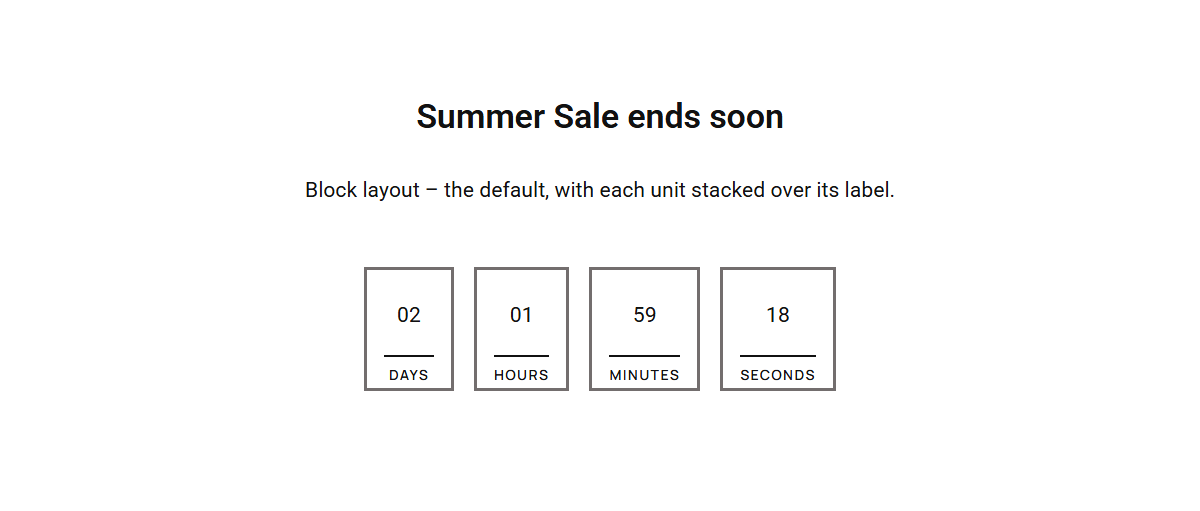
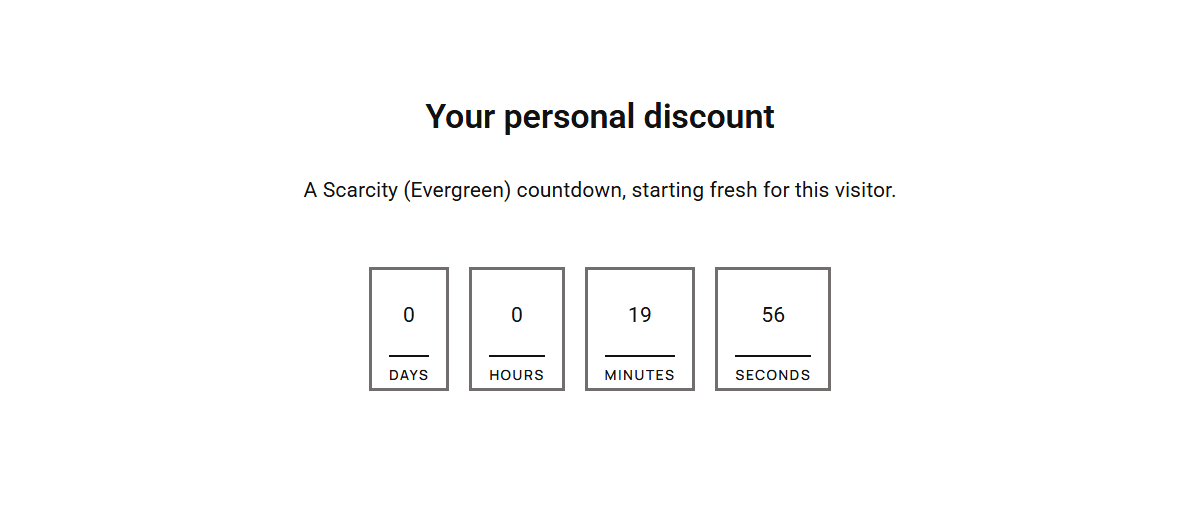
The Countdown Timer widget in The Plus Addons for Elementor shows a fixed deadline, such as the end of your sale, or a Scarcity (Evergreen) countdown that starts fresh for each visitor.
A Scarcity (Evergreen) countdown suits personal offers, such as a discount that lasts 20 minutes after a visitor first lands on the page. Use it honestly: if the timer restarts on every visit, visitors notice.
Pair the countdown with an announcement built in the Popup Builder, and reveal the code itself with the Coupon Code widget, which can hide the code until the visitor clicks to copy it.
A Simple Black Friday Sale Setup
- Decide the offer and the window first. Pick one discount, one start date and one end date. A single clear offer converts better than a page of overlapping deals.
- Build a sale section or landing page. Put the offer in the heading, list what is included, and add the Countdown Timer set to your end date so the deadline is visible.
- Add the coupon. Use the Coupon Code widget so visitors copy the exact code, which cuts the “code not working” support tickets caused by typos.
- Announce it with a popup. Show a short popup on key pages, with a frequency limit so returning visitors are not shown it on every page view.
- Plan the end. Decide what the countdown does when it reaches zero, such as showing a message or hiding the section, so the page does not keep promising an expired offer.
- Test on mobile. Most sale traffic arrives from email and social links on phones. Check that the timer, the code and the button all fit on a small screen.
The same pieces work after the sale, too. A countdown on a launch page, a popup for a newsletter offer and a coupon for first-time buyers all reuse what you built for Black Friday.
How We Check The Deals On This Page
Every offer on this page comes from the vendor’s own sale or pricing page, not from coupon aggregators. We list only 2026 offers, and a vendor whose sale has not started yet is shown with its start date once the vendor announces it. Discounts, start dates and end dates are set by each vendor and can change at short notice, so always confirm the final price at checkout before you buy.
Suggested Reading
- Elementor Pro Pricing: Every Plan, Renewal Cost and What You Actually Get
- Elementor Free vs Pro
- What Happens When Elementor Pro Expires
- Best WordPress Black Friday Deals
- Elementor Pro Widgets: Free And Add-On Alternatives, Widget By Widget
More Black Friday deal roundups
Other roundups from the POSIMYTH family, each kept up to date through the sale.


