Best Fignel Alternative to Convert Figma to Elementor (Free)

Key Takeaways

  • UiChemy allows users to convert Figma designs to Elementor using a unique widget tagging method directly in the Figma Dashboard.
  • Manual conversion involves exporting Figma designs as SVG files and adjusting them in Elementor, providing more control over the process.
  • Fignel is described as a bridge between Figma and Elementor but may not be the best option for everyone.

Are you looking for the best alternative to Fignel for converting your Figma designs to Elementor? Look no further! 

In this article, we will introduce you to the top two alternatives that you can use to convert your Figma designs to Elementor seamlessly.

Table Of Contents

What is Fignel?

Fignel Plugin, the bridge between Figma and Elementor, empowers you to transform your Figma designs into stunning Elementor pages effortlessly. 

However, Fignel may not always be the best option for everyone.

So, let’s take a look at alternatives.

Best Alternatives to Fignel Plugin Are:

1) UiChemy – Figma to Elementor Convertor

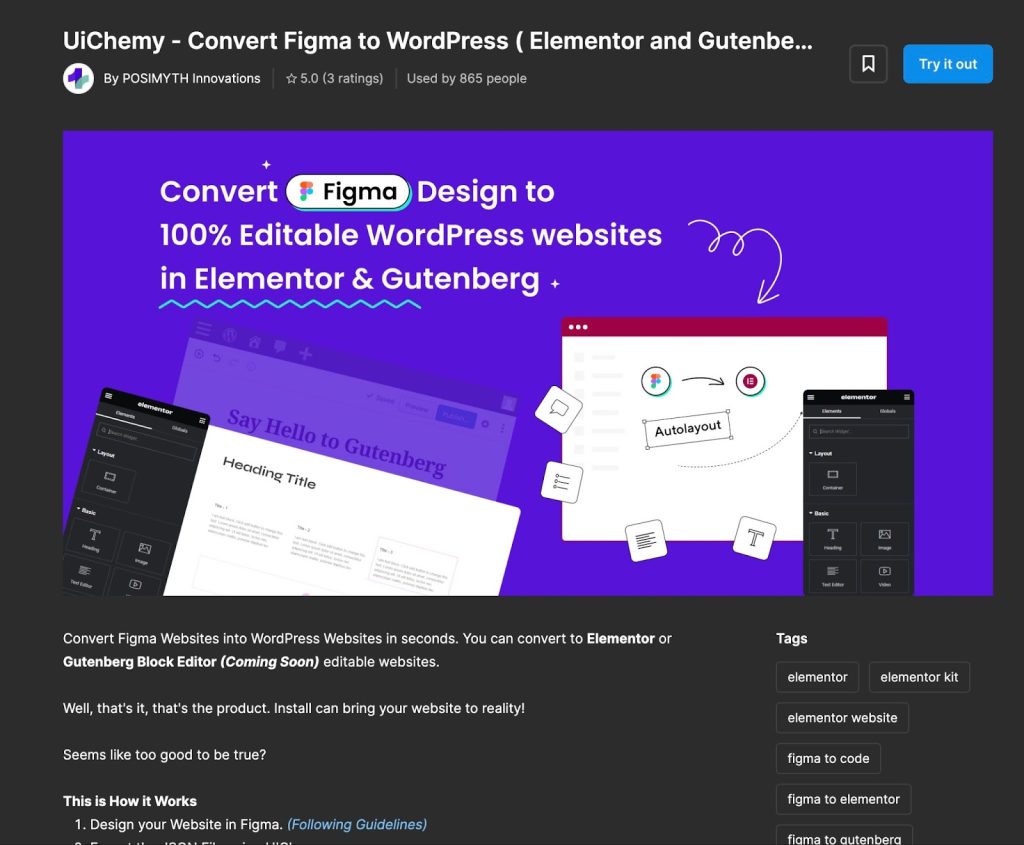
UiChemy is a powerful design-to-code tool that allows you to convert your Figma designs to Elementor with ease. 

With UiChemy, you can quickly and easily turn your Figma designs into fully functional Elementor pages without manually recreating the design using Elementor containers & widgets.

YouTube video

UiChemy is a great alternative to Fignel for those seeking a more specialized tool for converting Figma designs to Elementor.

It uses a unique Elementor widget tagging method, where you can assign Elementor widgets directly inside the Figma Dashboard, and using the Figma Plugin, you can send the design to your WordPress websites.
Uichemy 2 best fignel alternative to convert figma to elementor (free) from the plus addons for elementor

2) Manual Conversion from Figma to Elementor

If you prefer to do things manually, you can always convert your Figma designs to Elementor by hand.

While this may take more time and effort, it can be a great option for those who want more control over the conversion process. 

To do this, export your Figma designs as SVG files and then import them into Elementor. You will need to manually adjust the design elements to fit your Elementor page.

Jeffry from Lytbox has made a detailed video on this:

YouTube video
20 checklist for wordpress site maintenance best fignel alternative to convert figma to elementor (free) from the plus addons for elementor
Do you Manage WordPress Websites? Download Our FREE E-Book of 20+ Checklist for WordPress Site Maintenance. ​
[contact-form-7 id="125716"]

Wrapping Up

UiChemy and manual conversion from Figma to Elementor are both great alternatives that you can use to convert your Figma designs to Elementor seamlessly.

Choose the best option for you and start creating beautiful Elementor pages today!

Lastly, for Elementor users, we recommend The Plus Addons. This all-in-one plugin provides over 120 Elementor widgets to enhance your Elementor editor’s functionality.

Check out the Complete List of 120+ Widgets and Extensions here. Start building your dream website without coding!

About the Author

Photo of Aditya Sharma CMO of The Plus Addons for Elementor
CMO · The Plus Addons for Elementor · 7 years experience

He has spent years in the WordPress ecosystem building, breaking, and optimizing sites until they actually perform. He works at the intersection of speed, growth, and usability, helping creators ship websites that load fast and convert. An active WordPress community contributor sharing through tools, tutorials, and direct collaboration. Tested practice, not theory.

WordPressElementorn8nAIClaudeAutomationServer

Related Frequently Asked Questions

What are the advantages of using UiChemy over Fignel?

UiChemy offers a specialized tool for converting Figma designs to Elementor, which can streamline the process. It allows you to assign Elementor widgets directly within the Figma Dashboard, making the transition smoother compared to Fignel. This method can save time and reduce manual adjustments, which is particularly beneficial for complex designs.

Is manual conversion from Figma to Elementor a viable option?

Manual conversion is a viable option for those who prefer more control over their design process. By exporting Figma designs as SVG files and importing them into Elementor, you can customize each element to fit your needs. However, this method requires more time and effort, so it's best suited for users comfortable with manual adjustments.

Can I switch from Fignel to UiChemy easily?

Switching from Fignel to UiChemy is straightforward since both tools serve the same purpose of converting Figma designs to Elementor. Users can simply start using UiChemy by installing its plugin and following the specific tagging method for Elementor widgets, which can enhance their workflow significantly.

What are the key differences between Fignel and UiChemy?

The main difference lies in the approach to conversion. Fignel serves as a bridge but may not suit all users, while UiChemy employs a unique widget tagging method directly in Figma, allowing for a more integrated experience. This can lead to faster and more accurate conversions, making UiChemy a preferred choice for many designers.

What should I consider when choosing between UiChemy and manual conversion?

When deciding between UiChemy and manual conversion, consider your design complexity and time constraints. UiChemy is ideal for quick conversions with less manual work, while manual conversion offers greater customization but requires more effort. Assess your project needs to choose the best method for your workflow.

Does The Plus Addons for Elementor enhance the conversion process?

The Plus Addons for Elementor enhances the Elementor experience by providing over 120 widgets that can be used alongside tools like UiChemy. This can improve the overall design capabilities and functionality of your Elementor pages, making it a valuable addition for users looking to maximize their design potential.

Last reviewed: April 22, 2026