Short answer: Kinsta is the strongest all-round host for Elementor when budget allows, at $35/month or $350/year for one site, with isolated containers, up to a 99.99% SLA-backed uptime guarantee and staging included. Rocket.net from $30/month is the pick for globally distributed traffic. SiteGround ($3.99/month promotional, $17.99/month on renewal) is the mid-range default. HostArmada ($1.99/month promotional, $9.95 renewal) and Hostinger ($2.99/month on a 48-month term, $10.99 renewal) are the budget picks. InstaWP ($2/month per sandbox) fits staging-heavy client work. Elementor Host suits people who want their server from Elementor itself, though it no longer bundles an Elementor Pro licence. All prices re-checked on 11 August 2026.
Elementor pushes WordPress harder than most builders. The editor loads dozens of widgets, runs a live preview, and stores hundreds of revisions per page. Shared hosting at rock-bottom prices starts to choke around the third client site, and the wrong stack can stretch builder save times into double digits.
The best WordPress hosting for Elementor in 2026 is not always the most expensive plan. It is the one with a current PHP version, generous memory limits, server-level caching, and a CDN that covers your audience’s geography. This guide walks through seven hosts worth comparing, what each one costs at sign-up and on renewal, and how to match the right stack to the kind of site you are shipping.
What is WordPress hosting for Elementor? WordPress hosting for Elementor refers to server infrastructure tuned for the Elementor page builder. That means a current PHP runtime, comfortable PHP memory headroom, server-level caching, and either a built-in CDN or Cloudflare compatibility. The cheaper the host, the more often these basics get cut.
How We Picked These Elementor Hosts
Hosting guides rot faster than plugin guides, because hosts change their pricing pages more often than plugin authors ship releases. So this list is built on figures pulled on one date, from one source per claim, and the date is printed next to the numbers.
- Every price came from the provider’s own pricing page on 11 August 2026. No aggregator sites, no cached review posts.
- Both prices are listed, promotional and renewal. Almost every host on this list advertises a heavily discounted first term. HostArmada was running 80% off, and SiteGround 77% off, on the day we checked. The renewal figure is the one you actually live with.
- Term length is stated where the discount depends on it. Hostinger’s $2.99/month, for example, requires a 48-month commitment.
- No install counts or last-updated dates. Hosts are not distributed through WordPress.org, so the usual repository signals do not exist here. Specifications come from each vendor’s page.
- Claims we could not verify were removed rather than repeated. Two examples are in the next paragraph.
Two corrections carried over from the previous version of this guide, both caught by re-reading the vendors’ own pages. InstaWP no longer has a free tier; its own pricing page now starts at $2/month for a sandbox, with $25 in credits for new accounts instead. And Elementor Host no longer bundles an Elementor Pro licence. Elementor’s own FAQ states it plainly: “Elementor Host plans do not include an Elementor Editor license.” If you picked that plan specifically for the bundled licence, that reason is gone.
Disclosure: POSIMYTH builds an Elementor addon, not hosting, so none of the seven hosts here is ours and we have no server to sell you. Some links on this page are affiliate links. They do not change the ordering, the prices quoted, or the caveats attached to each pick.
What Makes WordPress Hosting Good for Elementor Sites?
WordPress hosting works well for Elementor when it runs a current PHP release, gives you enough PHP memory for the editor to load its widget set in one request, includes server-side caching, and ships with a CDN or Cloudflare integration. Without those four pillars the builder lags during edits and pages load slowly for visitors, even on small sites.
For the floor rather than the ideal: the Elementor plugin listing on WordPress.org records a requirement of WordPress 6.8 or newer and PHP 7.4 or newer, and the current release (version 4.2.2, published 6 August 2026) is tested up to WordPress 7.0.3. Those are the minimums Elementor publishes. The figures in the table below are what we recommend for comfortable editing, which is a higher bar than the plugin’s own floor.

| Requirement | Why Elementor Needs It | What We Recommend |
|---|---|---|
| PHP version | The builder UI relies on a current PHP release; older builds throw warnings and slow the live preview | PHP 8.1 or newer (Elementor’s published floor is 7.4) |
| PHP memory | The live preview loads dozens of widgets in a single request | 512 MB or more |
| Server caching | Reduces time to first byte on cached pages and keeps visitors on fast paths | Built in (LiteSpeed, NGINX FastCGI or Varnish) |
| CDN | Edge caches static assets and HTML for global visitors | Cloudflare or a first-party CDN |
| Backups | One bad widget change can break a layout | Daily automated, with one-click restore |
| Staging | Test template changes before clients see them | One-click staging environment |
| Support response | Builder issues need fast resolution | Live chat staffed by WordPress engineers |
Based on the support tickets we have reviewed across The Plus Addons for Elementor, the most common “plugin” problem turns out to be hosting-related. Low PHP memory limits and slow shared servers account for most of the white-screen reports we see during Elementor edits. Pairing any host on this list with Cloudflare in front of the origin server gives a measurable lift in page load on long content pages.
Elementor is a popular page builder plugin, but they sell hosting too. Read our comparison of Elementor Hosting vs Plugin to work out which one you actually need.
Also Read: If your current host feels slow, the cause is often the site rather than the server. Work through how to clean up a bloated Elementor site before you pay for an upgrade.
Best WordPress Hosting for Elementor in 2026: Side-by-Side Comparison
Seven WordPress hosts stand out for Elementor builders in 2026: Kinsta and Rocket.net at the premium end, SiteGround and HostArmada in the mid-range, Hostinger for budget builds, InstaWP for staging-heavy development, and Elementor Host for people who want their server and their builder from the same vendor.
| Provider | Hosting Type | Best For | Entry Price | Renewal / List Price | Standout Strength |
|---|---|---|---|---|---|
| 1. Kinsta | Managed cloud | Performance-first agencies | $35/mo, or $350/yr | Same (no intro discount) | Isolated containers, up to 99.99% SLA |
| 2. Rocket.net | Managed cloud | High-traffic, low-latency sites | $1 first month, then $30/mo | $30/mo Starter | Enterprise CDN pre-configured |
| 3. HostArmada | Cloud shared | Beginners on a budget | $1.99/mo (80% off promo) | $9.95/mo WP Launcher | Free daily backups on every plan |
| 4. SiteGround | Managed shared | Small businesses and freelancers | $3.99/mo (77% off promo) | $17.99/mo StartUp | WordPress-trained support |
| 5. Hostinger | Shared and cloud | First-time site owners | $2.99/mo (48-month term) | $10.99/mo Premium | LiteSpeed stack at entry pricing |
| 6. InstaWP | Sandbox and production | Developers and agencies | $2/mo per sandbox | $5/mo Starter production | One-click sandbox to production |
| 7. Elementor Host | Managed cloud | Single-vendor Elementor users | Not published as static text | Billed annually | Pre-installed WordPress and Elementor |
Most Elementor users either overspend on hosting or undersize the plan. The decision rule further down pulls everyone toward the host whose strongest feature matches the biggest constraint on the build. Freelancers shipping client sites monthly care about staging and support. Content sites with ad revenue care about edge caching and bandwidth. Solo bloggers care about budget and uptime.

1. Kinsta

Best for: Agencies and content sites where uptime, support quality and global performance outweigh budget. Starts at $35/month, or $350/year for a single site with 10 GB storage and 125 GB of CDN bandwidth. Multi-site plans run $70/month for two installs and $115/month for five.
Kinsta runs every site in what it describes as “isolated containers for each site to guarantee security and performance,” which is the main reason its plans hold up better than shared hosting when an Elementor site gets a traffic spike. It lists Cloudflare integration and Cloudflare DDoS protection, and quotes more than 300 edge locations on its CDN.
For Elementor specifically, the MyKinsta dashboard covers staging (“create staging environments, preview changes, and push live with confidence”), backups with 14-day retention, and per-site CDN bandwidth tracking. Kinsta also ships an APM tool, which is genuinely useful for catching a plugin conflict that only shows up under load rather than during editing.
Worth knowing: Kinsta is the only host here with no introductory discount, so the sticker price is the real price. Its uptime commitment is published as “up to 99.99%” rather than a flat guarantee, and the storage allowance (10 GB on entry plans) is modest next to budget hosts offering 15 GB or more.
Key Features of Kinsta
- Isolated containers for every site
- Cloudflare integration with Cloudflare DDoS protection
- CDN spanning more than 300 edge locations
- Kinsta APM tool for tracing slow requests
- One-click staging with push to live
- Automated backups with 14-day retention
- Up to 99.99% SLA-backed uptime guarantee
- SOC 2 Type II compliance for enterprise clients
2. Rocket.net
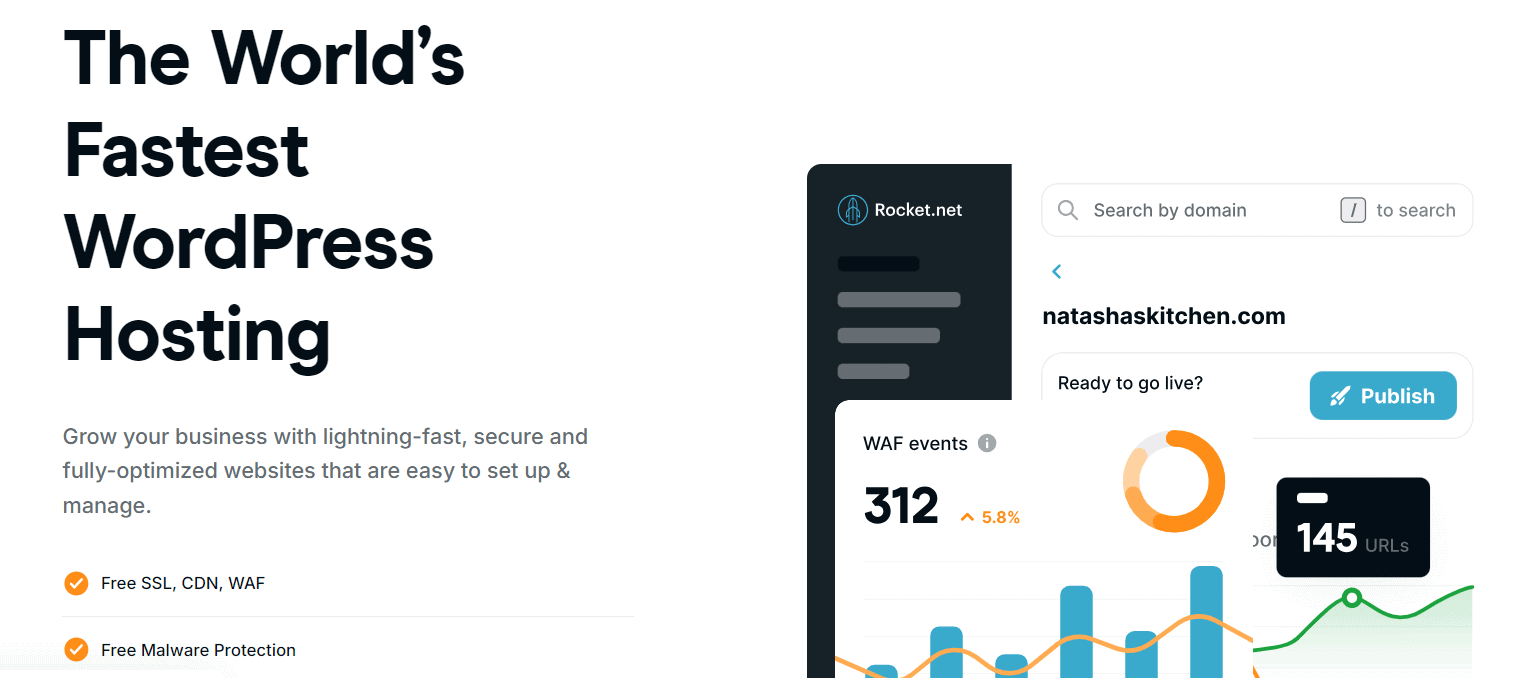
Best for: WooCommerce stores and content sites with international traffic. Starter is $30/month for one site and 10 GB storage, currently $1 for the first month. Pro is $60/month for three sites, Business $100/month for ten, Expert $200/month for twenty-five. Yearly billing includes two months free.
Rocket.net leans on an edge-first architecture: it states that “from the Enterprise CDN to the Website Firewall, everything is pre-configured and ready to go.” For Elementor sites with a global audience, that means edge caching happens on the CDN rather than at the origin server, so builder preview and page load stay consistent regardless of where the visitor sits. Bandwidth is unmetered on every plan.
The dashboard is purpose-built rather than a skinned cPanel. Multi-site management, one-click cloning and free migrations make Rocket.net a strong fit for freelancers running a portfolio of client sites off one account.
Worth knowing: Rocket.net’s marketing has long been associated with Cloudflare Enterprise, but on the pages we checked in August 2026 the company describes the feature as its “Enterprise CDN” without naming the vendor, and the plan comparison charts do not tick it per tier. If the specific Cloudflare Enterprise feature set is your reason for buying, confirm it with sales before committing.
Key Features of Rocket.net
- Enterprise CDN and website firewall pre-configured on every plan
- Unmetered bandwidth across all tiers
- Multi-site management dashboard with bulk update tools
- Free site migrations handled by the support team
- 24/7 live chat plus phone callback support
- Automated nightly backups with on-demand snapshots
- Built-in malware scanning and removal
- Two months free on yearly billing
3. HostArmada

Best for: First-time WordPress site owners and personal portfolios where budget is the main constraint. WP Launcher is $1.99/month promotional and $9.95/month on renewal, covering one site with 15 GB NVMe storage and seven daily backups. WP Evolver is $3.29 promotional, $16.45 renewal, for unlimited sites and 30 GB. WP Speed Reaper is $3.95 promotional, $19.75 renewal, for 40 GB.
HostArmada offers cloud-based WordPress hosting at shared-hosting prices. The stack uses isolated containers rather than traditional shared accounts, which makes its lowest plans more stable than a typical budget host when traffic spikes. For Elementor users starting out or running a portfolio, free daily backups, free SSL and a one-click installer cover the basics without surprise fees.
Worth knowing: That $1.99 figure came with an 80% off summer promotion on the day we checked, and renewal is five times higher. HostArmada is genuinely cheap on a first term and merely average after that, so budget for $9.95/month if you plan to stay.
Key Features of HostArmada
- Cloud-based hosting with isolated containers
- Free daily off-site backups on every plan, from 7 to 21 copies by tier
- Free SSL certificates
- Free domain name for the first year on annual plans
- 15 GB to 40 GB NVMe storage depending on tier
- 24/7 support via live chat, phone and ticket
- Free site migrations handled by the support team
4. SiteGround
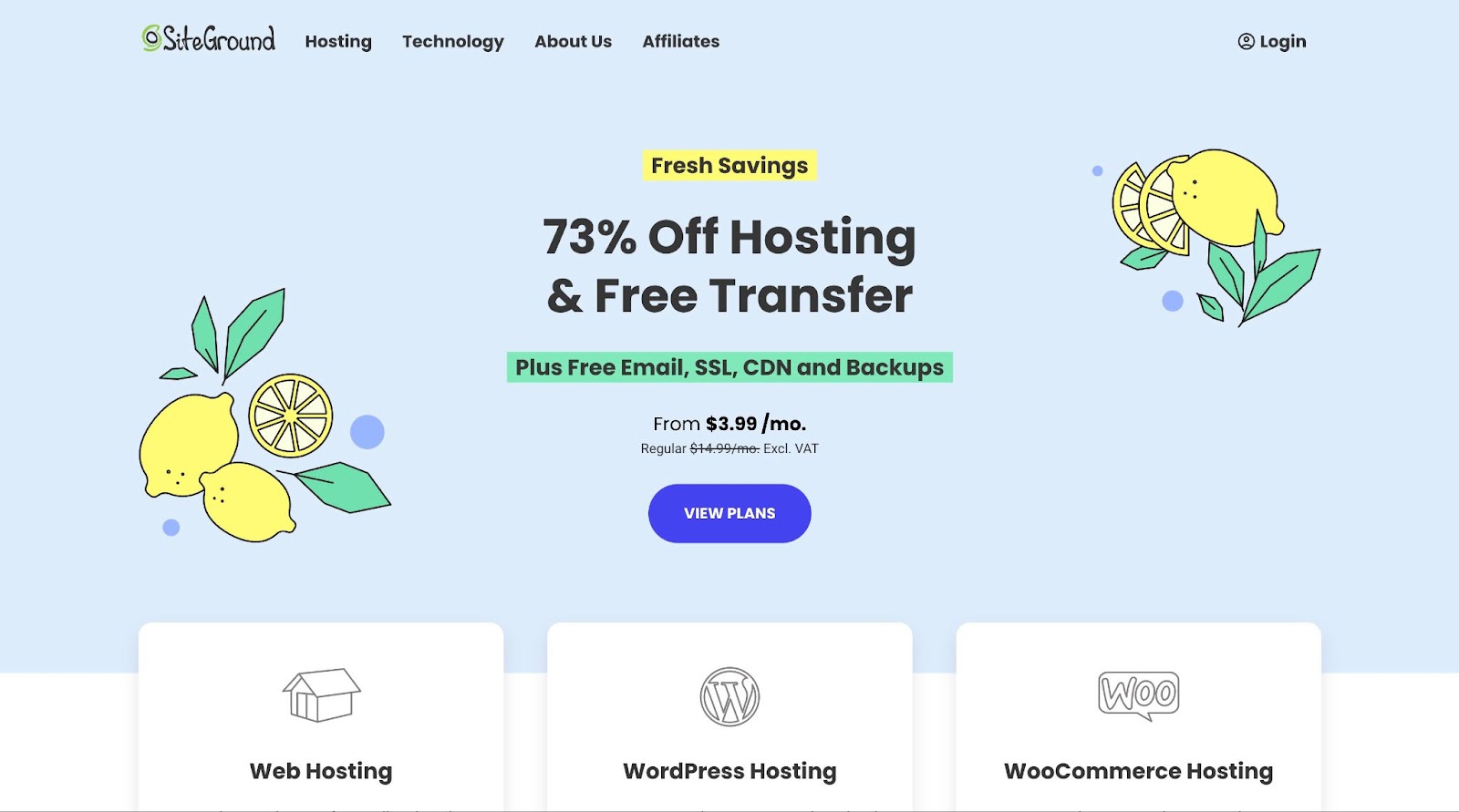
Best for: Freelancers and small businesses who want a recognisable brand and WordPress-trained support at mid-tier pricing. StartUp is $3.99/month promotional and $17.99/month on renewal for one site and 10 GB. GrowBig is $6.69 promotional, $29.99 renewal, for unlimited sites, 50 GB and staging. GoGeek is $10.69 promotional, $44.99 renewal, for 100 GB plus staging with Git.
SiteGround is one of the most recognisable names in WordPress hosting. Its strength is the SiteGround Optimizer caching layer plus 24/7 support staffed by people who know WordPress, which keeps Elementor-heavy sites responsive even on shared plans. Free SSL, CDN and backups are included across the range.
Worth knowing: Staging starts at GrowBig, not StartUp, and staging is the feature that matters most if you are testing Elementor template changes against a client site. Renewal at $17.99 for the entry plan is the steepest step-up on this list in absolute terms, so price the second year before you commit to the first.
Key Features of SiteGround
- SiteGround Optimizer plugin with server-side caching
- Free site migration via the SiteGround Migrator plugin
- One-click staging on GrowBig and above, with Git on GoGeek
- Daily automated backups, plus on-demand backups from GrowBig
- 24/7 support via live chat, phone and ticket
- Free SSL, CDN and backups on all plans
- 10 GB to 100 GB storage depending on tier
5. Hostinger

Best for: A first WordPress site, personal blogs and small business sites where budget is the deciding factor. Premium is $2.99/month on a 48-month term and $10.99/month on renewal, covering three sites and 20 GB SSD. Unlimited is $3.79 promotional, $16.99 renewal, with 50 GB NVMe. Cloud Startup is $7.99 promotional, $25.99 renewal, with 100 GB NVMe.
Hostinger sits at the entry-level end of WordPress hosting. Its LiteSpeed-based stack is genuinely fast on cached pages, and the custom hPanel dashboard is built for people managing their first site rather than for developers. CDN and one-click staging are included across the WordPress plans.
Worth knowing: The headline $2.99 requires a four-year prepayment, which is the longest lock-in here. Priced monthly against renewal rates, Hostinger and HostArmada end up close, and HostArmada gives you daily backups on the cheapest tier.
Key Features of Hostinger
- LiteSpeed web server with LiteSpeed Cache integration
- Custom hPanel dashboard with WordPress-specific tools
- Free CDN included on WordPress plans
- One-click WordPress staging
- Free domain name on most annual plans
- 24/7 live chat support
- 20 GB SSD to 100 GB NVMe storage depending on tier
6. InstaWP
Best for: Freelancers, agencies and developers running staging-heavy workflows. Sandbox sites are $2/month each with 1 CPU and 5 GB disk. Production tiers run $5/month Starter (2 CPU, 10 GB), $9 Plus, $15 Pro, $25 Turbo and $45 Elite (10 CPU, 75 GB). Tiers can be mixed across sites on one account, and paying a year upfront saves up to 10% from Plus onward.
InstaWP is not a traditional host. It is a staging-first WordPress platform that lets you spin up a working install in seconds, build the site, then convert it to production in one click with no migration step. For freelance Elementor builders, that removes the awkward gap between “client approved the demo” and “site is live.”
Worth knowing: InstaWP used to run a free tier, and earlier versions of this guide recommended it on that basis. It has been retired. New accounts now get $25 in credits instead, which covers a period of experimentation rather than an indefinitely free sandbox. Converting a sandbox to production is available on all tiers, not gated behind a specific plan.
Key Features of InstaWP
- Sandbox sites from $2/month for demos and staging
- $25 in credits for new accounts, replacing the retired free tier
- One-click sandbox to production with no migration step
- Site cloning across sandboxes for template-based delivery
- Mix tiers freely across sites on a single account
- Automatic core and plugin updates
- Built-in CDN and DDoS protection on production plans
- Integrations with Elementor, Gutenberg and most builders
7. Elementor Host

Best for: People who want WordPress, Elementor and their server managed by one vendor and billed on one invoice. Host Cloud 50 GB covers one site with 70,000 monthly visits and 30 GB SSD storage. Host Cloud 3 Sites covers three sites with 100,000 monthly visits and 40 GB SSD. Both are billed annually with a 30-day money-back guarantee.
Elementor Host is the first-party hosting product from Elementor itself. WordPress and Elementor arrive pre-installed, a CDN and SSL are included with no separate fee, and support comes through Elementor’s own helpdesk, so a builder problem and a server problem go to the same place. Plan tiers are structured around traffic volume and site count rather than feature gating.
Worth knowing, and this is the important one: Elementor Host does not include an Elementor Pro licence. Elementor’s own FAQ answers the question directly: “No. Elementor Host plans do not include an Elementor Editor license. However, WordPress users can easily connect an existing license to our hosting service or purchase a new one.” Bundled Pro used to be the single best reason to choose this plan over a general-purpose host, so budget for the licence separately. We also could not read plan prices as static text on the pricing page; the figures load dynamically, so check the page directly rather than trusting a number quoted in any review, including this one.
Key Features of Elementor Host
- WordPress and Elementor pre-installed on provisioning
- CDN and SSL included with no separate fee
- One-click staging environment
- 70,000 monthly visits and 30 GB SSD on the single-site plan
- 100,000 monthly visits and 40 GB SSD on the three-site plan
- Support through Elementor’s own helpdesk
- Billed annually with a 30-day money-back guarantee
- Elementor Pro licence sold separately, not included
Also Read: Elementor now sells a bundle that packages the builder with hosting. We broke down whether the maths works in Is Elementor One Worth It?
Which WordPress Hosting for Elementor Should You Use?
Pick by constraint, not by marketing copy. Budget, expected traffic and whether you need staging are the three factors that decide the winner for any given Elementor build. The table below maps the common situations to the host that fits.
| Your Situation | Recommended Provider | Why |
|---|---|---|
| Performance-first agency | Kinsta | Isolated containers, APM and an uptime SLA, with no discount cliff at renewal |
| WooCommerce with international traffic | Rocket.net | Edge-first architecture with unmetered bandwidth on every plan |
| Small business site, around 10k visits a month | SiteGround | WordPress-trained support, and staging from GrowBig upward |
| First WordPress site, tight budget | HostArmada | Daily backups included on the $9.95 renewal tier, unlike most budget hosts |
| Lowest possible monthly cost, long commitment acceptable | Hostinger | $2.99/month on a 48-month term with a LiteSpeed stack |
| Staging-heavy client work | InstaWP | $2 sandboxes and one-click conversion to production |
| One vendor for builder and server | Elementor Host | Pre-installed stack and a single helpdesk, though Pro is billed separately |
| Personal portfolio or blog | HostArmada | Stable cloud-isolated budget plans with free daily backups |
Whatever host you pick, you can squeeze more performance from any Elementor stack by pairing it with a lightweight theme and a single addon plugin rather than five. The Plus Addons for Elementor (version 6.4.17, tested up to WordPress 7.0.3) bundles its widget and builder library into one plugin that outputs a single CSS and JS file per page. Pair it with the Nexter WP theme and the combination ships zero jQuery, which keeps Elementor’s runtime overhead minimal across every host on this list.
One more tuning note: turn on the Unused Widget Scanner inside The Plus Addons extensions panel. It disables widgets you are not using on the active site, which trims editor load time on cheap shared plans by a meaningful margin.
Further Read: Is Elementor still the best page builder for WordPress? Read our honest Elementor review.
Suggested Reading
- Elementor Hosting vs Plugin: which one you actually need
- How to clean up a bloated Elementor site
- Why your Elementor page loads without styling, and how to fix it
- WordPress 7 is here: should you update your Elementor site yet?
- Is Elementor One worth it? An honest breakdown vs Elementor Pro
The right host removes friction from your Elementor workflow. The right addon plugin keeps your stack lean instead of cluttered. The Plus Addons for Elementor by POSIMYTH starts with a free widget set and grows into a full builder suite on Pro. See what is included in the free versus Pro comparison, or browse the plans on the pricing page.