
From Features to Flow: The Plus Addons for Elementor Recap in 2025
If there’s one thing 2025 taught us, it’s this:
Building websites with Elementor should feel simple, fast, and enjoyable.
From day one, The Plus Addons for Elementor has had one goal: to help you create Elementor websites with ease.
In 2025, that goal quietly became a reality. Step by step, update by update, we refined workflows, improved performance, and made our widgets easier to use.
Let’s walk through the work we did this year to make your Elementor experience smoother, faster, and more efficient.
Presets Everywhere (A Major Workflow Shift)
One of the biggest highlights of 2025 was the introduction of ready-to-use presets across dozens of widgets.
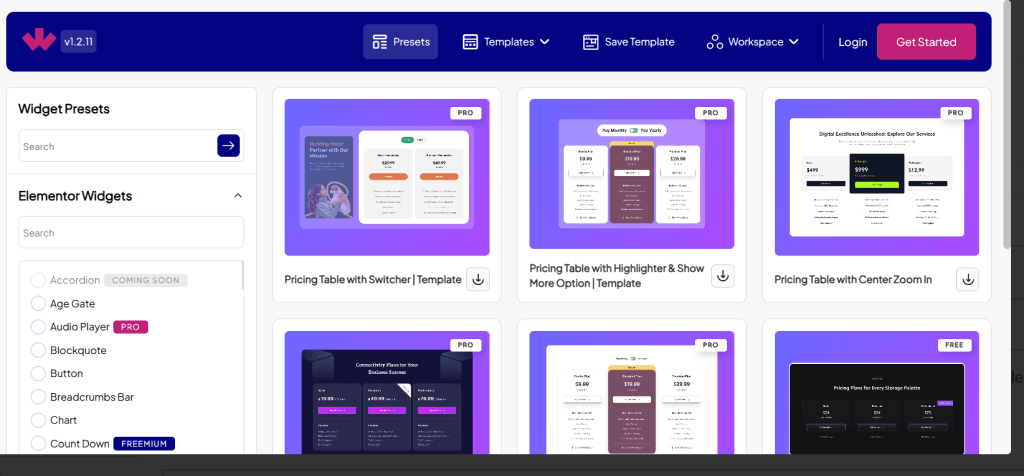
Presets were added across dozens of widgets, including Blog Listing, Testimonials, Team Members, Forms, Gallery & Client Listings, Buttons, Headings, Accordions, Tabs, Pricing Table, and more.
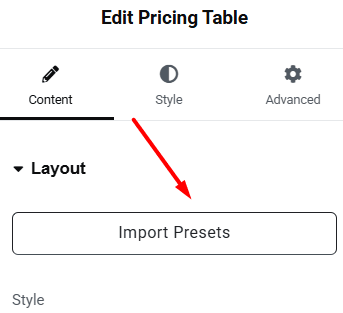
Instead of styling sections from scratch, users can now pick a preset, make a few tweaks, and launch complex sections instantly. It’s faster, simpler, and keeps designs consistent across the site.
Smart Loop Builder (Game-Changer)
One of the standout updates of 2025 was the Smart Loop Builder. It lets you create dynamic content layouts for blogs, products, or any custom post type without touching a single line of code.
You can now build custom loops from scratch or use ready-made presets, add load-more buttons or infinite scroll, and even include interactive filters.
Everything works seamlessly across devices, giving you full control over how your dynamic content looks and behaves.
Whether you’re showcasing posts, products, or portfolio items, Smart Loop Builder makes creating flexible, professional layouts faster and simpler than ever.
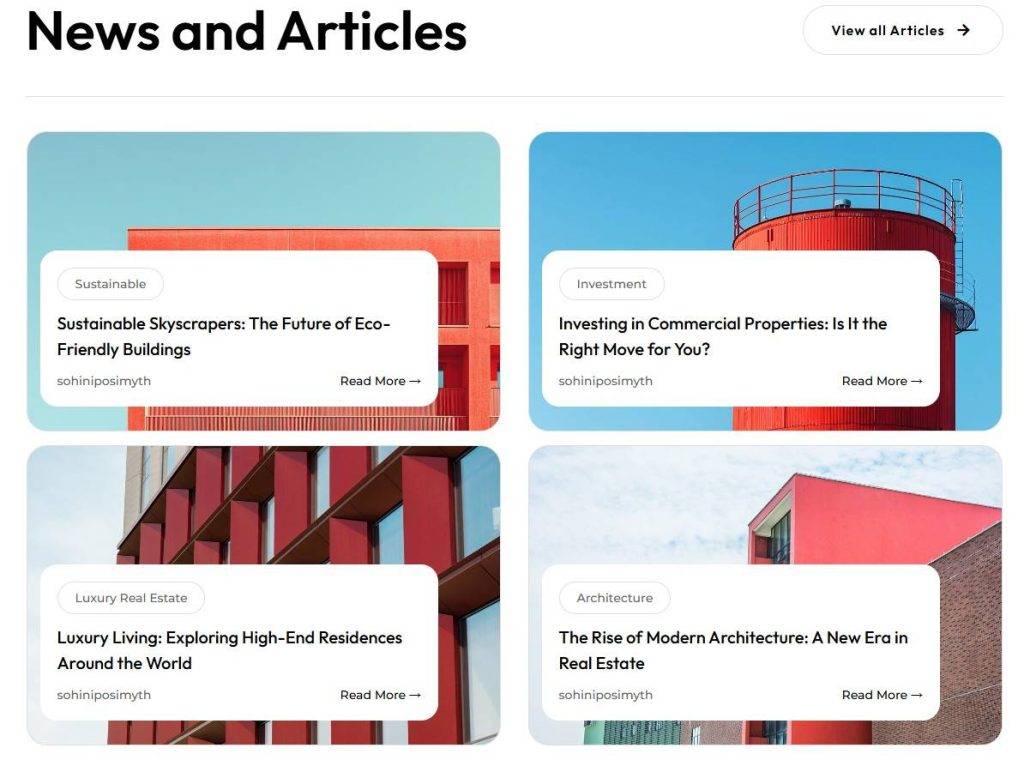
Below is an example of a CSS Grid Layout demo.
AJAX, Load More, and filtering were improved, and custom queries now integrate more smoothly.
This makes building dynamic, content-heavy layouts more reliable than ever. Whether it’s posts, products, or portfolios, everything now feels stable and scalable.
Revamped Onboarding Experience
This year, we completely reworked the onboarding experience to make getting started with The Plus Addons simpler and faster, especially for first-time users.
The new setup flow now asks how you want to build your website right from the start. Users can either choose to manually enable only the widgets they plan to use, keeping the site lightweight, or go with a ready-made website setup that imports complete demo kits.
The dashboard itself is cleaner and more organized, making widgets and features easier to discover. Users can clearly see which widgets are enabled, toggle features as needed, without anything being force-installed.
For users who want to launch quickly, the revamped onboarding allows them to import fully built websites in under a minute. These kits come with complete page structures, global styling, and Elementor-ready layouts that work with both Elementor Free and Pro.
Everything is editable, so users can simply replace content and images without worrying about setup or styling.
Overall, the new onboarding experience removes confusion from the first step. New users can start building confidently, while advanced users still have full control over performance, features, and customization, making the entire setup process more intuitive and flexible than before.
For more details, you can watch this video:

Website Navigation & Structure Improvements
In 2025, we made several website-level improvements to make it easier for users to explore The Plus Addons for Elementor and find relevant information faster.
A new Mega Menu was introduced across the websites to improve navigation and content discovery. This made it easier to access key sections, demos, and resources without digging through multiple pages.
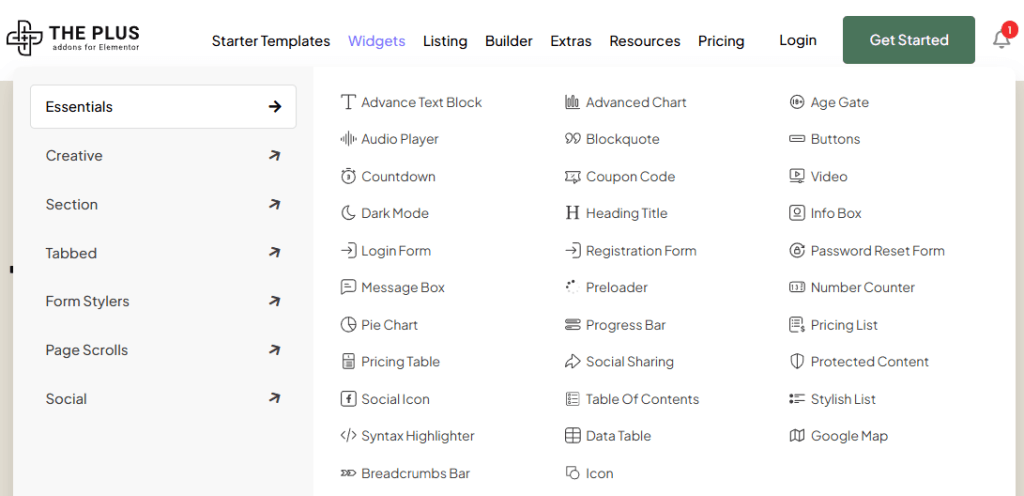
For The Plus Addons for Elementor website, we also revamped page structures to provide clearer demos and smoother navigation. Content was reorganized to reduce clutter, improve flow, and help users quickly understand widget use cases and features.
These changes improved overall usability, reduced friction while browsing, and made it simpler for users to explore features, demos, and documentation without confusion.
Form Widget Updates
In 2025, we introduced a series of updates to the Form widget, making it more flexible, secure, and user-friendly for building forms in Elementor.
You can now customize Font Awesome 5 icons with Fill and Stroke colors, add gradient styles to Submit Buttons, and include Country Codes in Phone Number fields. There’s also a new option to display the form name and support for new field types like Cloudflare and reCAPTCHA fields, giving you more control over both design and security.
The widget also added more field types, including Checkbox, Number, and Radio Button fields, letting you capture information in a more structured and flexible way.
Also, Form submissions can now connect to popular platforms and services directly, including Active Campaign, Auto Respond Email, Brevo, ConvertKit, Database Entry, Discord, Drip, Get Response, MailChimp / Slack integration, MailerLite, Webhook, and Slack, giving you more flexibility to automate and manage your form data seamlessly.

RSS Feed support in Social Feed
In 2025, we added RSS support to the Social Feed widget, making it easier to bring external content directly into your Elementor layouts.
You can now pull posts, news, or updates from any RSS-supported source, whether it’s your own blog, a partner website, or an external publication. These feeds can be displayed in Grid, Masonry, or Carousel layouts, giving you flexibility in how content appears on your site.
You also have control over what’s shown, including images, titles, authors, and dates. Feed titles can link back to the original source, and image handling can be refined using RSS tags like content or enclosure for better visual consistency.
This update made it simple to showcase fresh, external content without relying on third-party plugins or custom code.
These updates made it easier to add advanced functionality to any site without relying on multiple plugins.

SQL Query Support in the Table Widget
The Table widget received a major functional upgrade with the introduction of SQL Query support.
This allows you to pull data directly from your WordPress database and display it in structured tables. Whether it’s posts, custom content, or user-generated data, tables can now update dynamically based on database changes.
With this update, the Table widget is no longer limited to static content. It can now be used for advanced listings, reports, and dashboards that stay in sync with your site’s data.
Sticky Video Option
To improve content visibility and engagement, we introduced a Sticky Video option in 2025.
This feature keeps a video visible as users scroll down the page, typically pinned to a corner of the screen. It ensures that important videos, such as tutorials, announcements, or walkthroughs, remain accessible without interrupting the browsing experience.
Sticky Video helps maintain attention without being intrusive, making it especially useful for long pages or content-heavy layouts.
Improved WooCommerce Multistep Checkout Styling
WooCommerce Multistep Checkout received several styling improvements in 2025, giving store owners more control over the checkout experience.
You can now customize individual checkout steps, including login, billing, shipping, and payment sections. Options for typography, spacing, colors, and layout allow the checkout flow to better match your site’s branding.
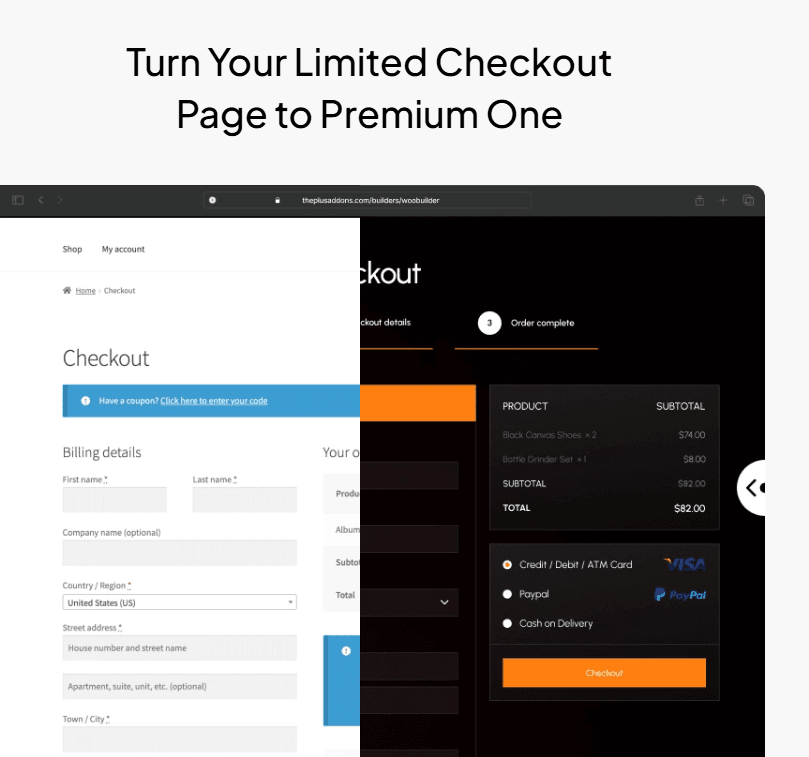
These enhancements help create a clearer, more consistent checkout experience, reducing friction and making the process easier for customers to complete.
Labels Added Across Widgets (A Major Editor Upgrade)
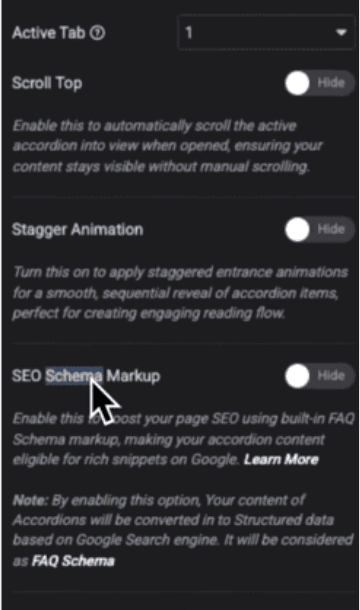
One of the most noticeable improvements in 2025 was the addition of clear labels across dozens of widgets.
Instead of guessing what an option does, you now see exactly what you are configuring at the moment you need it.
Labels were added across a wide range of widgets, including Blog Listings, Product Listings, Gallery, Dynamic Listings, Navigation Menu, Mobile Menu, Forms, Accordions, Tabs, Switchers, Buttons, Info Boxes, Timelines, Testimonials, Pricing Tables, Search, Filters, and several WooCommerce widgets such as Cart, Checkout, Wishlist, Compare, Single Product, and My Account.
This update quietly transformed the editor experience. Controls are easier to understand, setup feels faster, and building layouts feels far more intuitive, especially for users who are new to Elementor.
Below is an example of labels added in one of the widgets:
New Icon Widget Added
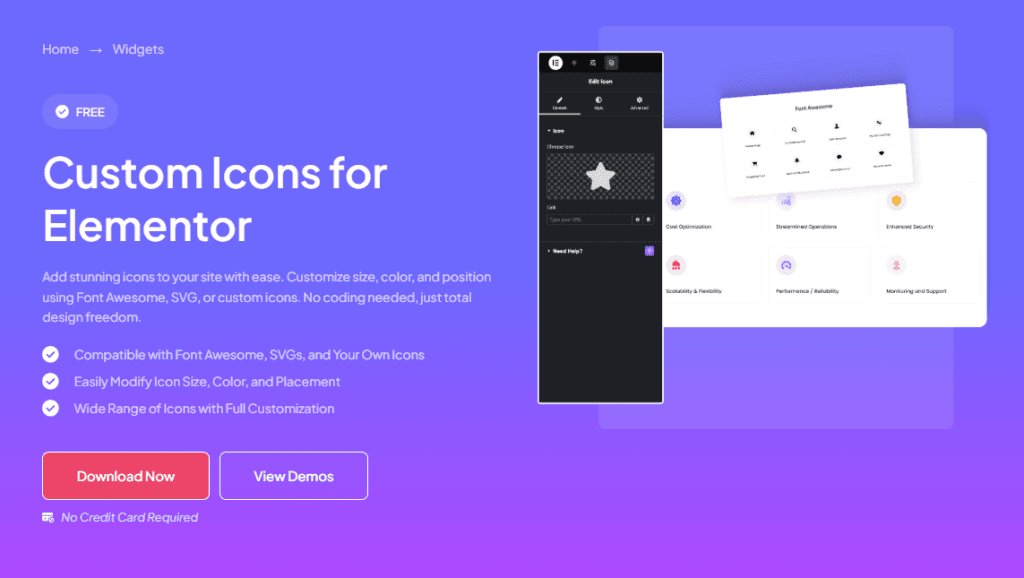
Our Icon Widget gives you more flexibility when working with icons. You get fine control over styling, support for modern icon libraries, and easy customization to match your layout.
It blends easily with your design while staying lightweight, perfect for everything from simple UI elements to more advanced, AI-driven use cases.
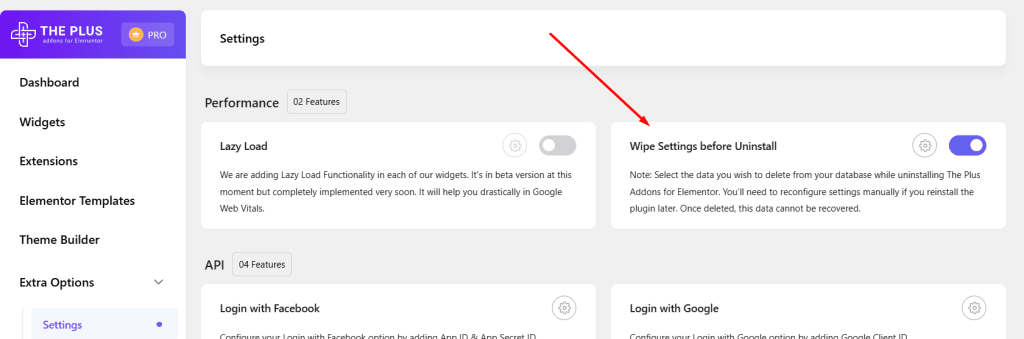
A New “Wipe Settings Before Uninstall” Option
We’ve added a brand-new Wipe Settings Before Uninstall option to give you more control when removing the plugin.
Now, you can decide exactly which data should be cleared from your database during uninstallation, making it easier to keep your site clean without any unwanted leftovers.
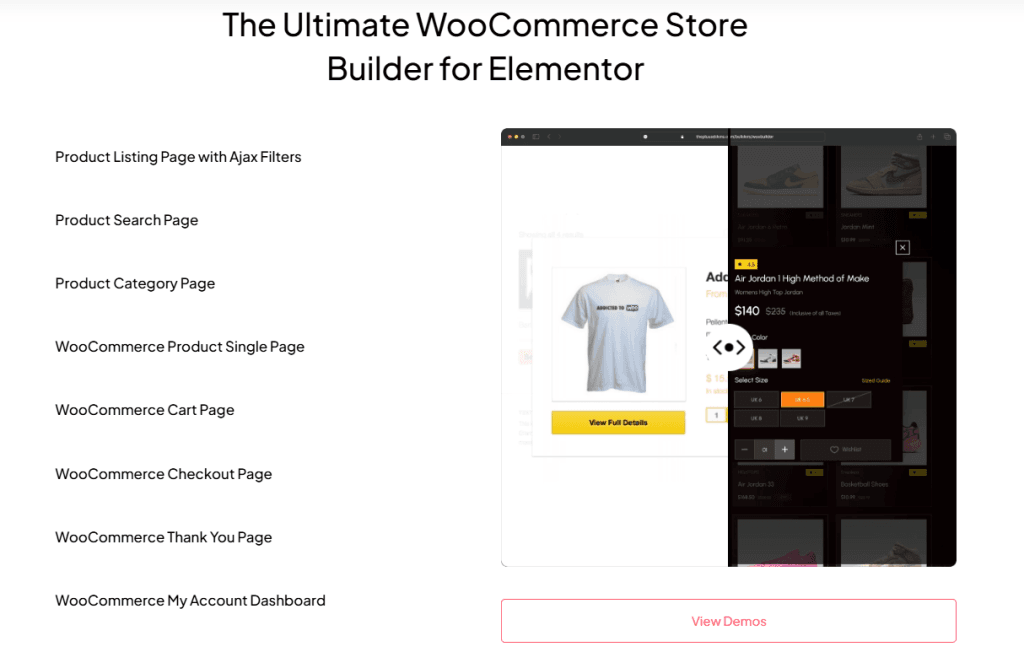
WooCommerce Builder Pages, Refreshed
We’ve also refreshed the WooCommerce Builder section on our website with new landing pages and demos.
Now it’s simpler for all our users to explore features, view demos, and understand how everything works faster and with better clarity.
Massive UI & UX Improvements
If 2025 had one theme, it was “make every control easier to use and faster to work with.”
Many widgets now allow you to create or edit templates directly, without leaving the widget. This includes Accordions, Tabs, Timelines, Navigation Menus, Off-Canvas & Popups, Dynamic Listings, and Product Listings.
Almost every widget received UI polish from Buttons and Pricing Tables to WooCommerce widgets, Navigation, Scroll, Carousel, Hotspot, Timeline, Forms, Search, Filters, and Social widgets.
Panels are more consistent, spacing is better, and controls are grouped logically.
Language, Compatibility & Global Improvements
As The Plus Addons for Elementor continued to grow, we focused on making sure it works smoothly for users across different languages and setups.
We expanded multi-language support, improved WPML compatibility, added translation-friendly labels, and refined RTL handling.
These updates were applied across 50+ widgets, helping builders create websites that work well for global audiences.
At the same time, we kept The Plus Addons for Elementor fully compatible with the latest WordPress and Elementor updates.
Deprecated Elementor classes were removed, WDesignKit 2.0 support was added, and container handling was improved to ensure a stable and future-ready experience.
These improvements make The Plus Addons for Elementor more reliable, easier to use, and ready for modern Elementor workflows.
Performance, Structure & Stability Upgrades
Behind the scenes, we improved file structures and reorganized features like Extra Options (Equal Height, Shadows, Tooltips, Scroll Animations), AJAX Pagination & Load More, and Sticky & Mouse effects.
These updates made the editor faster, reduced conflicts, and laid the foundation for smoother future updates.
The Plus Addons for Elementor Academy & Community Expansion
In 2025, we focused not just on features, but also on helping users learn faster and build with confidence.
We launched The Plus Addons for Elementor Academy to provide clear, step-by-step tutorials, practical walkthroughs, and real-world examples. Whether you are just getting started with Elementor or building advanced layouts, the academy helps you understand features better and apply them correctly in real projects.

Discord Community
We launched our Discord community to give users a dedicated space to connect, ask questions, share feedback, and discuss ideas with the team and other builders.
It made conversations faster, support more accessible, and helped create a more open and collaborative community around The Plus Addons for Elementor.
If you haven’t joined yet, feel free to join.
Our 2025 Journey with The Plus Addons for Elementor in Numbers
In 2025, the focus was on making Elementor website building easier through clear learning resources, regular updates, and reliable support.
Here’s a snapshot of what we achieved this year.
- Published 130 blogs+ covering features, use cases, and best practices for Elementor users.
- Released 21 long-form YouTube videos with detailed walkthroughs and tutorials.
- Shared 52 YouTube Shorts with quick tips, updates, and feature highlights.
- Created and published 88 documentation articles for The Plus Addons for Elementor to support users at every stage.
- Solved 1,720+ support tickets for The Plus Addons for Elementor, helping users resolve issues efficiently.
- Sent 20+ emails, including updates, announcements, and helpful product information.
What’s Coming in 2026?
We’re continuing to build with one focus in mind: making Elementor website building easier and more powerful.
Here’s a quick look at some upcoming features planned for 2026:
- Advanced Magic Scroll for smoother scrolling experiences
- Infinite scroll option for listing widgets
- Labels added to more widgets for a clearer editing experience
- Dynamic tag options for smarter content control
- Smooth and global animations powered by GSAP
- Improved accessibility and SEO enhancements
- Search and filter compatibility with Loop Grid
More updates are already in progress, and we’ll be sharing them as they get closer to release.
If you have a minute, you can also share your thoughts through our short survey. Also, there’s a small surprise at the end 👇🏻