






How To Scroll to A Page Section On Button Click (Elementor) | Anchor Links & CSS ID [Video Tutorial]

Key Takeaways

  • Elementor allows users to jump to a page section using anchor links.
  • CSS ID is used to bring visitors directly to the right section of the page in Elementor.
  • The Plus Addons for Elementor offers 120+ widgets for enhancing Elementor functionality.
Table Of Content
YouTube video
Video Duration: 036

Video Overview

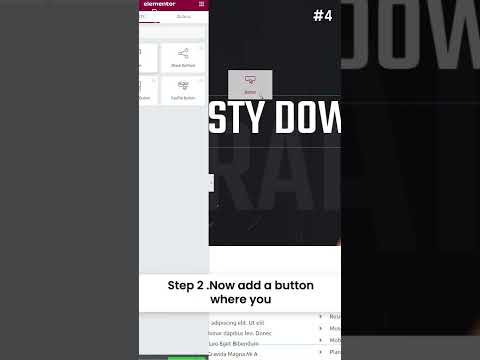
Did you know that you can jump straight to a page section in Elementor using anchor links and bring your visitors directly to the right section of the page using CSS ID?

In this video, we’ll show you how.

Visit: https://theplusaddons.com/ for 120+ Best Elementor Widgets

USE CODE ” YOUTUBE10 ” TO ENJOY EXTRA 10% DISCOUNT

About the Author

Photo of Aditya Sharma CMO of The Plus Addons for Elementor
CMO · The Plus Addons for Elementor · 10 years experience

He has spent years in the WordPress ecosystem building, breaking, and optimizing sites until they actually perform. He works at the intersection of speed, growth, and usability, helping creators ship websites that load fast and convert. An active WordPress community contributor sharing through tools, tutorials, and direct collaboration. Tested practice, not theory.

WordPressElementorn8nAIClaudeAutomationServer
Get Instant Answers to all your questions about The Plus Addons for Elementor, trained on 1000+ Docs and Videos

Related Frequently Asked Questions

What should I do if the anchor link doesn't scroll to the section?

If the anchor link isn't functioning as expected, ensure that the CSS ID you've assigned to the target section matches exactly with the link. A common issue is a typo or mismatch in the ID. Double-check that the link format is correct, typically in the format '#sectionID'. This small detail can often resolve scrolling issues.

Can I use anchor links with other page builders?

Anchor links are specific to the Elementor environment when using The Plus Addons for Elementor. If you're working with Elementor, you can effectively use CSS IDs to create smooth scrolling experiences. However, this method won't work with other page builders like Gutenberg or Divi, as they have different mechanisms for handling links and sections.

What are the best practices for setting up anchor links in Elementor?

For optimal use of anchor links in Elementor, ensure that your CSS IDs are unique and descriptive. This helps in avoiding conflicts and makes it easier for users to navigate. Additionally, consider the placement of your buttons; placing them near the top of the page can enhance user experience. Testing the links on different devices is also crucial to ensure consistent behavior.

How can I make the scrolling effect smoother in Elementor?

To achieve a smoother scrolling effect when using anchor links in Elementor, consider adding custom CSS for scroll behavior. You can use the 'scroll-behavior: smooth;' property in your CSS. This enhances the user experience by providing a visually appealing transition to the target section.

Is there a limit to how many anchor links I can create on a page?

There is no strict limit to the number of anchor links you can create on a page using Elementor. However, it's advisable to keep the number manageable to avoid overwhelming users. Too many links can lead to confusion, so focus on creating a clear and logical navigation structure for the best user experience.

Last reviewed: April 11, 2026

Related Docs
