How to Create an Elementor Background Slideshow?

Key Takeaways

  • Row Background widget from The Plus Addons for Elementor allows users to add a background slideshow to a container or section.
  • Users can set the image transition speed in the Transition Duration field when creating a background slideshow.
  • Texture Overlay can be added from the dropdown to enhance visibility of content in the background slideshow.
Table Of Content

Are you looking to create an Elementor background slideshow? The background slideshow not only adds a dynamic and visually appealing element to your website, but also helps in showcasing your products, services, or portfolio creatively.

With the Row Background widget from The Plus Addons for Elementor, you can easily add a background slideshow to a container or section in Elementor.

To check the complete feature overview documentation of The Plus Addons for Elementor Row Background widget, click here.

Requirement  – This widget is a part of The Plus Addons for Elementor, make sure its installed & activated to enjoy all its powers.

To do this, add the Row Background widget to the container you want to add the background slideshow and follow the steps –

YouTube video

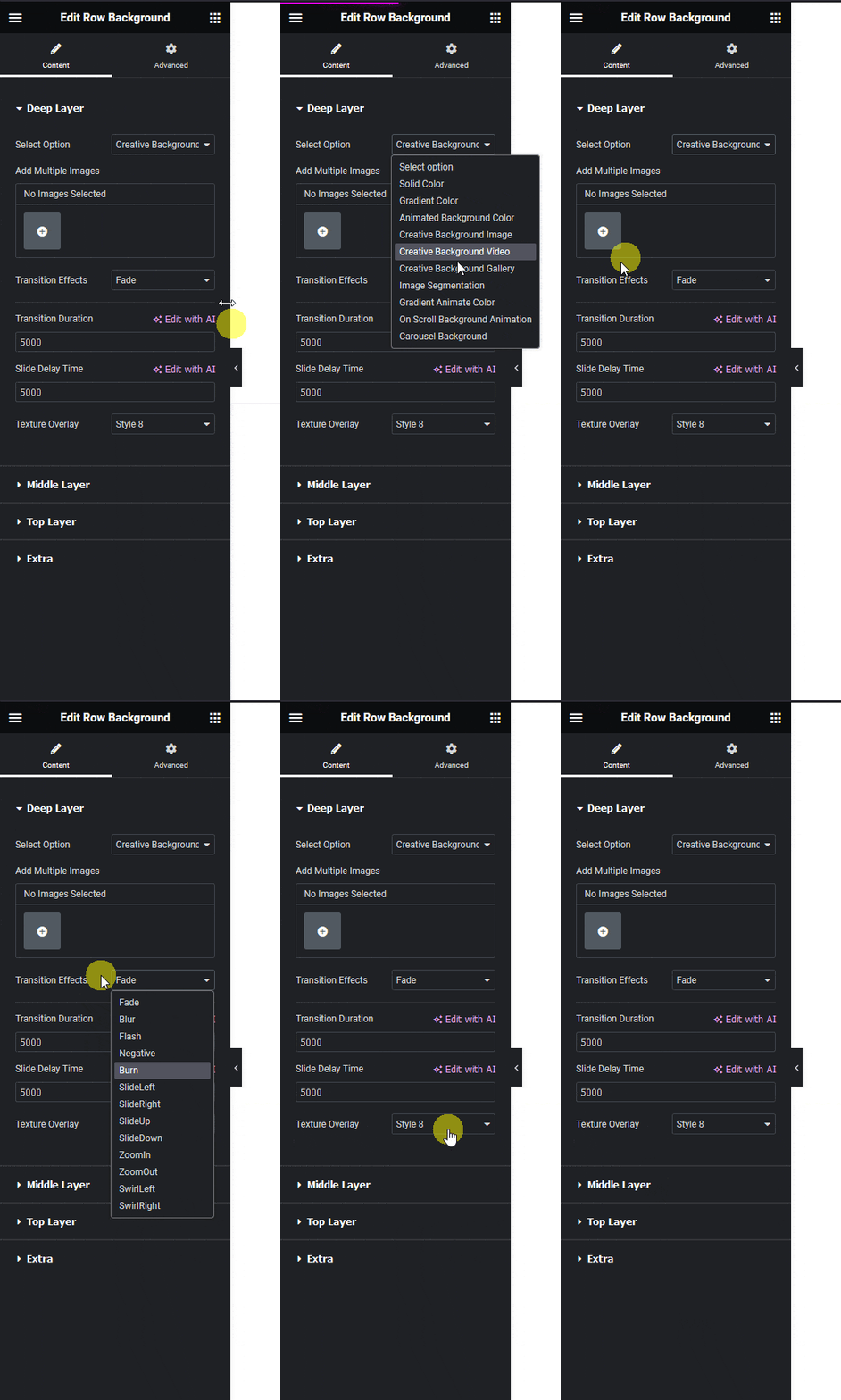
1. Select Creative Background Gallery from the Select Option dropdown, under the Deep Layer tab.

Row background creative background gallery how to create an elementor background slideshow? From the plus addons for elementor

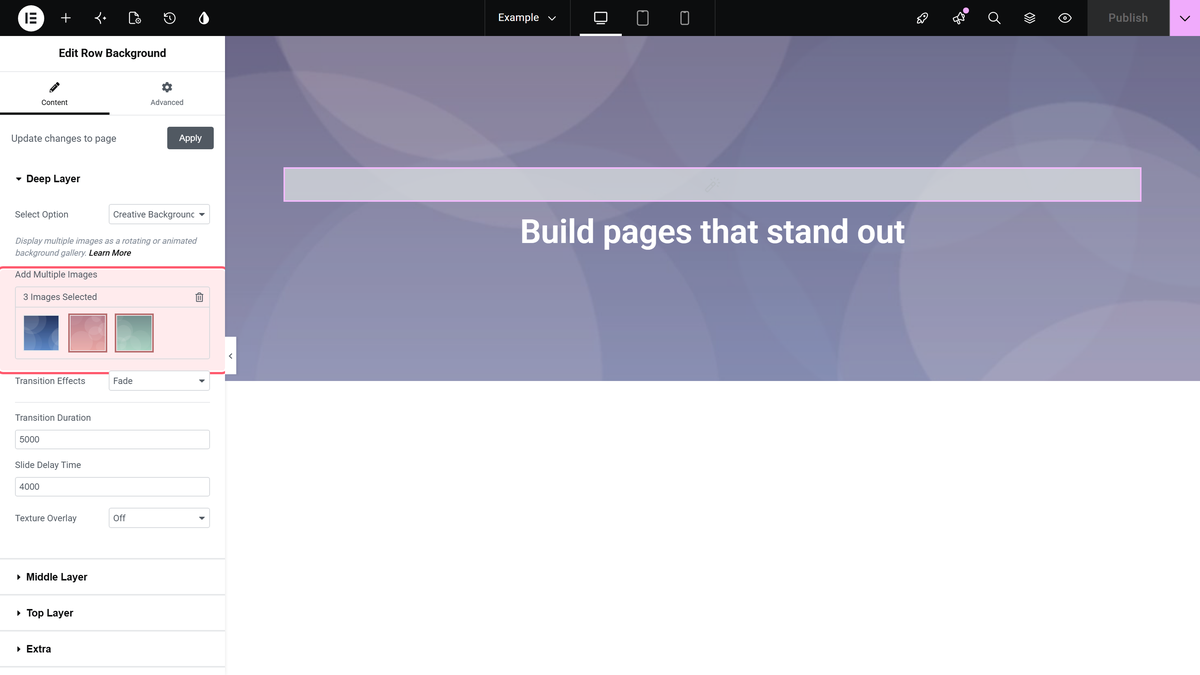
2. Then in the Add Multiple Images section, you have to add your images from the slideshow.

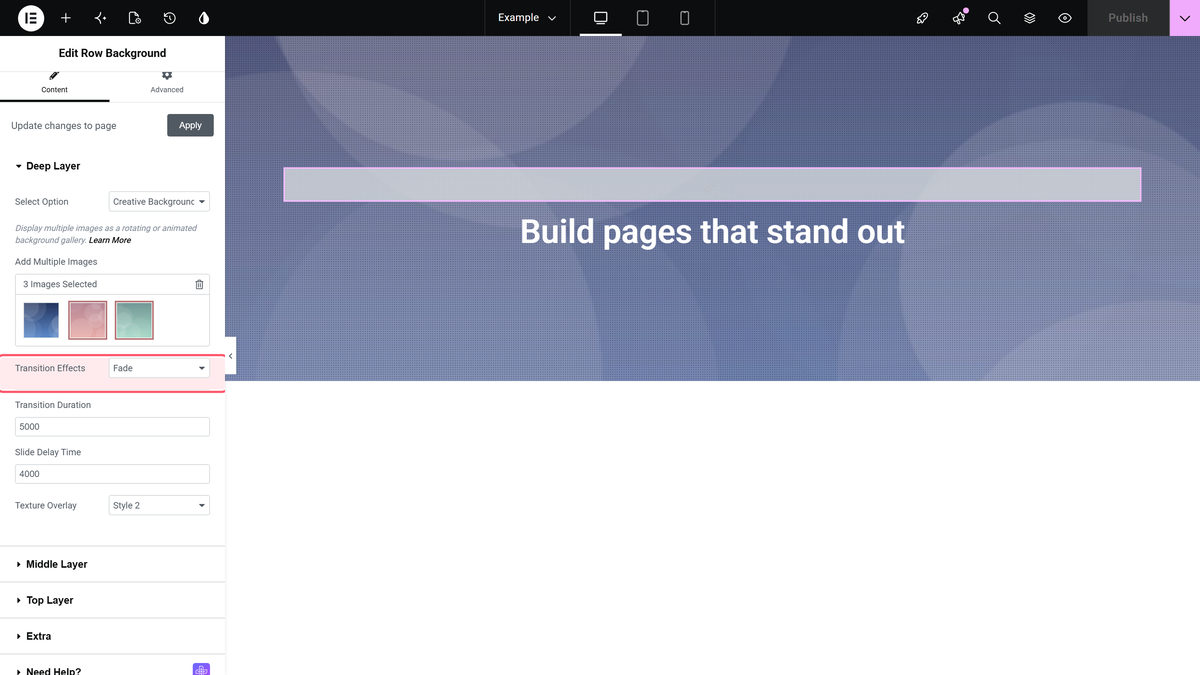
From the Transition Effects dropdown, you can set the transition effect for the images.

Then in the Transition Duration field, you can set the image transition speed.

In the Slide Delay Time field, you can set a time delay between image changes.

From the Texture Overlay dropdown, you can add a texture overlay on the background slideshow for better visibility of content.

Now you’ll see a beautiful slideshow background on the container or section.

For creating a simple background slideshow you don’t need to add any background in the other layers.

About the Author

Photo of Aditya Sharma CMO of The Plus Addons for Elementor
CMO · The Plus Addons for Elementor · 10 years experience

He has spent years in the WordPress ecosystem building, breaking, and optimizing sites until they actually perform. He works at the intersection of speed, growth, and usability, helping creators ship websites that load fast and convert. An active WordPress community contributor sharing through tools, tutorials, and direct collaboration. Tested practice, not theory.

WordPressElementorn8nAIClaudeAutomationServer
Get Instant Answers to all your questions about The Plus Addons for Elementor, trained on 1000+ Docs and Videos

Related Frequently Asked Questions

What if the background slideshow isn't displaying correctly?

If the background slideshow isn't showing as expected, check that the Row Background widget from The Plus Addons for Elementor is installed and activated. This widget is essential for adding a background slideshow. Also, verify that you've added images in the 'Add Multiple Images' section and selected the correct transition effects in the settings.

Can I use the Row Background widget for a portfolio showcase?

The Row Background widget from The Plus Addons for Elementor is ideal for showcasing portfolios, products, or services creatively through a dynamic background slideshow. By adding multiple images and customizing transition effects, you can create an engaging visual experience that highlights your work effectively.

What transition settings work best for a smooth slideshow?

For a smooth slideshow effect, consider adjusting the Transition Duration to a slower speed, allowing viewers to appreciate each image. Additionally, setting a reasonable Slide Delay Time between image changes helps maintain viewer engagement. Experiment with these settings to find the perfect balance for your content.

Are there any limitations when using the Row Background widget?

One limitation of the Row Background widget is that it only works with Elementor and not with other page builders like Gutenberg or Divi. This means you must ensure your site is built using Elementor to utilize the background slideshow feature effectively.

What happens if I don't add a background in other layers?

If you don't add a background in other layers while using the Row Background widget, it will still display a beautiful slideshow background on the selected container or section. This allows you to focus solely on the slideshow effect without complicating the design with additional backgrounds.

How do I enhance visibility of content over the slideshow?

To enhance content visibility over the slideshow, use the Texture Overlay option available in the Row Background widget settings. Adding a texture overlay can help ensure that your text or other content stands out against the dynamic background, improving readability and overall user experience.

Last reviewed: April 9, 2026