---
title: "WebMCP For WordPress And Elementor Forms: What Site Owners Can Do Today"
url: https://theplusaddons.com/blog/webmcp-wordpress-elementor-forms/
date: 2026-10-16
modified: 2026-10-16
lang: en
author: "Aditya Sharma"
description: "On 15 October 2026 Elementor published WordPress was born ready for the agentic web. It lists the machine-readable pieces WordPress has shipped for years: RSS feeds, the REST API, block..."
image: https://theplusaddons.com/wp-content/uploads/2026/10/webmcp-wordpress-elementor-forms-featured-1024x538.webp
word_count: 3018
---
# WebMCP For WordPress And Elementor Forms: What Site Owners Can Do Today
##
- WebMCP is a proposed browser standard dated 15 October 2026 that lets a page describe tools for AI agents through JavaScript and ordinary HTML form annotations.
- Chrome lists three WebMCP pieces: discovery, JSON Schemas for inputs and outputs, and shared state that tells the agent what it can act on in real time.
- WebMCP tools are ephemeral, so they exist only while the page is open, while server-side MCP stays persistent on the WordPress server.
- The declarative WebMCP API uses toolname and tooldescription on a , and toolparamdescription maps a field into the generated JSON Schema.
- Chrome says WebMCP in Chrome 149 is available through an origin trial for public sites, or through chrome://flags/#enable-webmcp-testing for local development.
On 15 October 2026 Elementor published [WordPress was born ready for the agentic web](https://elementor.com/blog/wordpress-born-ready/). It lists the machine-readable pieces WordPress has shipped for years: RSS feeds, the REST API, block markup, Application Passwords, roles and capabilities, and the Abilities API with the MCP Adapter on top. Every piece in that list lives on the server. The post does not mention WebMCP, which is a different idea: it is a proposed browser standard where the page itself tells an AI agent what it can do. The WebMCP specification carries the same date, 15 October 2026, on its latest draft.
This guide explains WebMCP for people who run WordPress and Elementor sites, with a focus on the place it touches site owners first: forms. We cover what WebMCP is, how it differs from the MCP servers we have written about before, how the declarative HTML form attributes and the imperative JavaScript API work, how to try it in Chrome, and what you can realistically do on a WordPress site today. Every WebMCP claim comes from Chrome for Developers or the draft specification, and we say where something is unconfirmed. If you want the server-side story first, read our overview, [WebMCP For WordPress: Turn Your Site Into A Model Context Protocol Endpoint](https://theplusaddons.com/blog/webmcp-wordpress/), which covers exposing site content to AI clients from the server.
Table Of Contents
## What Is WebMCP And How Does It Work?
According to [Chrome for Developers](https://developer.chrome.com/docs/ai/webmcp), WebMCP is "a proposed web standard to help you build and expose structured tools for AI agents". It gives a web page two ways to describe its features to an agent: JavaScript, and annotations on ordinary HTML form elements. Instead of an agent looking at a button or a field and guessing its purpose, the page declares the purpose, such as a `checkout` or `filter_results` tool.
Chrome lists three things WebMCP supports. Discovery is a standard way for pages to register tools with agents. JSON Schemas give explicit definitions of inputs and expected outputs, which reduces misunderstanding. State is a shared understanding of the current page, so the agent knows what it can act on in real time. Tools run visibly in the page, so the visitor can watch the task happen.
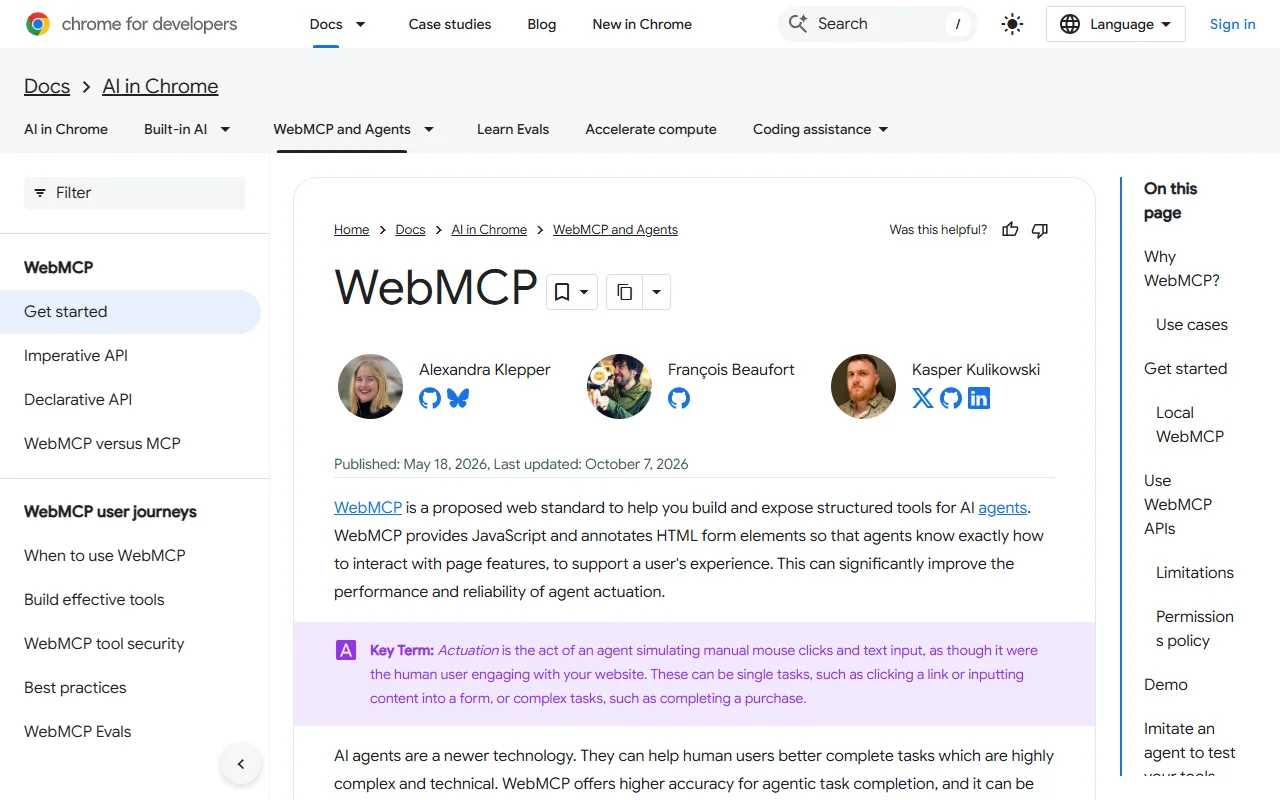The WebMCP overview on Chrome for Developers, last updated 7 October 2026 when we checked.
### Why Agents Need It
Chrome defines actuation as an agent simulating mouse clicks and text input as though it were the human visitor. That works on many sites, but each step is open to interpretation, and a redesign can break it. Chrome says WebMCP tools connect to application logic, not design, so you can redesign a page without breaking an agent's ability to use it.
### WebMCP Spec Status
The specification is published by the Web Machine Learning Community Group as a [Draft Community Group Report](https://webmachinelearning.github.io/webmcp/), and the version we read is dated 15 October 2026. It states that it is "not a W3C Standard nor is it on the W3C Standards Track". The editors listed are from Microsoft and Google. Chrome's own pages repeat the caution: WebMCP is under active discussion and subject to change.
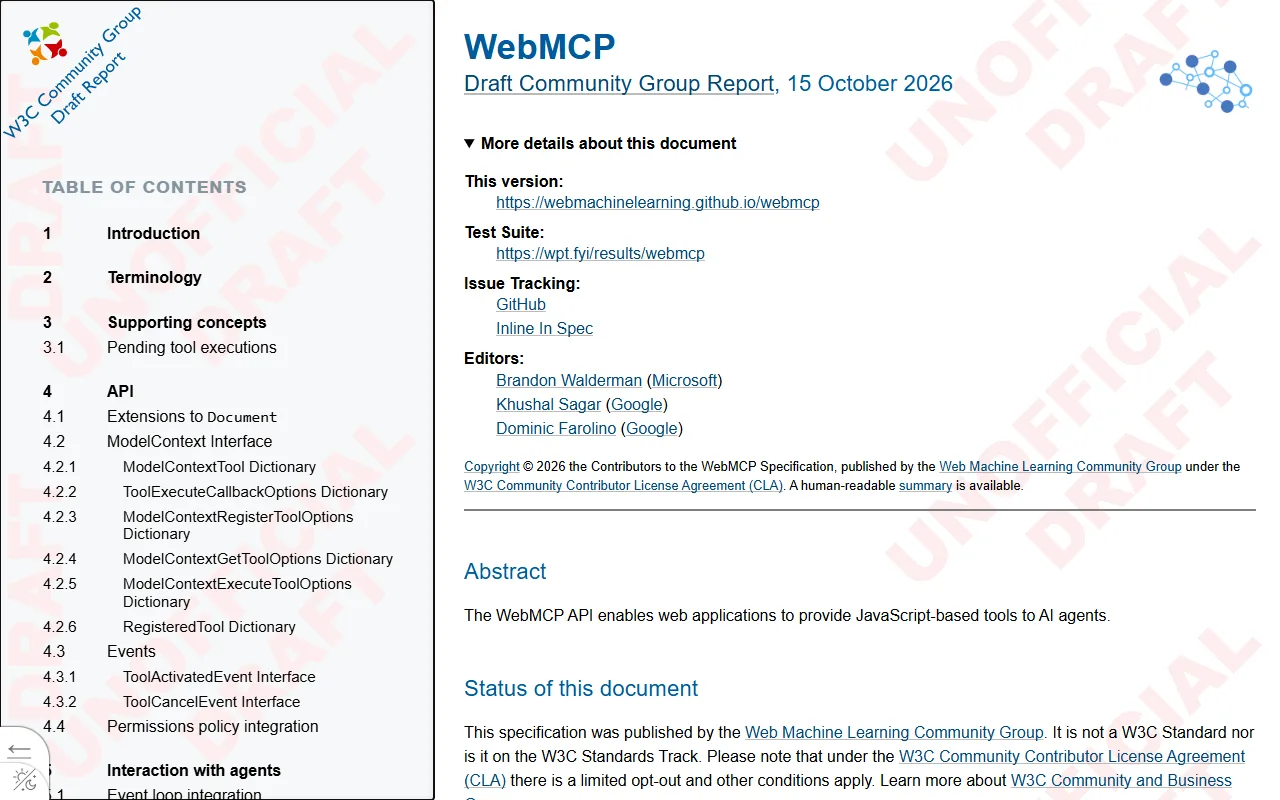The specification header and status section. It is a community group draft, not a W3C Standard.
## WebMCP Vs MCP: What Is The Difference?
Chrome publishes a page on exactly this question, and its answer is that you do not have to choose. WebMCP is not an extension or a replacement of the Model Context Protocol. Chrome describes MCP as the help call center and WebMCP as the in-store expert. MCP is the universal protocol that connects agents to external systems and is implemented through SDKs. WebMCP is a proposed browser standard whose two APIs talk only to a browser's built-in agent, with the browser acting as the go-between.
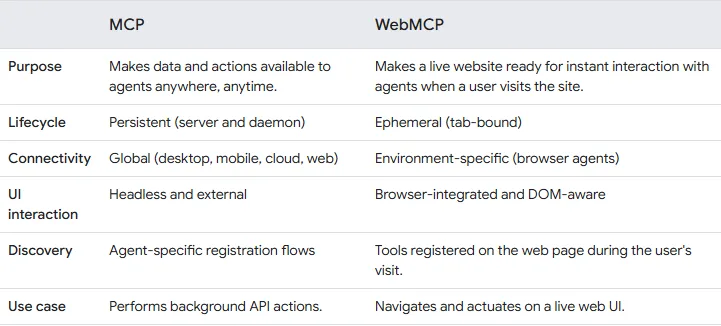Chrome's own comparison of MCP and WebMCP.
One lifecycle detail matters for site owners. Chrome says WebMCP tools are ephemeral: they exist only while your page is open, and once the visitor navigates away or closes the tab, the agent cannot reach your site. A server-side MCP setup is persistent and has no such limit.
### Where WordPress MCP Fits
On a WordPress site, the server-side half is already real. The Abilities API lets a plugin declare what an agent may do, and the MCP Adapter turns those abilities into tools that MCP clients can call. We walk through installing and locking that down in [our WordPress MCP Adapter guide](https://theplusaddons.com/blog/wordpress-mcp-adapter/), and [What Is The Elementor MCP](https://theplusaddons.com/blog/what-is-the-elementor-mcp/) covers Elementor's official connector. Our roundup of the [best MCP servers for WordPress](https://theplusaddons.com/blog/best-mcp-servers/) lists the options.
| Question | Server-Side MCP (Adapter, Elementor MCP) | WebMCP In The Browser |
| -------- | ---------------------------------------- | --------------------- |
| Where does it run? | On your WordPress server, reached over a connector | In the visitor's open page, inside the browser |
| Who uses it? | An AI client you connect, such as Claude Code or Cursor | A browser agent acting for a visitor |
| How long is it available? | Persistent, while the server and connector are up | Ephemeral, only while the tab is open |
| What does it do well? | Background work: create drafts, edit content, read data | Live page actions: fill a form, filter results, run a UI step |
| Who is it for? | You, the site owner or builder | Your visitors |
| Status | Abilities API is in WordPress core; the MCP Adapter is a separate plugin | Draft community spec; Chrome origin trial |
The two layers solve different problems. Chrome recommends using both: MCP for core logic, WebMCP for the contextual in-browser step.
The Plus Addons for Elementor sits on the server-side layer. It registers abilities that an MCP-capable client can call, and it does not serve MCP itself, so you still need the adapter and a connected client. The current list is on our [MCP abilities page](https://theplusaddons.com/mcp-abilities/). Nothing on that page is a WebMCP feature, and we are not claiming otherwise.
## The Two WebMCP APIs, Explained
Chrome documents two ways to register tools. They cover different jobs, and you can use both on the same site.
| Area | Declarative API | Imperative API |
| ---- | --------------- | -------------- |
| How you write it | HTML attributes on a ``
The optional `toolparamdescription` attribute maps a field to a description in the generated JSON Schema. Without it, Chrome says the browser uses the text in the field's label, and falls back to `aria-description` if there is no label. That is a quiet accessibility benefit: a well-labelled form is already a better tool definition.
### Submit Behavior And Agent Detection
By default the visitor must click Submit themselves. Adding `toolautosubmit` makes the browser submit when the model invokes the tool. Chrome adds two pieces for developers. `SubmitEvent.agentInvoked` is true when an agent triggered the submit, so your page can behave differently. `respondWith()` lets you hand the browser a promise whose result is returned to the model as the tool output, but you must call `preventDefault()` first.
`const form = document.querySelector('form[toolname="requestQuote"]');
form.addEventListener('submit', (e) => {
if (!e.agentInvoked) return; // normal visitors: untouched
e.preventDefault();
if (!form.checkValidity()) {
e.respondWith(Promise.resolve('Please complete every required field.'));
return;
}
// Send the data your own way, then report back to the agent.
e.respondWith(
fetch(form.action, { method: 'POST', body: new FormData(form) })
.then(() => 'Quote request sent. The team replies within one business day.')
);
});`
Chrome also fires `toolactivated` and `toolcancel` events on `document.modelContext`, and applies `:tool-form-active` and `:tool-submit-active` CSS pseudo-classes so you can style the focused form while an agent is working. A default dashed outline is applied if you do nothing.
### The Imperative API For Everything Else
The imperative route uses `document.modelContext.registerTool()`. A tool needs a name, a description, an input schema and an `execute` function. Chrome adds optional `annotations`: `readOnlyHint` for tools that only read, `consequentialHint` for significant or irreversible actions, and `untrustedContentHint` when output contains user-generated or external data. You can unregister a tool by passing an `AbortSignal`. Note that the object is `document.modelContext`. Some early write-ups show a different object, but `document.modelContext` is the name used in both Chrome's documentation and the draft specification.
`if (document.modelContext) {
await document.modelContext.registerTool({
name: 'search_site_posts',
description: 'Search published posts on this site by keyword.',
inputSchema: {
type: 'object',
properties: { query: { type: 'string', description: 'Search keyword' } },
required: ['query']
},
annotations: { readOnlyHint: true, untrustedContentHint: true },
execute: async ({ query }) => {
const url = '/wp-json/wp/v2/search?per_page=5&search=' + encodeURIComponent(query);
const posts = await (await fetch(url)).json();
return posts.map(p => p.title + ' - ' + p.url).join('\n');
}
});
}`
That example is our own illustration, not a Chrome sample. It wraps the public WordPress REST search route, which core already provides. The `readOnlyHint` tells an agent the tool is safe to call without side effects, and `untrustedContentHint` is there because post titles are content that someone else wrote.
## How To Enable WebMCP In Chrome
Chrome's getting started page gives two routes. Check the live page before you rely on either, because this is changing quickly: the page said it was last updated on 7 October 2026 when we read it.
- **Origin trial.** Chrome says to join the [WebMCP origin trial](https://developer.chrome.com/origintrials/#/register_trial/4163014905550602241) from Chrome 149. An origin trial is for public sites that want to test a feature with real visitors, which is why it is tied to registered origins.- **Local testing flag.** For local development, open `chrome://flags/#enable-webmcp-testing`, set it to Enabled, and relaunch Chrome.
To see tools working, Chrome points to demos in its GoogleChromeLabs webmcp-tools repository and two extensions: an example agentic extension and a Model Context Tool Inspector. Chrome DevTools can also debug registered WebMCP tools. Chrome says the example extension sends prompts to a Gemini model by default and needs an API key, or it can use the on-device Prompt API through a separate flag. Treat any extension as a test rig, not a feature you ship.
### Permissions Policy And Iframes
Both APIs are gated by a `tools` Permissions Policy that defaults to `self`. Tool registration works in top-level and same-origin contexts and is off in cross-origin iframes unless the iframe carries `allow="tools"`. That matters on WordPress, because many forms load inside embedded frames from a third-party service.
## What WordPress And Elementor Site Owners Can Do Today
Here is the honest position. WebMCP is a draft with a Chrome trial. No Elementor documentation we read mentions it: we checked the Form widget and HTML widget help pages, both last updated 15 September 2026, and Elementor's blog guide to MCP for WordPress, and found no reference to WebMCP or to tool attributes. We also could not confirm whether Elementor's Form widget lets you add arbitrary attributes such as `toolname` to the generated form, so we are not claiming it does. What you can do uses standard WordPress and HTML.
### Option 1: A Hand-Built HTML Form
Elementor's HTML widget accepts HTML, CSS, shortcodes and JavaScript, according to its help article. The same article warns that code in the widget can carry malware, so access is restricted to admins by default. You can place a form with the declarative attributes there. The catch is that a plain HTML form needs something to receive the submission: an endpoint you control, a handler from a form plugin, or your own code. Do not publish a form that posts nowhere.
### Option 2: A Code Snippet For The Imperative API
If you already use a snippet plugin or a small site plugin, you can register tools by adding a script. WordPress provides `wp_add_inline_script()` for this. Test on a staging copy first.
`