



Quotation marks look like the easiest thing in CSS until you try to control them. Drop text into a <blockquote> and no marks appear. Wrap it in <q> and straight ones show up whether you wanted them or not. Paste curly quotes into the content and they vanish when someone edits the post in a different editor.
CSS has a proper answer: the quotes property, plus the open-quote and close-quote keywords. This guide covers how they work, how to style a blockquote and a pull quote around them, how to handle nested quotes and other languages, and how to do the same in Elementor with a widget instead of a stylesheet. Every example was rendered in Chrome.
Quote Versus Blockquote: What The Browser Does By Default
The two elements are not interchangeable. <q> is inline and short, and browsers add quotation marks around it automatically. <blockquote> is a block for longer passages, and browsers add indentation but no marks. MDN describes the blockquote as an element for an extended quotation, with a cite attribute for the source URL and the separate <cite> element for a text credit.
| Element | Display | Marks Added By Browser | Use For |
|---|---|---|---|
<q> | Inline | Yes, from the quotes property | A short phrase inside a sentence |
<blockquote> | Block | No | A passage that stands on its own line |
<cite> | Inline | No | The name of the person or work |
The quotes Property In One Minute
According to MDN, quotes sets how the browser renders the marks that are added automatically to <q>, or inserted with open-quote and close-quote in generated content. Its initial value depends on the user agent, and it is inherited, so you can set it once on a container and every quote inside follows. It has been available across browsers since September 2015.
q {
  quotes: "\201C" "\201D";        /* opening mark, closing mark */
}

q.french {
  quotes: "\00AB\00A0" "\00A0\00BB";   /* with non-breaking spaces */
}

q.plain { quotes: none; }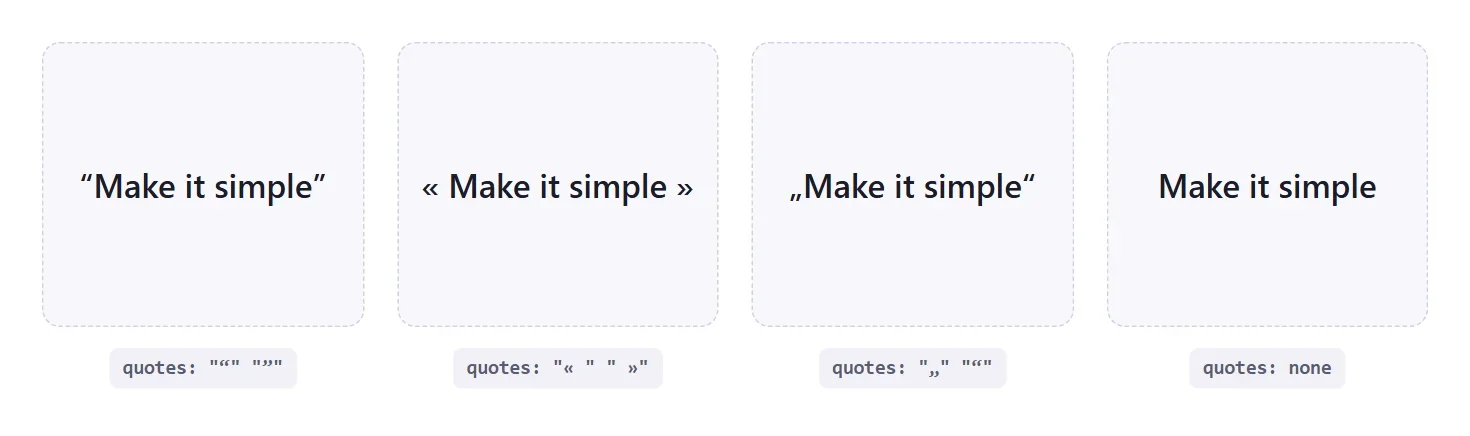
Writing the marks as Unicode escapes, not pasting the characters, is the safer habit. A stylesheet saved in the wrong encoding can turn a pasted curly quote into garbage, while \201C survives anything.
| Mark | Escape | Common Use |
|---|---|---|
| “ | \201C | English opening double |
| ” | \201D | English closing double |
| ‘ | \2018 | English opening single |
| ’ | \2019 | English closing single |
| « | \00AB | French and others, opening |
| » | \00BB | French and others, closing |
| „ | \201E | German opening low double |
| ‹ | \2039 | Single-angle opening |
| › | \203A | Single-angle closing |
Handling Nested Quotes Correctly
A quotation inside a quotation needs a different pair, otherwise the reader cannot tell where the inner one ends. The quotes property handles this by taking more than one pair. The first pair is for the outer level and the second for the next level in.
q {
  quotes: "\201C" "\201D" "\2018" "\2019";
}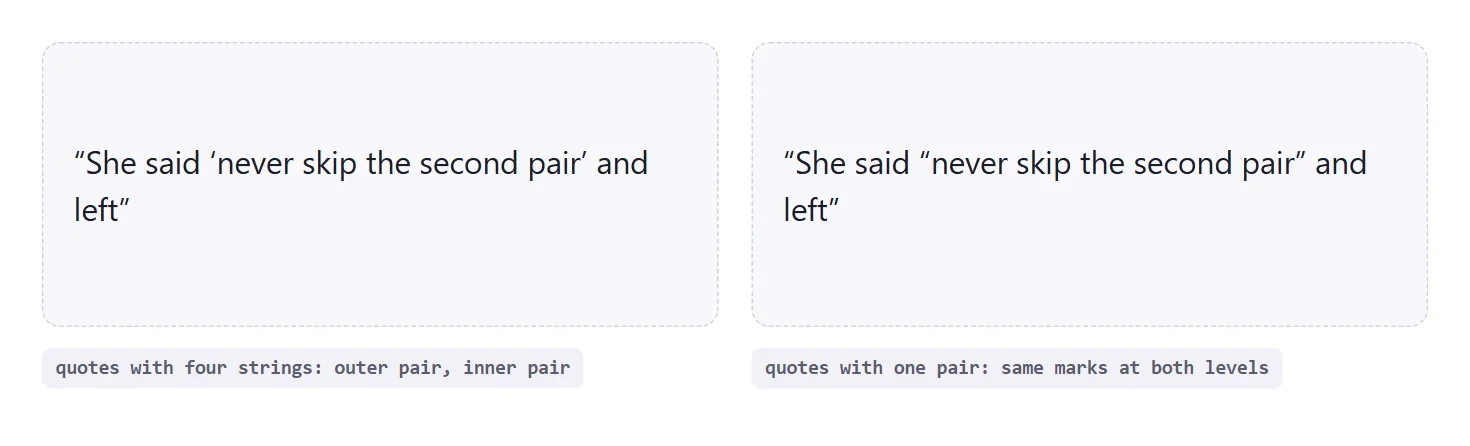
The right-hand card is the mistake to avoid. With only one pair supplied, the nested quote reuses it, and the sentence ends with two identical closing marks that read as clutter. Declare the second pair even if you think nobody nests.
Using open-quote And close-quote In Generated Content
The quotes property decides which marks exist. The content property decides where they appear. Put open-quote and close-quote in a pseudo-element and you can add marks to a blockquote, which the browser does not do on its own, while still honouring whatever quotes value is in force.
blockquote {
  quotes: "\201C" "\201D";
}
blockquote::before { content: open-quote; }
blockquote::after  { content: close-quote; }
There are also no-open-quote and no-close-quote keywords. They insert nothing but still move the nesting level, which is useful when a quotation continues across several paragraphs and only the first should open and only the last should close.
Styling A Blockquote That Looks Designed
Two patterns cover most sites. The first is a coloured left border on a soft background, which works with or without quotation marks. The second is a large decorative opening mark positioned in the corner.
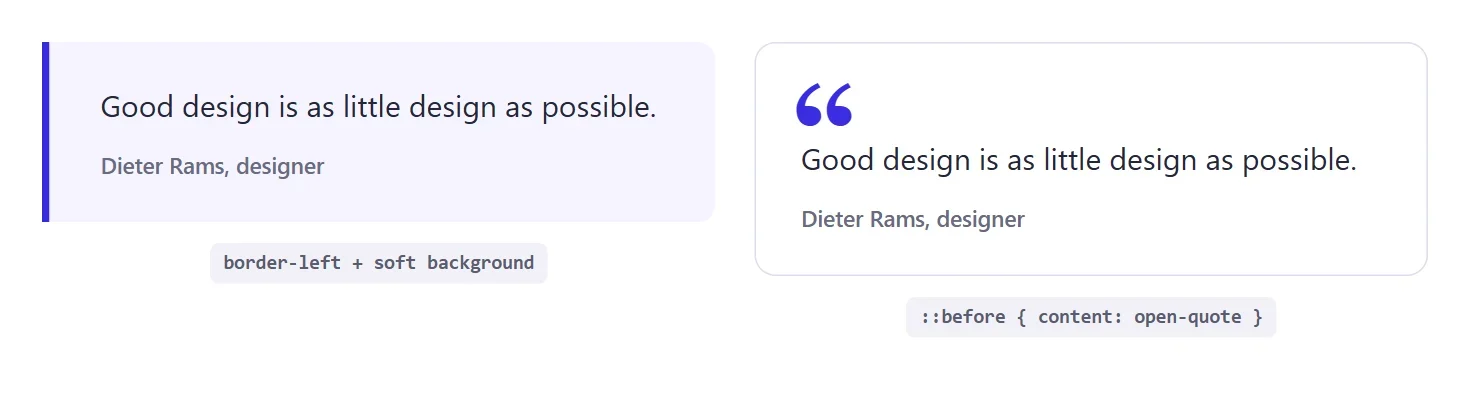
blockquote {
  margin: 0;
  position: relative;
  padding: 26px 28px 26px 34px;
  border-left: 5px solid #3a2ce0;
  background: #f5f4ff;
  border-radius: 0 12px 12px 0;
}

blockquote cite {
  display: block;
  margin-top: 14px;
  font-style: normal;
  font-weight: 600;
}

/* decorative variant */
.quote-card { padding-top: 60px; }
.quote-card::before {
  content: open-quote;
  position: absolute;
  top: 18px; left: 24px;
  font: 700 84px/1 Georgia, serif;
  color: #3a2ce0;
}
The decorative mark is positioned, so the parent needs position: relative, and the card needs extra top padding or the text climbs underneath the glyph. Also set font-style: normal on cite, because browsers italicise it by default and an italic credit under an italic quote looks muddy.
Also Read: Bottom-only box shadow gives a quote card a soft lift without a halo on the sides.
Pull Quotes With Coloured Marks
A pull quote repeats a line from the article in large type. Colouring the marks while leaving the words dark keeps it elegant. Because the marks are generated, you can change them in one rule and every pull quote on the site updates.
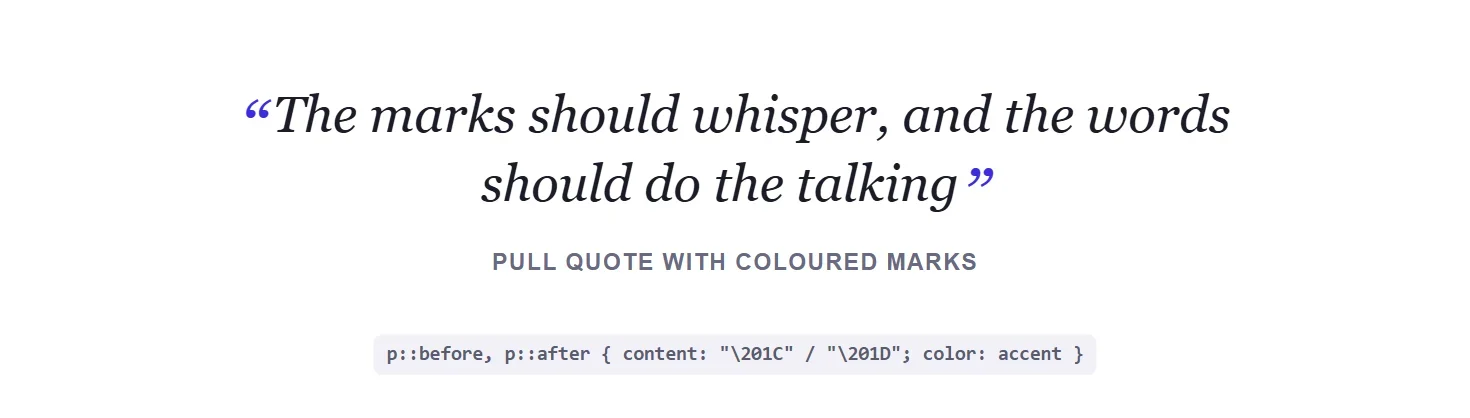
.pull p::before { content: "\201C"; }
.pull p::after  { content: "\201D"; }
.pull p::before,
.pull p::after {
  color: #3a2ce0;
  font-size: 1.4em;
  line-height: 0;
  vertical-align: -.28em;
}
line-height: 0 stops the enlarged marks from pushing the line taller, and the small negative vertical-align drops them to sit level with the text rather than floating above it.
Different Quotes For Different Languages
Quotation conventions vary by language, and the :lang() selector lets one stylesheet respect that. Set lang on the page or on an individual element, then give each language its pair.
q:lang(en) { quotes: "\201C" "\201D" "\2018" "\2019"; }
q:lang(fr) { quotes: "\00AB\00A0" "\00A0\00BB" "\2039\00A0" "\00A0\203A"; }
q:lang(de) { quotes: "\201E" "\201C" "\201A" "\2018"; }
MDN also lists an auto value that asks the browser to pick marks for the content language. Check its compatibility table before relying on it, and keep explicit pairs for the languages you actually publish in.
Troubleshooting Quotes That Do Not Appear
When marks refuse to show up, the cause is almost always one of a handful of things. Work through them in this order before you assume the browser is wrong.
- The element is a blockquote. Browsers do not add marks to it. Add
open-quoteandclose-quotein pseudo-elements yourself. quotes: noneis inherited. The property is inherited, so a rule set on a wrapper silences every quote inside it. Search your stylesheet for it.- The pseudo-element has no
content. A::beforerule without acontentdeclaration generates nothing at all, even if you styled it heavily. - The mark is there but invisible. A decorative glyph coloured like its background, or clipped by
overflow: hiddenon the parent, looks missing. - A theme or plugin overrides your rule. Open the browser inspector, select the element and look at the computed
quotesandcontentvalues to see which rule wins.
The inspector is the fastest diagnostic here. If the computed value is what you expect and the mark is still missing, the problem is layout or colour. If the computed value is wrong, the problem is specificity or inheritance, and the Styles pane shows which rule overrode yours.
Choosing A Quote Style By Content Type
Not every quotation deserves the same treatment. Matching the style to the job keeps a page from looking like every line is shouting.
| Content | Element | Suggested Style |
|---|---|---|
| Short phrase in a sentence | <q> | Inherited marks, no extra decoration |
| Customer testimonial | <blockquote> with <cite> | Card with author name and a decorative open-quote |
| Article pull quote | Styled paragraph or blockquote | Large type with accent-coloured marks |
| Long cited passage | <blockquote> | Left border and tint, marks optional |
Quotes That Continue Across Several Paragraphs
Long quotations often span more than one paragraph. The convention in English is to open the quotation at the start of the first paragraph, leave the earlier paragraphs unclosed, and close it only at the end of the last one. The no-close-quote keyword exists for exactly this. It inserts nothing but keeps the nesting level open.
.speech p::before { content: open-quote; }
.speech p:not(:last-child)::after { content: no-close-quote; }
.speech p:last-child::after { content: close-quote; }
Without those rules, every paragraph would open and close its own pair, and the reader would see a closing mark mid-speech and wonder whether the speaker had finished. This is a small detail, but it is the difference between typography that looks careful and typography that looks generated.
Accessibility And Semantics Of Quotations
Marks added with CSS are generated content, and how assistive technology announces generated content varies between screen readers. Do not rely on it to carry meaning. If the fact that something is a quotation matters, the semantic element is what communicates it, so use <q> or <blockquote> and name the source.
- Use the right element. A styled
<div>that looks like a quote is not a quotation to a machine. - Credit the source. The
citeattribute holds a URL and the<cite>element holds visible text. - Keep contrast high. Pale decorative marks are fine, but the quoted words themselves need full contrast.
- Test with a real screen reader before assuming the generated marks are announced or skipped.
Sizing Decorative Marks Responsively
An 84 pixel opening mark that suits a desktop card dominates a phone screen. Size it with a fluid value so it scales with the viewport, and scale the top padding with it so the text never slides underneath the glyph.
.quote-card {
  --mark: clamp(48px, 9vw, 84px);
  padding-top: calc(var(--mark) * .75);
}
.quote-card::before {
  font-size: var(--mark);
  line-height: 1;
}
Tying the padding to the same custom property keeps the two values in step, so changing the mark size in one place adjusts the spacing automatically.
A Reusable Quote Style Checklist
Before you ship a quote style, run through this list once.
- Decide whether the marks come from the content or from CSS, and use only one source.
- Set
quoteson a container so every<q>andopen-quoteinherits the same pairs. - Supply a second pair for nested quotations.
- Write marks as Unicode escapes, not pasted characters.
- Give positioned decorative marks room with padding, and size them fluidly.
- Add a source with
citeso the credit is available to people and to machines.
None of these steps is difficult on its own. The value comes from doing them consistently, so that every quotation on a site, from a one-line testimonial to a long cited passage, follows one set of rules and a future redesign means editing a single stylesheet instead of hunting through pages.
Quote Marks In Elementor Without Custom CSS
Elementor builders who do not want to maintain a stylesheet can use the Blockquote widget from The Plus Addons for Elementor. According to the Blockquote settings guide, it ships in the free plugin and displays a styled quotation with an author name, a description and an optional quotation-mark icon.
Step-by-Step
- Drag the Blockquote widget from the Elementor panel onto the page.
- Pick a Style and set the Alignment.
- Type the quotation into Description, then fill in Author and Author Description.
- Turn on Icon to add a quotation-mark icon and set its position and alignment.
- Optional: switch on Image for an author photo, or Tweet to add a Click-to-Tweet button.
The Blockquote widget page lists 12 or more ready-made demos if you want a starting point. If you are still comparing options, the roundup of WordPress blockquote plugins covers the alternatives.
Common Mistakes Worth Checking
- Typing the marks into the content and adding them with CSS. You end up with doubled marks. Choose one source.
- Supplying one pair and nesting. The inner quote repeats the outer marks. Always give a second pair.
- Pasting curly quotes into a stylesheet. Use Unicode escapes so encoding cannot break them.
- Using blockquote for emphasis. It means a quotation. Use a styled paragraph for pull text that is not quoted from elsewhere.
- Forgetting the source. Add a
citeattribute or a<cite>element so the credit is machine readable. - Positioned marks without padding. The glyph overlaps the first line unless the card makes room.
Browser Support
Both quotes and the blockquote element are Baseline widely available, so the techniques here need no fallback in current browsers.
| Feature | Available Across Browsers Since |
|---|---|
quotes property | September 2015 |
<blockquote> element | July 2015 |
For the full reference, see MDN on quotes, content and the blockquote element.