






If you have ever tried to restyle a WooCommerce cart or checkout page in Elementor, you have probably hit the same wall: the page builder edits the layout around your store, and then the store itself renders however WooCommerce decides. That is the gap these addons fill.
WooCommerce runs 48.4% of all e-commerce systems whose platform is known, and 8.2% of all websites, according to W3Techs on 10 August 2026. That scale is partly why there are so many advanced WooCommerce extensions you can use to build your storefronts with Magento hosting and other pages, like checkout, cart, single product, my account, and so on.
The problem is picking one. The marketplaces are full of Elementor WooCommerce addons that look identical on a feature list, and plenty of them have not been updated in years. So this comparison checks each one against WordPress.org and the vendor’s own pricing page rather than repeating marketing copy.
Short answer: for building every WooCommerce page inside Elementor, The Plus Addons for Elementor is the pick, because its WooCommerce Store Builder covers the shop, single product, cart, checkout, my account, order tracking and thank-you pages from one plugin at $39 a year. ShopLentor is the strongest free widget library, ShopEngine is the most actively maintained dedicated store-template builder, and FunnelKit is the one to buy if your problem is the checkout and upsells rather than the design. Skip straight to ELEX Dynamic Pricing for discount rules, PluginHive Bookings for appointments, and the two marketplace addons only if you want a cheap one-off product grid.
How We Picked These WooCommerce Elementor Addons
Every plugin below was re-checked on 10 August 2026, in this order:
- Is it still alive? Every WordPress.org slug went through the plugin API to catch withdrawn or closed plugins. A listing page can keep rendering long after the plugin stops being installable.
- Active installs and last-updated date from WordPress.org, not from the vendor’s homepage. Both appear in the table so you can judge the size and the maintenance pace yourself.
- Price read off the vendor’s own checkout, including the billing period. Four of the prices in the previous version of this article were wrong, and they are corrected below.
- Does it actually do Elementor plus WooCommerce? Some popular WooCommerce plugins are worth owning but are not Elementor addons at all. Those are labelled as such instead of being quietly presented as addons.
Two picks changed as a result. A CodeCanyon item called WooCommerce Page Builder for Elementor was dropped because its last update was 21 November 2023, and it was replaced with ShopEngine, which was updated on 9 August 2026. The order below runs roughly by install base, maintenance recency and how much of the Elementor-plus-WooCommerce job each one actually does, so the weakest-evidenced pick sits last.
Two entries have no WordPress.org listing at all, so there is no public install count for them. That is stated in their rows rather than filled in with a guess.
What Elementor Pro Already Does for WooCommerce, and What an Addon Adds
This is the question most people are really asking, so it is worth answering before the list. Elementor’s free plugin ships 32 widgets and no WooCommerce builder. On Elementor’s own plan comparison, the WooCommerce Builder and the Theme Builder both sit on the paid plans, so with Elementor Pro you can already template your product and archive pages.
What Pro does not give you is most of the store-specific machinery: AJAX product filters, wishlists, product comparison, quick view, variation swatches, sales countdowns, order bumps and one-click upsells. That is the actual reason to add one of these plugins. The other reason is cost, since several of them do the store templating for less than an Elementor Pro renewal.
Weighing up the renewal? Read what actually happens when Elementor Pro expires and our honest breakdown of Elementor One versus Elementor Pro.
If you only need dynamic data rather than a full store build, note that dynamic tags are now free in The Plus Addons for Elementor.
Best WooCommerce Plugins for Elementor Compared
| # | Addon | Type | Best for | Price | Active installs | Last updated |
|---|---|---|---|---|---|---|
| 1 | The Plus Addons for Elementor | Free plugin, WooCommerce Store Builder is a Pro widget set | Building every store page inside Elementor | Free core, Pro from $39/year (1 site) | 100,000 | 27 Jun 2026 |
| 2 | ShopLentor | Free plugin plus Pro | The largest free WooCommerce widget library | Free core, Pro from $39 per half-year (5 sites) | 80,000 | 26 Jul 2026 |
| 3 | ShopEngine | Free plugin plus Pro | A dedicated drag-and-drop store template builder | Free core, Pro $59 (1 site, 1 year of updates) | 100,000 | 9 Aug 2026 |
| 4 | FunnelKit Funnel Builder | Free plugin plus Pro | Custom checkouts, order bumps and upsells | Free core, Starter $199/year ($179.10 introductory) | 30,000 | 1 Jul 2026 |
| 5 | ELEX WooCommerce Dynamic Pricing and Discounts | Free version plus separate premium plugin | Discount, BOGO and cart-level pricing rules | Premium $99 (1 site), $199 (5), $499 (25) | 800 (free version) | 2 Feb 2026 |
| 6 | Bookings and Appointments for WooCommerce | Premium only, not an Elementor addon | Turning products into bookable appointments | $149/year (single site) | Not published | Not published |
| 7 | Elementor Addons for WooCommerce Product | CodeCanyon item, one-off purchase | A cheap product grid and tab layout pack | $29 one-off (6 months support) | Not on WordPress.org | 3 Apr 2026 |
| 8 | Elemento Addon for Elementor | Premium, sold inside a ThemeHunk membership | People who already own the ThemeHunk bundle | No standalone price published, membership $99/year | Not published | Not published |
The numbers move, so treat the table as a snapshot of 10 August 2026 rather than a permanent ranking. If you spot a figure that has drifted, tell us and we will re-check it.
1. The Plus Addons for Elementor: WooCommerce Store Builder
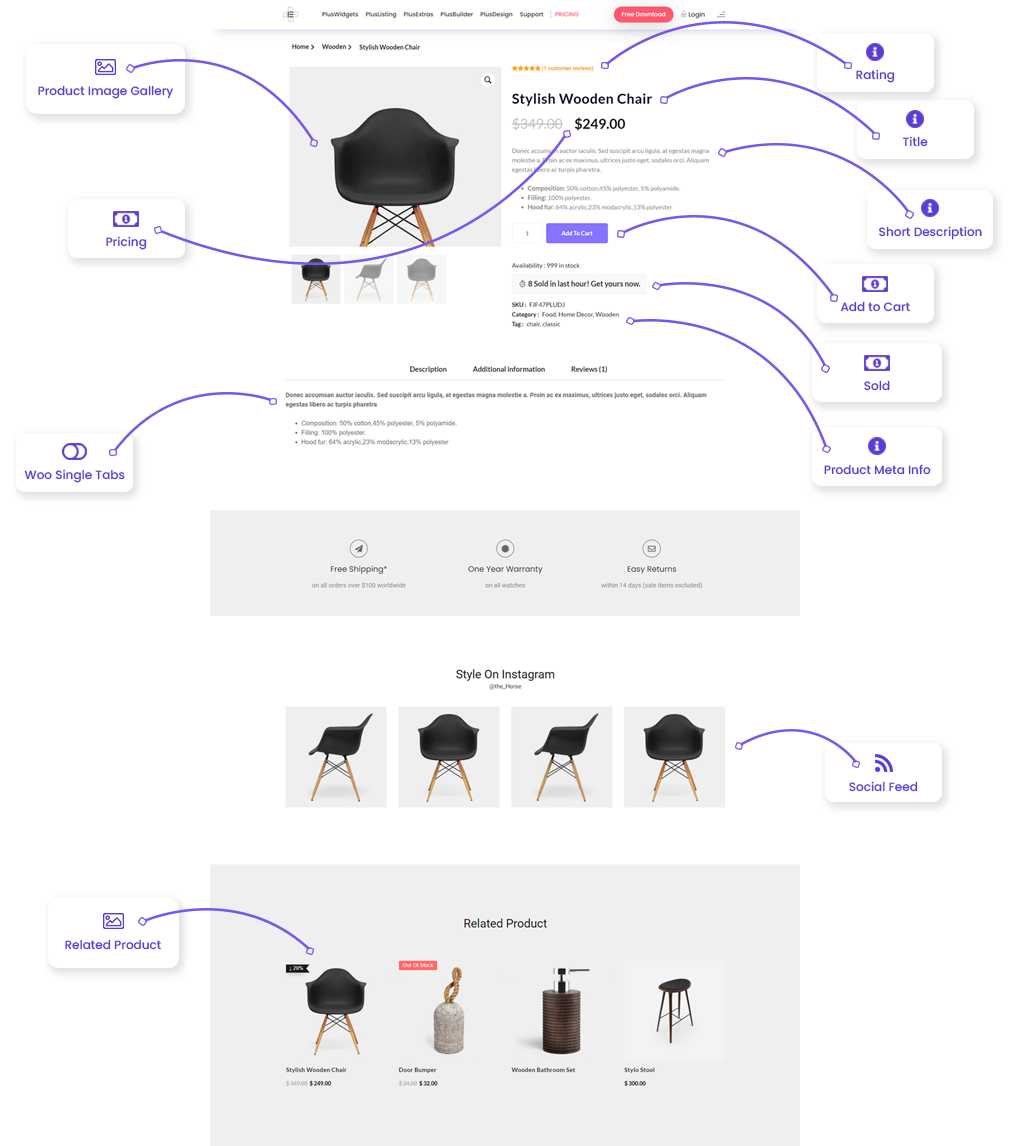
The Plus Addons for Elementor is a 100,000-install Elementor addon whose WooCommerce Store Builder covers the store pages Elementor leaves alone. The base plugin is free on WordPress.org; the WooCommerce widgets sit in the premium set, which the pricing page lists at $39 a year for one site alongside 120+ other widgets.
The practical difference from most entries here is scope. You are not buying a WooCommerce plugin and an Elementor addon separately, so the same widget library that builds your checkout also builds the rest of the site.

The WooCommerce Store Builder covers 16 widgets:
- WooCommerce My Account Page – This widget helps you customize my account page, which provides a central location for customers to access their account information, manage their shipping and billing addresses, and view their order history.
- WooCommerce Order Track Page – The widget makes it easier to customize the order track page where customers to keep track of their orders, view the status of their orders, and receive real-time updates on the order’s progress.
- WooCommerce Cart – Cart widget provides customers with a convenient and intuitive shopping cart experience. This widget displays a summary of the items in the cart, including the total cost, and allows customers to update the cart or proceed to checkout.
- WooCommerce Checkout – This widget simplifies the checkout process for customers, making it easy to complete their purchases. This widget helps in customizing the necessary fields for collecting billing and shipping information and payment options.
- WooCommerce Product Listing – The WooCommerce Product Listing widget allows you to display your products in a variety of layouts, including grid, carousel, metro, and masonry. This widget gives you the flexibility to showcase your products in a way that best fits your brand and style, helping to improve the overall look and feel of your store.
- WooCommerce Product Category Filters – This widget allows customers to easily find the products they are looking for by filtering products by specific criteria such as price, brand, and more. This widget helps to improve the customer experience and increase conversions.
- WooCommerce Product Page Single Basic – The widget is a simple and straightforward way to display product details, including the product name, description, and price. This widget helps improve the product page’s overall look and feel.
- WooCommerce Single Image – Single Image widget allows you to display high-quality product images, along with product information and options. This widget helps to showcase your products in an attractive and eye-catching way.
- WooCommerce Single Pricing – Single Pricing widget displays product prices and any discounts or sales to help customers quickly and easily compare prices. This widget helps to increase conversions by highlighting special deals and promotions.
- WooCommerce Single Tabs – The tab widget organizes product information into easy-to-read tabs, making it simple for customers to find the information they need. This widget helps improve the product page’s overall look and feel.
- WooCommerce Swatches – The widget allows customers to easily see the different colors, brands, and styles of variable products, helping simplify the shopping experience. This widget helps to increase conversions by making it easy for customers to compare products.
- WooCommerce Thank You – Lastly Thank You widget displays a personalized thank you message to customers after they complete their purchase, helping to build customer loyalty and encourage repeat business. This widget helps to create a more positive shopping experience for customers. To speed up your billing after purchase, try using Zintego for quick and professional invoice generation.
- WooCommerce Custom Loop Skin Maker – The WooCommerce Custom Loop Skin Maker widget allows you to create custom product loop skins for your online store. This widget gives you the power to fully customize the look and feel of your product listings so that they match your brand and style. – Watch the Full Video here
- Ajax Live Search Bar with Dropdown Filters – The Ajax Live Search Bar with Dropdown Filters widget allows you to add a powerful search bar to your online store, complete with dropdown filters. This widget allows customers to search for products in real-time, making it easier to find what they are looking for.
- WooCommerce Dynamic Category – The WooCommerce Dynamic Category widget allows you to display products from specific categories on your online store dynamically. This widget makes it easy to showcase products from specific categories, such as your best-sellers or new arrivals, without having to update the product listings manually.
- Full Page Product Carousel Slider Maker – The Full-Width Product Slider widget allows you to create a full-width product carousel on your online store. This widget provides a visually appealing way to showcase your products, helping to attract the attention of customers and improve the overall look and feel of your store.
Key Features of The Plus Addons for Elementor WooCommerce Store Builder
- 16 WooCommerce widgets, listed above
- Complete WooCommerce store builder set
- Advanced AJAX search bar and 15+ filter fields
- Prebuilt layouts that can be copied across sites with Cross-Domain Copy
- WooCommerce Custom Loop Skin Maker
- 120+ extra Elementor widgets at the same price
- Full-page product slider maker
Cost of The Plus Addons for Elementor WooCommerce Store Builder
The plugin has a free tier on WordPress.org, and the WooCommerce Store Builder is part of the paid plan. Its pricing page lists Starter at $39 a year for one site, reduced from $43, which also unlocks the wider 120+ widget library rather than the WooCommerce widgets alone.
Best for building every WooCommerce page inside Elementor: the store templates and the rest of your site come from one plugin at one price.
Are you a video learner? Check the complete YouTube playlist of Elementor and WooCommerce step-by-step video tutorials:

Want the AJAX filtering piece on its own? Here is how to add a live AJAX search bar in Elementor.
2. ShopLentor (formerly WooLentor)
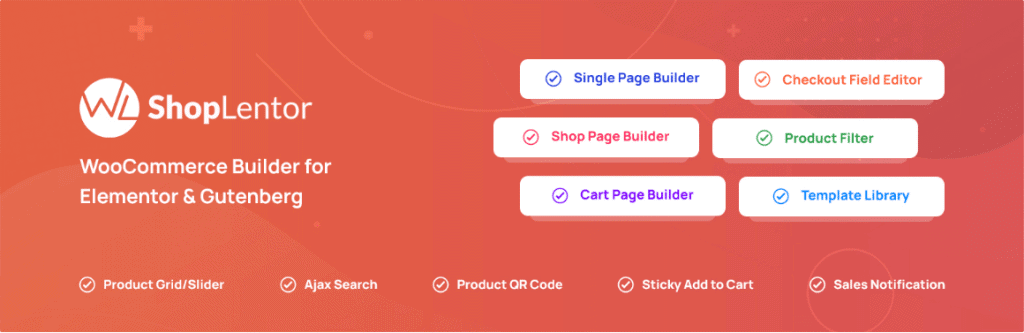
ShopLentor is the biggest free WooCommerce widget library in this comparison at 80,000 active installs, last updated 26 July 2026. It builds shop, single product, cart and checkout templates, and adds the shopping extras separately: quick view, compare, wishlist, cross-sell at checkout, and a stock progress bar.
It also works in the block editor, which matters if you are not committed to Elementor for the whole site.
Key Features of ShopLentor
- Customizable product display options
- Advanced product filter options
- Optimized cart and checkout options
- Product quick view
- Product compare option
- Product wishlist options
Cost of ShopLentor
The free version is on WordPress.org. The paid plans are not the annual $59-to-$699 range this article used to quote. ShopLentor’s pricing page currently sells a half-yearly plan for 5 sites at $39 (list price $59), a yearly Plus plan for 5 sites at $99, a yearly Growth plan for 100 sites at $199, and a one-time Growth licence for 100 sites at $199 (list price $399). There is no single-site tier.
Read the billing period carefully before you compare that $39 with anyone else’s annual price.
Best for the most free WooCommerce widgets: if budget is the constraint, this is the largest free set here.
Did you know your WooCommerce store can become a victim of fraud and fake orders? Check our Ultimate Guide to Protect WooCommerce Store from Fraud & Fake Orders to prevent this.
3. ShopEngine
ShopEngine by Roxnor is the entry this list was missing. It is a dedicated Elementor WooCommerce builder with 100,000 active installs, and at the time of writing it was updated on 9 August 2026, which makes it the most actively maintained plugin in this comparison.
Its own description claims 70+ WooCommerce widgets, 40+ store templates and 20+ modules, covering the shop page, cart, checkout, single product and My Account builders, plus the shopping extras: wishlist, quick view, product comparison, variation swatches, cross-sell popups, flash-sale countdowns and a currency switcher. It supports the block editor as well as Elementor.
The reason it earns a place over the marketplace items below is simple: it is on WordPress.org, so its install count and maintenance record are publicly checkable, and both are strong.
Key Features of ShopEngine
- Drag-and-drop builders for shop, cart, checkout, single product and My Account pages
- Wishlist, quick view and product comparison
- Variation swatches and filterable product lists
- Cross-sell popups and one-click quick checkout
- Flash-sale countdown and sales notifications
- Partial payments, pre-orders and a currency switcher
Cost of ShopEngine
The core plugin is free on WordPress.org. The Pro Single plan is listed at $59 for one site, including a year of support and updates, with a 10% saving shown at $53 at the time of checking. Higher tiers run up to an Unlimited plan at $299.
Best for a dedicated store template builder you can vet in public: the freshest maintenance record here, on a plugin you can install for free first.
4. FunnelKit Funnel Builder for WooCommerce

FunnelKit is the odd one out here in a useful way. It is not trying to restyle your product archive; it replaces the default WooCommerce checkout with a designed, single-step or multi-step checkout and then bolts conversion mechanics onto it: order bumps, one-click upsells, downsell popups and A/B tests. It has 30,000 active installs and the highest rating in this comparison at 100 out of 100 from 1,009 reviews.
If your store pages already look fine and the drop-off is at checkout, this is the one to reach for.
Key Features of FunnelKit
- One-page and multi-step checkout pages with customizable fields
- One-click upsells and downsell offer popups
- Rule-based order bump offers on the checkout page
- Pre-built funnel templates
- A/B testing for checkout and funnel optimization
- Dynamic offers based on cart contents
- Built-in analytics and conversion tracking
- Compatible with major WooCommerce payment gateways
Cost of FunnelKit
There is a free version on WordPress.org with one-page checkouts, templates and pixel tracking. The paid tier is not $99.50 a year, which is what this article previously said. FunnelKit’s pricing page currently lists Starter at $199 a year, discounted to $179.10 as an introductory rate, and its own footnote states that renewals are at full price.
Best for fixing the checkout rather than the design: order bumps, upsells and A/B testing that none of the page builders here include.
Building a store from scratch? See how to build a Shopify-style store with WooCommerce and Elementor.
5. ELEX WooCommerce Dynamic Pricing and Discounts Plugin
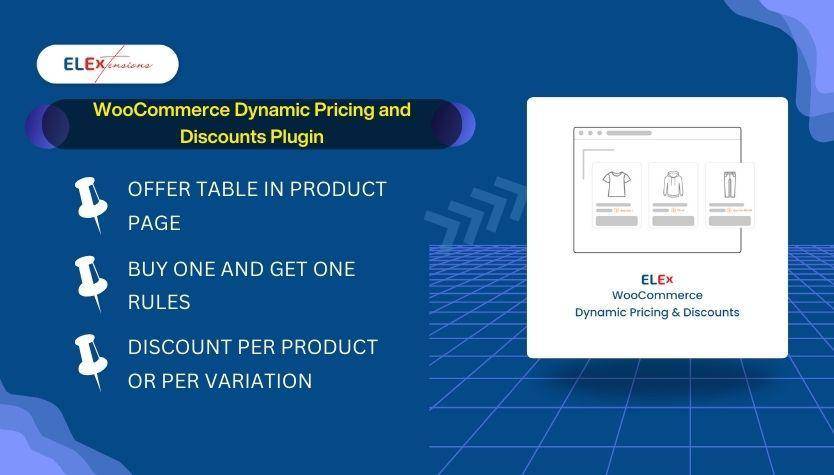
This one solves discounts, not layout. It applies rules at product, category, tag, combination and cart level, does BOGO offers, and can print a pricing table and an offers table directly on the product page. The feature that genuinely sets it apart is a maximum discount cap per rule, which stops stacked promotions turning into a loss.
Two caveats worth knowing. It is not an Elementor addon, so nothing here changes how your pages look. And the free version on WordPress.org is small and slow-moving: 800 active installs, last updated 2 February 2026, which is the thinnest maintenance record in this comparison. Test it on staging first.
Key Features of ELEX WooCommerce Dynamic Pricing and Discounts Plugin
- Discount rules for WooCommerce products
- Discounts based on product category, tag or a combination of products
- Buy-one-get-one (BOGO) offers, including tag-based BOGO
- Coupon-based dynamic pricing and discounts
- A dynamic pricing table and an offers table on the product page
- A maximum discount limit per rule
Cost of ELEX WooCommerce Dynamic Pricing and Discounts Plugin
There is a free version on WordPress.org. The premium plugin is sold as a subscription from the ELEX site at $99 for a single site, $199 for up to 5 sites and $499 for up to 25 sites.
Best for discount and BOGO rules: rule-level discount caps that most dynamic pricing plugins do not offer.
6. Bookings and Appointments for WooCommerce by PluginHive

If what you sell is time rather than objects, this turns WooCommerce products into bookable slots: single-day, multi-day, fixed or flexible hourly. It calculates cost from duration, guests and services, blocks out dates, times, weekdays or whole seasons, and syncs two ways with Google Calendar, iCalendar and Outlook.
Be clear on what it is, though. This is a WooCommerce extension, not an Elementor addon, and it is premium only with no WordPress.org listing, so there is no public install count to check it against.
Key Features of Bookings and Appointments for WooCommerce
- Single-day, multi-day, fixed and flexible hourly booking types
- Dynamic booking cost calculation based on duration, guests, services and discounts
- Availability rules that block specific dates, times, weekdays or seasons
- Recurring and non-adjacent bookings through dedicated add-ons
- Automated confirmation, cancellation and reminder emails
- Partial payments and deposits
- Staff and resource management with individual schedules and pricing
- Two-way calendar sync with Google Calendar, iCalendar and Microsoft Outlook
Cost of Bookings and Appointments for WooCommerce
PluginHive lists the single-site subscription at $149 a year, including one year of updates and support, with a 30-day money-back guarantee. That figure was correct and is unchanged.
Best for selling appointments, rentals and reservations: the booking logic is far deeper than a generic form plugin, if you can accept a premium-only plugin.
Also worth reading: how to get your products surfaced in AI answers, in AI shopping and WooCommerce.
7. Elementor Addons for WooCommerce Product
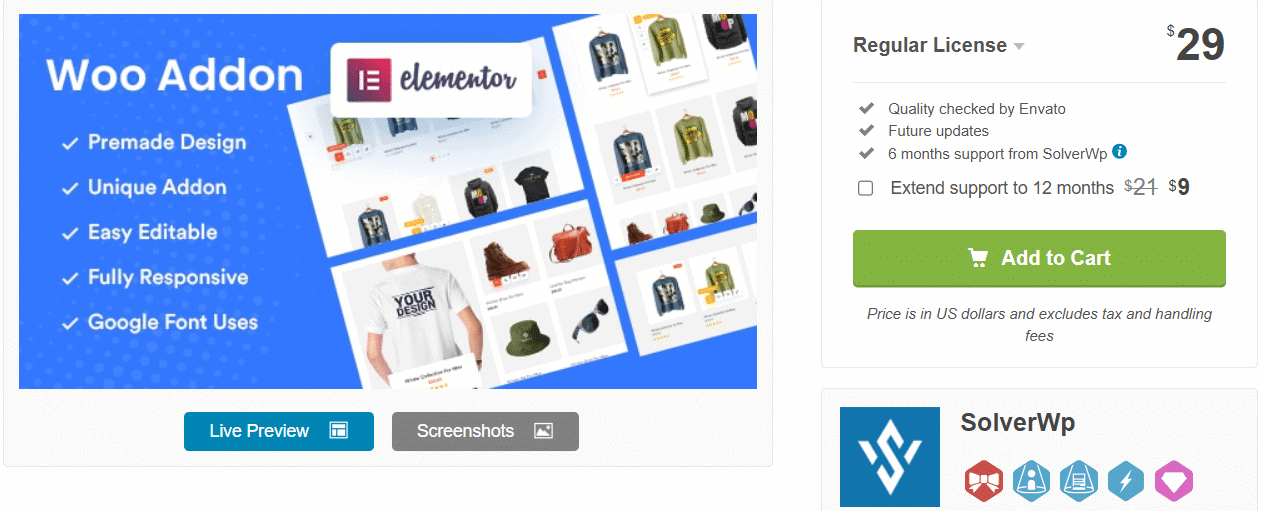
A small, cheap layout pack from SolverWp sold on CodeCanyon. It displays products as cards, tabs, isotope grids, masonry and sliders, adds an add-to-cart popup, ships 25+ premade designs and a category filter, and gives you unlimited colour and typography options.
It is a reasonable one-off buy for a single product-grid layout. What you do not get is a public install count or a long support window, and its last update was 3 April 2026.
Key Features of Elementor Addons for WooCommerce Product
- 25+ premade designs
- Slider, isotope, masonry, grid and tab styles
- Unlimited colour options
- Unlimited typography options
- Category filter
Cost of Elementor Addons for WooCommerce Product
The Regular Licence is $29 as a one-off on CodeCanyon. Note that this includes only 6 months of support from SolverWp; extending to 12 months is a paid add-on at checkout.
Best for a cheap one-off product grid: no subscription, as long as you are comfortable with a short support window.
8. Elemento Addon for Elementor

ThemeHunk’s Elemento Addon offers product grids, product sliders, featured and vertical product lists, add-to-cart buttons, Woo coupons, pricing tables and a countdown timer for limited-time offers.
It sits last here for reasons of evidence rather than quality. Elemento is not listed on WordPress.org, so there is no public install count or last-updated date to check, and most of the widgets on its own product page are general Elementor widgets such as advanced headings, tabs, image compare and testimonials rather than WooCommerce ones. If you already own a ThemeHunk membership, it is a sensible add-on. If you are choosing purely on WooCommerce capability, the entries above give you more to verify.
Key Features of Elemento Addon for Elementor
- 23+ widgets
- Featured product and vertical product lists
- Woo coupons and a countdown timer
- Header and footer builder
- Fully responsive
Cost of Elemento Addon for Elementor
ThemeHunk does not publish a standalone price for Elemento on its product page, so the $59 a year this article used to quote is wrong. That $59 is ThemeHunk’s Personal plan, which covers one theme. The cheapest published route to all ThemeHunk plugins is the annual membership at $99 (list price $249), with lifetime bundles at $249 and $349.
Best for existing ThemeHunk customers: if the membership is already paid for, the WooCommerce widgets come with it.
Prefer to build the urgency piece yourself? Here is how to add a countdown timer in Elementor for free.
Buyer’s Guide: Which Elementor WooCommerce Addon Should You Use?
Work backwards from the job rather than the feature list:
- You want to design the store pages in Elementor. The Plus Addons for Elementor at $39 a year, or ShopEngine at $59, or ShopLentor’s free tier if the budget is zero.
- Your checkout is the problem. FunnelKit.
- You need discount rules. ELEX Dynamic Pricing.
- You sell time, not products. PluginHive Bookings.
- You want one cheap layout and no subscription. The CodeCanyon addon at $29.
For most Elementor users building a full store, The Plus Addons for Elementor is the pick, because the $39 plan covers the WooCommerce Store Builder and the other 120+ widgets you will use everywhere else on the site. That is the same reason it sits first in the table.
It is also worth being honest about the ceiling: for a full theme-level build you still need a theme builder, whether that comes from Elementor Pro or from Nexter Extension.
Suggested Reading
- 7 Best WooCommerce Website Builders
- Best WooCommerce Elementor Themes
- 10 Best WordPress Page Builders Compared
- How to Build a WooCommerce Multi-Vendor Marketplace
- How to Create a Popup in Elementor
Which Elementor plugin is best for WooCommerce?
For building the store pages themselves, The Plus Addons for Elementor is the strongest all-round pick: its WooCommerce Store Builder covers the shop, single product, cart, checkout, my account, order tracking and thank-you pages, and the paid plan starts at $39 a year for one site. ShopEngine at $59 is the closest alternative and was updated more recently, while ShopLentor has the largest free widget set. If your problem is the checkout rather than the design, choose FunnelKit instead.
Do I need Elementor Pro to customize a WooCommerce store?
Not necessarily. Elementor’s free plugin ships 32 widgets and no WooCommerce builder, and on Elementor’s own plan comparison both the WooCommerce Builder and the Theme Builder sit on the paid plans. An addon such as The Plus Addons for Elementor or ShopEngine can build the store pages without Elementor Pro. For a full theme-level build you still need a theme builder, which comes either from Elementor Pro or from Nexter Extension.
Are there free WooCommerce addons for Elementor?
Yes. ShopLentor, ShopEngine, FunnelKit and The Plus Addons for Elementor all have free versions on WordPress.org, and ShopLentor has the largest free WooCommerce widget set of the four at 80,000 active installs. In every case the store-template builders and the conversion extras such as upsells, wishlists and variation swatches are part of the paid tier.
What is the best theme for WooCommerce?
That depends on how much of the store you want to design yourself. Nexter WordPress Theme is a strong option because it includes a WooCommerce theme builder, code snippets and security options, and it pairs with an Elementor WooCommerce addon so the theme handles the shell while the addon handles the store pages.






![How to Set Up Google Pay on WooCommerce [Easy Guide]](https://theplusaddons.com/wp-content/uploads/2024/01/How-to-Set-Up-Google-Pay-on-WooCommerce.jpg)
![7 Best WooCommerce Elementor Themes [Detailed Comparison]](https://theplusaddons.com/wp-content/uploads/2023/04/Best-Elementor-Elementor-WooCommerce-Theme.jpg)
![How to Regenerate Missing WooCommerce Pages [Accidentally Deleted]](https://theplusaddons.com/wp-content/uploads/2023/08/How-to-Regenerate-Missing-Pages-in-WooCommerce.png)