A 404 page is the one page on your site that nobody plans to visit. People land there from a mistyped URL, an old link in a newsletter, or a page you deleted two redesigns ago, and the page has a few seconds to stop them from closing the tab. To see how well-known brands handle that moment right now, we requested a made-up address on 30 sites on 23 October 2026, saved a screenshot of each result, and noted the HTTP status code each server sent back.
This post covers the 20 that do the job best, grouped by approach, with the specific thing each one does that you can copy. After the examples, you will find the mistakes we saw in the same test, and a step-by-step build of a custom 404 page in Elementor, including how our own 404 page on this site is put together.
What Makes A 404 Page Good
Every strong example below does the same four jobs, even the playful ones. The design changes, the jobs do not:
| Job | Why it matters | Examples in this list |
|---|---|---|
| Say plainly that the page is missing | Visitors need to know the problem is the link, not their connection | Stripe, Cloudflare, BBC |
| Offer a way forward | A home link, a search box or a short list of popular pages keeps the visit alive | Stripe, Dropbox, Airbnb |
| Look like the rest of the site | Header, footer and brand style tell people they are still in the right place | IKEA, Cloudflare, WordPress.org |
| Return a real 404 status code | Search engines treat a “not found” page that returns 200 as a soft 404, which wastes crawl budget | All 20 below did |
The last row is the one most site owners never check, because it is invisible. We come back to it in the testing section.
Illustrated And On-Brand 404 Pages
These pages use a character or illustration that already belongs to the brand. The art does the apologising, so the copy can stay short.
1. GitHub: The Octocat Lost In The Desert
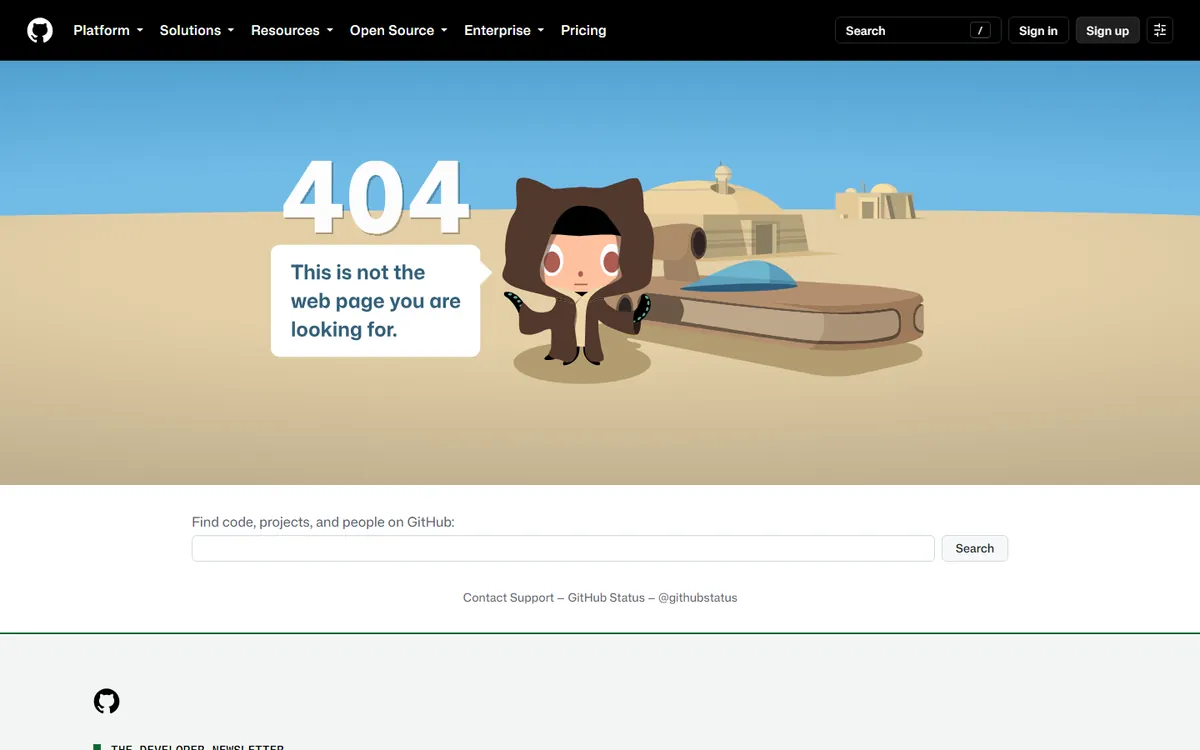
GitHub shows its Octocat mascot in a desert scene with the line “This is not the web page you are looking for.” The part worth copying sits below the art: a search field for code, projects and people. GitHub’s visitors usually arrive with a specific repository in mind, so search is a better rescue than a generic home link.
2. Pixar: A Familiar Character, One Clear Link
Pixar uses Anxiety from Inside Out 2, frozen mid-panic, next to “We can’t find what you’re looking for.” There is exactly one link, back to headquarters. It works because the character is instantly recognisable, and the single link removes any decision.
3. Airbnb: Illustration Plus A Link List
Airbnb pairs a big “Oops!” and an illustrated girl with a short list of useful links: Home, Search, Help, Traveling on Airbnb, Hosting on Airbnb, Trust & Safety and Sitemap. It also prints “Error code: 404” in small text, which helps support teams when a user sends a screenshot. In our test the made-up URL first redirected to airbnb.com/404 before the page loaded.
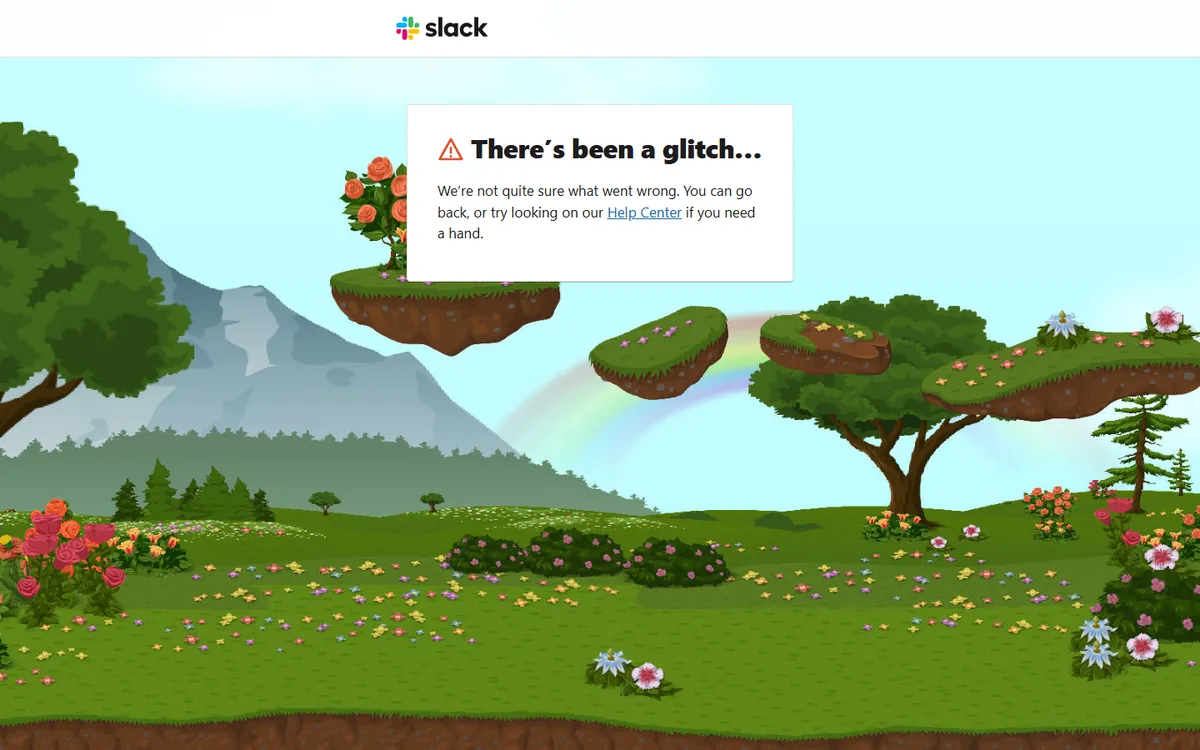
4. Slack: A Calm Landscape And A Help Link
Slack replaces the usual error tone with a hand-drawn landscape and a small card that reads “There’s been a glitch.” The card offers two exits: go back, or open the Help Center. For a product where people arrive from shared links, sending them to help content is a sensible default.
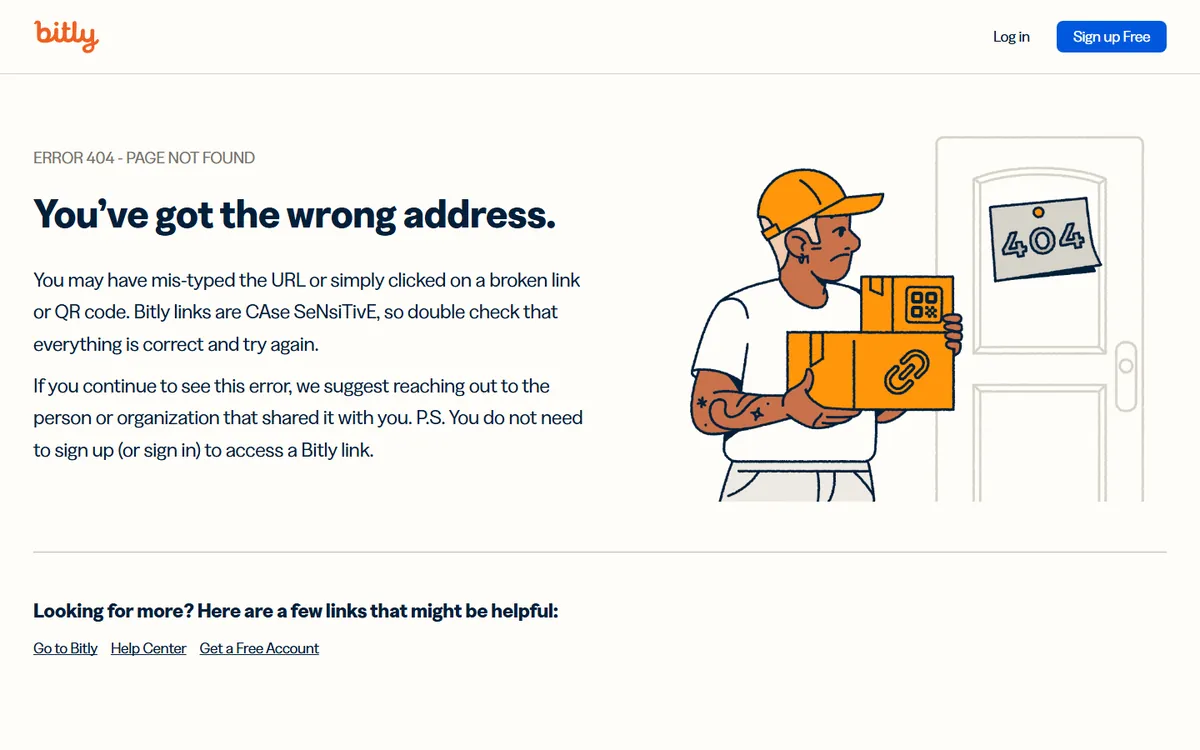
5. Bitly: Explaining Why The Link Broke
Bitly’s page is the best explanation in the list. It says you may have mistyped the URL or followed a broken link or QR code, and then adds the detail only Bitly can give: its links are case sensitive. That one sentence fixes the most common cause of a Bitly 404 before the visitor has to ask.
6. HubSpot: Drifting Off Course In A Balloon
HubSpot shows two people in a hot air balloon under the heading “Looks like you’ve drifted off course.” Rather than a static link list, it suggests one article that relates to the URL you tried, with a short summary and a Read more button. It is a smart idea for a site with thousands of articles, where a guess beats a generic list.
7. Dropbox: A Short List Of Real Destinations
Dropbox uses a small illustration of a character with a magnifying glass, then lists Home, Help center, Sign in, Get a free account, Dropbox Plus and Dropbox Business. The list mixes support and sales links, which is a fair reflection of who lands on a broken Dropbox URL.
Interactive And Playful 404 Pages
A game or a joke can turn an error into a moment people share. The trade-off is weight: interactive pages load more code, so keep them for brands where the personality is the point.
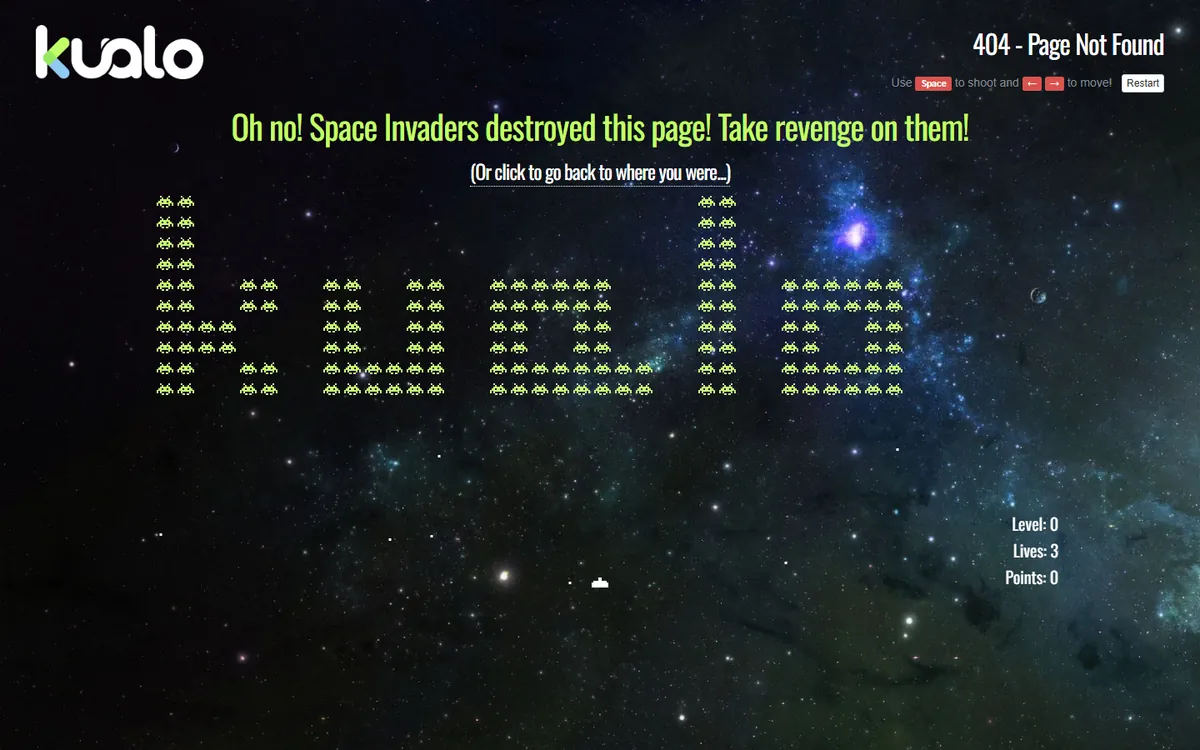
8. Kualo: Play Space Invaders For A Coupon
The hosting company Kualo turns its 404 page into a playable Space Invaders game, with on-screen instructions to shoot with the space bar and move with the arrow keys. The page says that scoring over 1,000 points wins a hosting coupon, which gives a lost visitor a reason to stay and a reason to buy.
9. Magnt: A Venn Diagram Of Mistakes
Magnt draws a Venn diagram with “We Broke Something” on one side and “You Can’t Type” on the other, and “404 Page” in the overlap. It is a light way to say the problem might be on either side, and it matches a brand that sells design tools.
10. Elementor: A Page That Hasn’t Been Built Yet
Elementor’s own 404 page plays on what the product does. The headline says the page has not been built yet, the subline says the best things start with a blank canvas, and a single Back to homepage button sits above a giant 404 on a purple background. It is short, on-brand, and has one obvious next step.
11. Webflow: Owning The Mistake
Webflow keeps its page almost empty: a small 404 label, the line “This is not the page you were looking for,” the words “And that’s on us,” and a Go back home button. Taking the blame in four words is a good model for any brand that wants to sound human without adding illustrations.
Content-Led 404 Pages
Sites that publish a lot can use the 404 page to recommend content, which turns a dead end into a reading list.
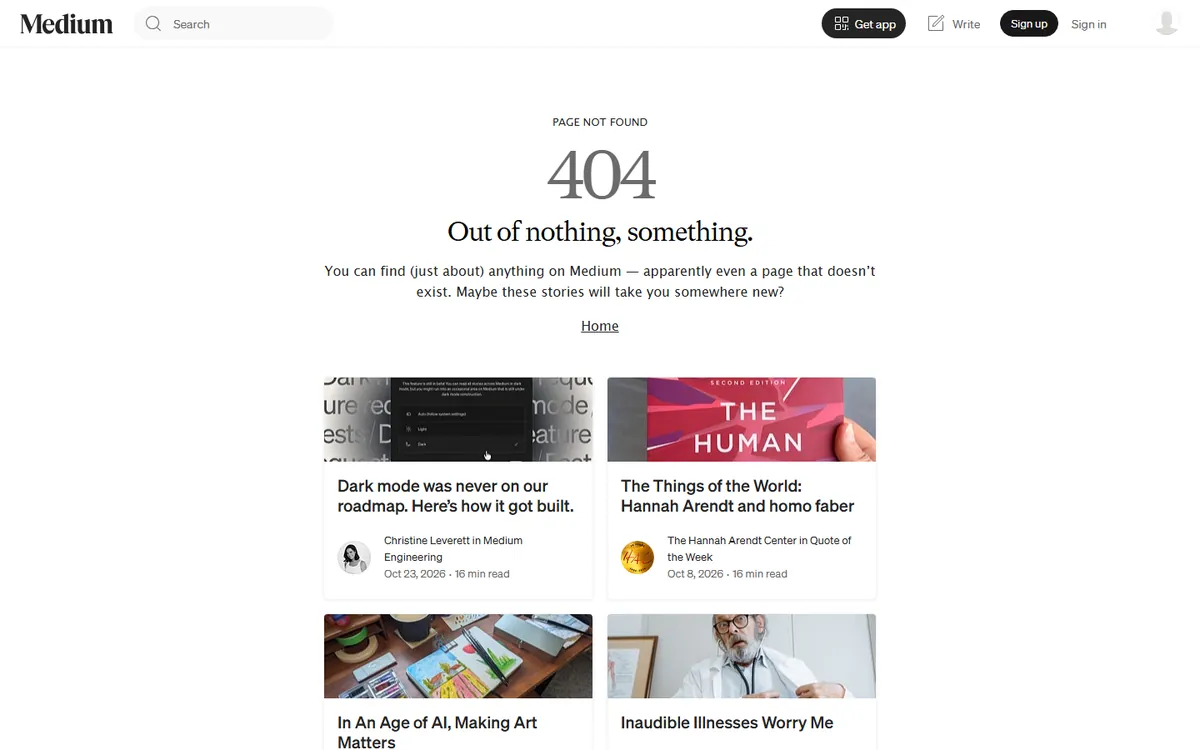
12. Medium: Out Of Nothing, Something
Medium’s heading is “Out of nothing, something,” followed by a line saying you can find almost anything on Medium, even a page that does not exist. Below that it shows a grid of real stories with authors and read times. For a publishing platform, that is the most useful thing a 404 page can do.
13. Mailchimp: A Friendly Note And Topic Links
Mailchimp’s page reads “We lost this page” and then suggests topics in plain sentences: email marketing, SMS marketing, how-to guides, marketing resources and success stories. Writing the links into sentences makes the page feel like help from a person rather than a sitemap.
14. NASA: Let The Visual Do The Work
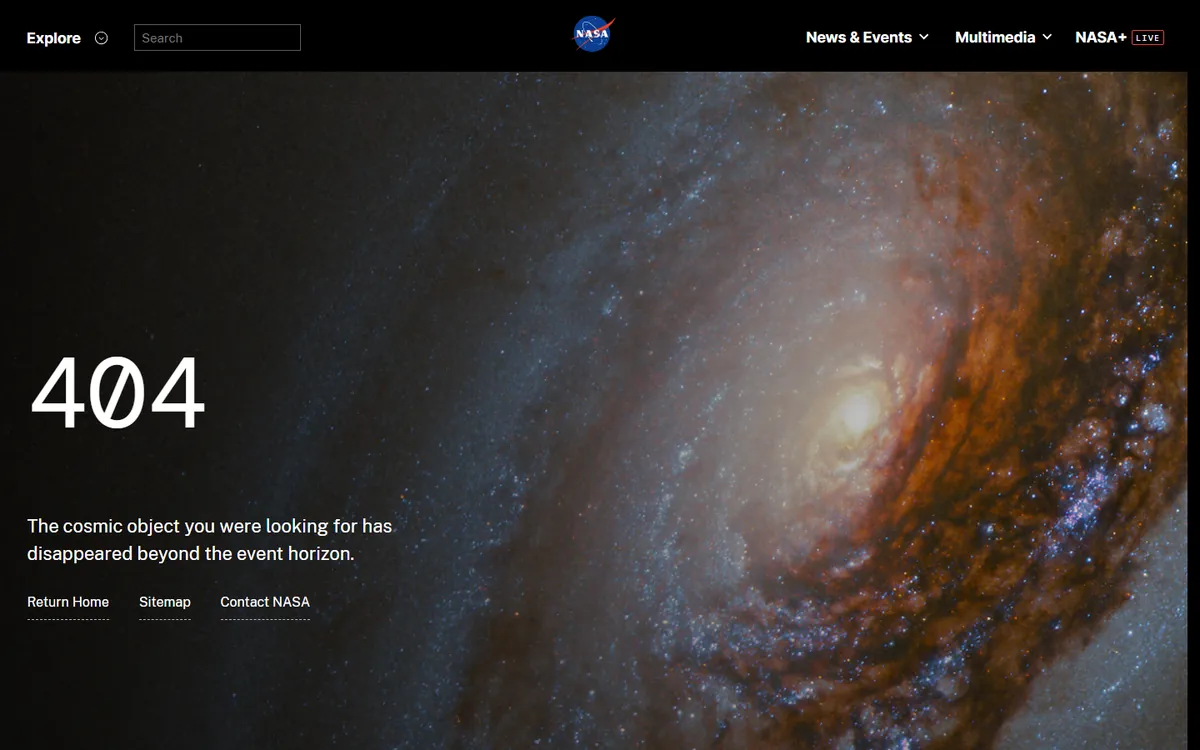
NASA uses a full-screen galaxy photo with the line “The cosmic object you were looking for has disappeared beyond the event horizon.” Three links, Return Home, Sitemap and Contact NASA, sit underneath. It works because NASA owns the best space imagery there is, so the photo is both on-brand and free.
Helpful And Minimal 404 Pages
Not every brand needs a character. These pages are almost entirely navigation, and they are some of the most practical in the list.
15. Stripe: Six Cards To The Pages People Want
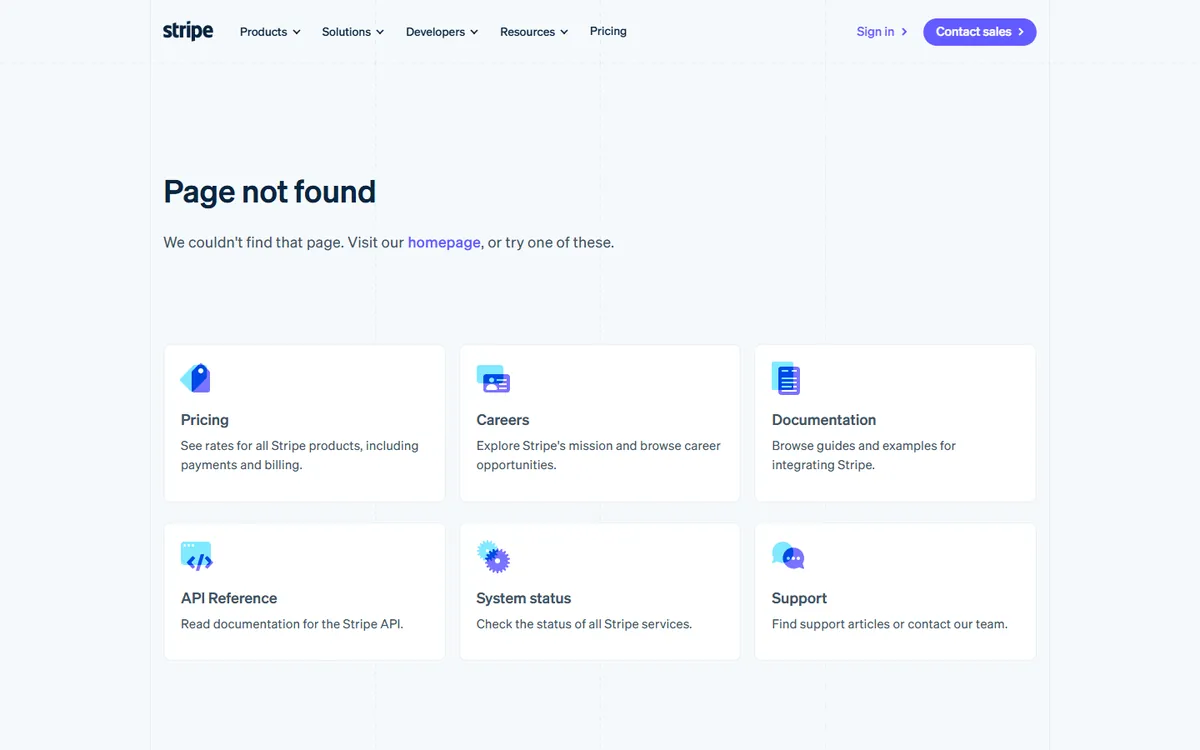
Stripe’s heading is a plain “Page not found,” followed by six cards: Pricing, Careers, Documentation, API Reference, System status and Support. Each card has an icon and a one-line description. For a developer audience that often arrives from an old docs link, this layout gets people to the right section in one click.
16. Cloudflare: Two Buttons, No Guesswork
Cloudflare shows a large patterned 404 with a sentence explaining that the page may have been moved, renamed or removed, then two buttons: Take me home and View all products. Two choices is the right number for most business sites.
17. IKEA: Search First, Then Feedback
IKEA’s page says “Page can’t be found” and offers to take you somewhere more inspiring, with the site search right there in the header. It also asks visitors to rate their experience, which turns a broken link into a data point the team can act on.
18. BBC: A Search Box In The Middle
The BBC puts a search field in the centre of the page under “Sorry, we couldn’t find that page,” with a link to the BBC Homepage. With a site as large as the BBC’s, search is the only rescue that scales.
19. WordPress.org: A Theme You Can Learn From
WordPress.org shows “This page doesn’t exist” over a large faded “Oops!” in the background, with a link to the homepage and a search field. Since many WordPress themes ship a similar template, it is a useful reference for what a default 404 can look like when it is styled with care.
20. Shopify: Respecting The Visitor’s Time
Shopify opens with “Time is money, so we won’t waste yours,” says the page does not exist, and links to the Help Center. The copy matches an audience of busy store owners, and the page gets out of the way fast.
Mistakes We Saw In The Same Test
The other 10 sites in our test showed the problems a 404 page should avoid. None of them are disasters, but each one is easy to fix on your own site:
- A bare server message. Duolingo returned a plain “404 Not Found, the resource could not be found” page with no logo, navigation or link. It is technically correct and gives the visitor nothing to do next.
- Redirecting instead of showing a 404. Notion sent our request to an unsupported-browser page and Vercel sent it to a login screen. When missing pages redirect to something else, visitors do not learn the link is broken, and the redirect can hide real errors from your reports.
- Cookie banners covering the message. On HubSpot, Figma, IKEA and Tesla, a consent banner took up a large part of the first screen. Test your 404 page with the banner showing, and keep the key message high enough to stay visible.
- A message with no next step. Nike’s page showed one sentence, “We can’t find the page you are looking for,” with no search prompt or suggested links near it, so the visitor has to scroll to the footer to find a way back.
One more mistake comes up again and again in WordPress communities: creating a normal page titled “404” and expecting WordPress to use it. A Reddit thread titled “404 page slug is 404-2 and cant change it” is a typical example. A regular page is just a page, and it returns a 200 status. A 404 page has to be a template that WordPress loads when no content matches the URL.
How To Build A Custom 404 Page In Elementor
Free Elementor has no Theme Builder, so it cannot replace your theme’s 404 template on its own. You have three routes:
| Route | What you need | Cost |
|---|---|---|
| Elementor Pro Theme Builder | Elementor Pro, then Templates > Theme Builder and a 404 page template | Paid |
| Nexter Extension 404 Page template | Free Elementor plus the free Nexter Extension plugin; design the template in Elementor | Free |
| Your theme’s own 404 settings | A theme that offers a custom 404 option | Depends on the theme |
Elementor’s own guide to fixing 404 errors walks through the Theme Builder route for Pro users. If you are on free Elementor, the Theme Builder for Elementor in our stack is the Nexter Extension one, and Nexter’s free-vs-pro table lists the 404 Page template as available in the free plugin. It is also part of The Plus Addons for Elementor Pro plan, so Pro customers already have it.
Step-By-Step: A 404 Template With Nexter Extension
- Install and activate Nexter Extension from Plugins > Add New. It is free on WordPress.org.
- In the dashboard, go to Nexter Extension > Theme Builder > Add New Template.
- In the Select Template dropdown, pick Pages, then choose 404 Page.
- Type a name in the Name of Template field, click Next, then click Create.
- When the editor opens, switch to Elementor and build the page like any other layout: a heading, one or two lines of copy, a search field and three or four links.
- Publish the template, then open a made-up URL on your site to see it replace the theme’s default 404 page.
Our guide to the Elementor Theme Builder without Pro covers the same Theme Builder screen for headers, footers, single posts and archives, if you want the whole free setup in one place.
How Our Own 404 Page Is Built
The 404 page on theplusaddons.com is a Nexter Extension 404 Page template designed in Elementor, and it uses only six widgets: a Heading for “Oops….”, an HTML widget that runs a small eyes-follow-the-cursor effect, an Image, a second Heading for “Lost in the Land of WordPress & Elementor?”, a Text Editor line, and a Button that links to the homepage. Our sister product Nexter uses the same structure with its own joke about Wix and Webflow.
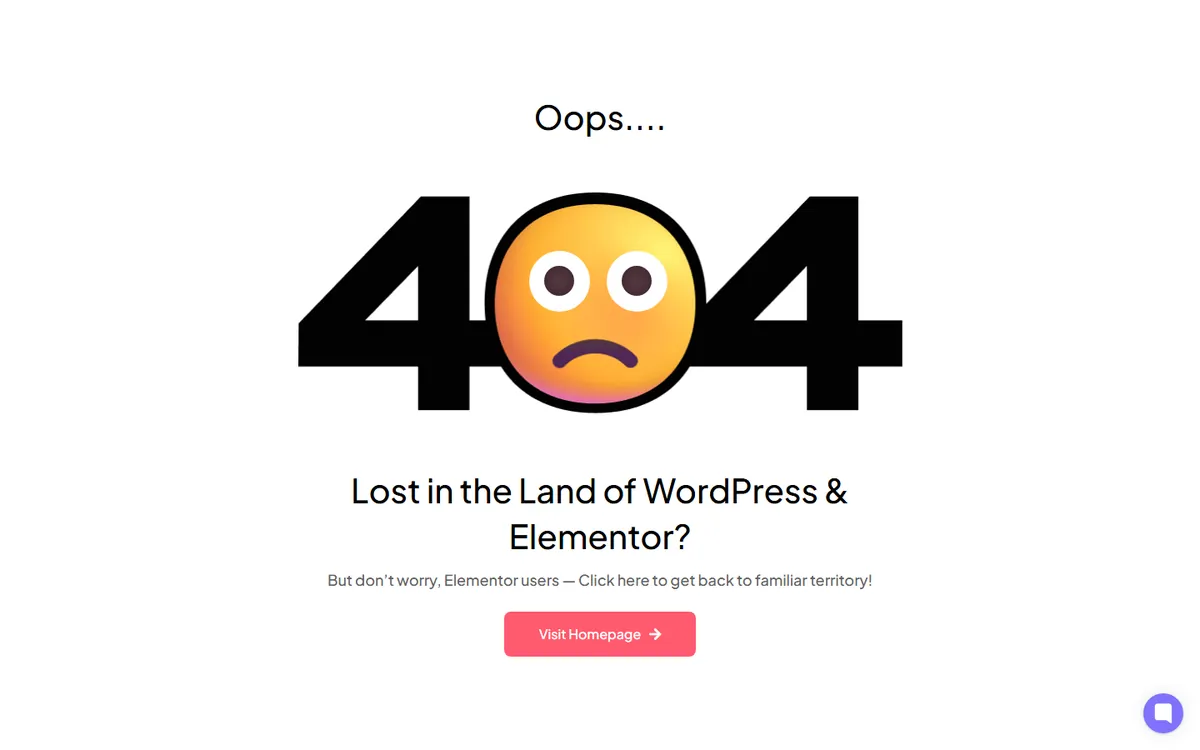
The lesson from building it: the playful part is one small widget. Everything else is a heading, a sentence and a button, which keeps the page fast and easy to change.
Widgets That Make A 404 Page More Useful
- Search. The AJAX Search Bar shows live results as the visitor types, which suits a 404 page better than a plain search form that reloads the page. Our tutorial on adding a search bar in Elementor covers the setup, and the docs explain AJAX search for WooCommerce products for stores.
- Animation. The Lottiefiles Animation widget can add a small looping illustration, and Heading Animation can animate the headline. Use one, not both.
- A cursor effect. If you want something like our eyes effect, our guide to custom cursors in CSS explains the CSS and JavaScript behind cursor-following effects and when to skip them.
Keep the page light. In a Reddit thread titled “Sudden increase in views on 404 pages,” a site owner described bots requesting 2,000 to 3,000 missing login URLs a day, each one served the site’s 404 page. A heavy page multiplies that cost, so compress images, avoid autoplay video, and keep scripts small.
Check That Your 404 Page Returns A Real 404
A custom design is only half the job. The server must still send a 404 status code. Google’s documentation on HTTP status codes explains that when a page returns 200 but shows an error message, Search Console can report it as a soft 404. You can check your own page from a terminal in a few seconds:
curl -I https://yoursite.com/this-page-does-not-exist/

# The first line of the response should look like this:
HTTP/2 404
If you see 200 or 301 instead, something is redirecting or rewriting missing URLs. Common causes are a plugin that redirects all 404s to the homepage, or a regular page that was set up as a fake 404. In our test, every one of the 20 pages featured above ended on a 404 status for the made-up URL (Airbnb after one redirect to its /404 address), which is part of why they made the list.
Responsive Behavior
Most broken links are opened on phones, from social posts, messages and emails, so check the mobile view first. In Elementor, use the device switcher to scale down the giant “404” heading, stack any link cards into one column, and make sure the search field and main button sit above the fold. If you used an animation, set it to a smaller size on mobile or hide it there entirely; the message and the next step matter more than the art on a small screen.